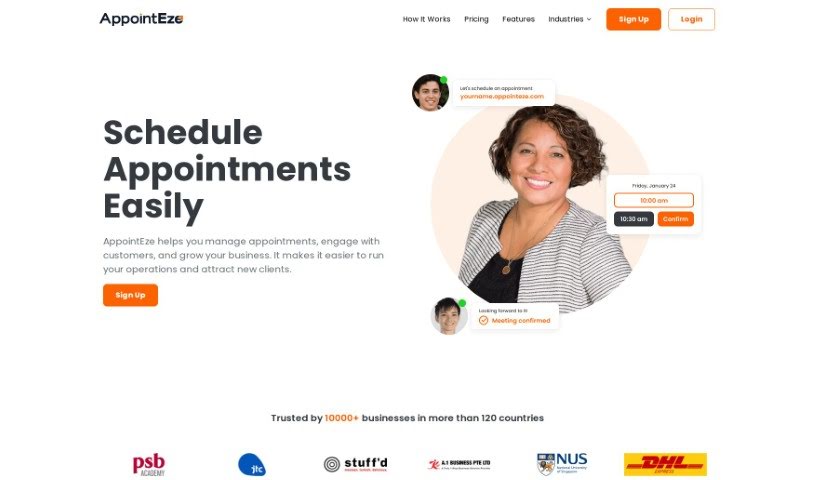
Screenshot of Appointeze

Appointeze

Discover what Appointeze is and how to use it effectively in 2025. We'll explore its features and see how it stacks up against other meeting assistants.

Screenshot

What is Appointeze?

Appointeze is a cloud-based appointment management system built for small and medium-sized businesses. It is your digital assistant for handling appointments, making things much smoother and saving everyone time. It lets you easily share when you’re free, book meetings, and even automate the whole booking process. Customers have really liked how simple it is to use and how flexible it is for setting up appointments that work for them.

Who created Appointeze?

Appointeze was founded by Toney Singla. It’s a cloud-based appointment scheduling system designed to help businesses manage their appointments efficiently. It offers real-time scheduling and gives clients the flexibility they need. People have given it great feedback, praising how easy it is to use and how much time it saves. This helps businesses provide reliable services. In fact, over 10,000 businesses in more than 120 countries now trust Appointeze.

What is Appointeze used for?

Appointeze is a versatile tool that helps with a lot of things:

  • Managing Appointments Online: It’s a cloud-based system for managing all your appointments.
  • Real-Time Availability: It shows your real-time availability so people can easily accept appointments.
  • Business Appointment Management: It’s designed for businesses to manage appointments online.
  • Scheduling Automation: It automates scheduling for important meetings.
  • Team Scheduling: It helps teams manage large-scale meetings.
  • Sharing Availability: You can easily share your availability with others.
  • Co-hosting Calls: It makes co-hosting client calls simple.
  • Reminders & Follow-ups: It sends out email reminders and follow-ups automatically.
  • Team Preferences: It helps integrate scheduling preferences across your team.
  • Boosting Revenue & Retention: By automating scheduling, it helps increase revenue and keeps customers coming back.
  • Growing Your Business: Scheduling automation is a key way to grow.
  • Team Scheduling Adaptation: It adapts to your team’s different scheduling needs.
  • Software Integration: You can connect it with your favorite software tools.
  • High-Value Meetings: It helps you focus on scheduling those important, high-value meetings.
  • Recruitment: It can even help with scheduling to land new recruits.
  • Client Booking: It lets clients book appointments online without needing to register.
  • Instant Confirmation: Appointments get confirmed and finalized right away.
  • Saving Time & Money: It’s great for small and medium businesses looking to save time and money.
  • Customer Satisfaction: It helps provide great customer service with its optimized features.
  • Streamlining Bookings: It makes the booking process much smoother for clients.
  • Immediate Confirmation: Clients get immediate confirmation for their appointments.
  • Designed for Teams: It’s particularly useful for teams that handle many large meetings.
  • Working Hours: Clients can easily set up working hours that suit them.

Who is Appointeze for?

Appointeze is a great fit for:

  • Small Business Owners
  • Medium Business Owners
  • Service Providers
  • Teams that handle large-scale meetings
  • Administrators
  • Sales Professionals
  • Small and medium businesses in general

How to use Appointeze?

Using Appointeze effectively is pretty straightforward. Just follow these steps:

  1. Get Started: First, sign up and set up your account. You’ll need to provide some basic business details.
  2. Set Your Availability: Next, customize when you’re available. This means setting your working hours and any specific preferences for you and your team.
  3. Share Your Schedule: Once that’s done, share your availability. You can do this by adding Appointeze to your website, or simply by sending out a link via email or text.
  4. Let Clients Book: Allow your clients to schedule appointments online. This really saves time and makes customer service much better.
  5. Automate for Efficiency: Use the scheduling automation features to make the booking process smoother. This can help you get more high-value meetings booked.
  6. Team Collaboration: Work with your team by adapting to their scheduling preferences and co-hosting client calls when needed.
  7. Gather Feedback: Listen to what your clients say. Use their feedback to make adjustments and improve your service quality.
  8. Get Support: If you ever need help with technical issues or want to customize something, Appointeze offers support to assist you.

By following these steps, you’ll be able to manage appointments really well, boost your business efficiency, and make your clients happier.

Related AI Tools

Discover more tools in similar categories that might interest you

Stay Updated with AI Tools

Get weekly updates on the latest AI tools, trends, and insights delivered to your inbox

Join 25,000+ AI enthusiasts. No spam, unsubscribe anytime.