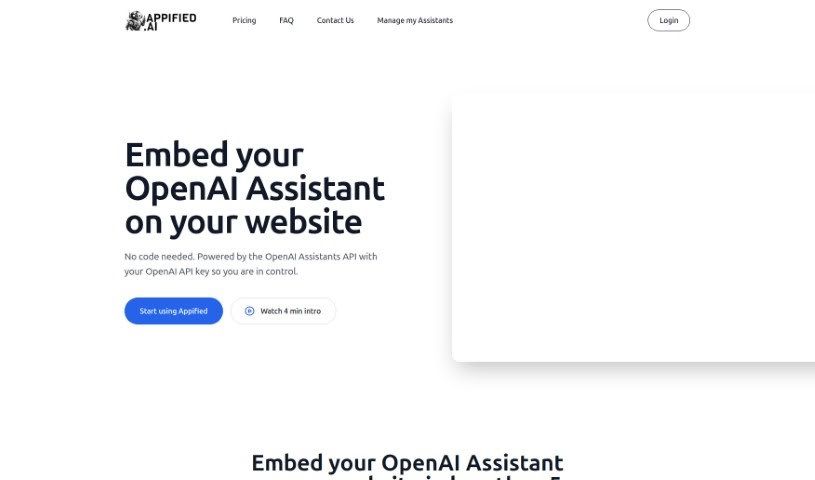
Screenshot of Appified.ai

Appified.ai

Discover Appified.ai in 2025! Learn what this platform is, how to use it effectively to turn your OpenAI Assistant into a web app, and how it stacks up against other website builders.

Screenshot

What is Appified.ai?

Appified.ai is a really neat platform developed by Aster. What it does is let you take an OpenAI Assistant you’ve created and turn it into a complete, working web application. The best part? You don’t need to know any code at all! You can easily put your AI assistant right onto your own website, share it with friends or clients, or even make money by selling it as a product. Appified.ai also makes sure you keep complete ownership and control over all your data and the AI assistant you build. Appified.ai is the helpful connection that makes all this possible. It helps you build your AI assistant into a web app, share it, and even handle payments through Stripe integration. Plus, you can keep track of everything and manage user details using the admin dashboard Appified.ai provides. They really focus on keeping your data safe and private, so you can create, sell, and use your chat assistant without any coding headaches.

Who created Appified.ai?

Appified.ai was actually created by Aster, a team that’s really passionate about generative AI and what the future of work looks like. They launched the platform back on January 12, 2024, with the goal of offering a no-code way to turn OpenAI Assistants into fully functional web applications. This means users can easily embed, share, and even monetize their AI assistants without needing any coding skills whatsoever. The key people behind Appified.ai are Aster’s CEO, Charlie, and the founder, Dan.

Who is Appified.ai for?

  • AI Consultants

How to use Appified.ai?

Using Appified.ai is pretty straightforward. Here’s a quick rundown of the steps:

  1. First, you’ll need to connect your OpenAI account to Appified.ai. It’s a simple process.
  2. Next, just pick the OpenAI Assistant you’ve created that you want to transform into a web application.
  3. Appified.ai then takes over, converting your Assistant into a fully functional web app for you.
  4. Once it’s ready, you can embed your AI Assistant directly onto your website, integrating it seamlessly as an application.
  5. After that, you can share the link to your new web application, letting others interact with your AI.
  6. To make money from it, you can use the built-in Stripe integration to handle payments and manage your customers, which really helps you monetize your AI assistant.
  7. A big plus is that you get to keep full ownership and control over all the data and the AI assistant you develop on Appified.ai.
  8. You can keep an eye on how your AI Assistant is performing using the admin dashboard that Appified.ai provides.
  9. Managing user details and their interactions is also easy through the Appified.ai dashboard.
  10. You can interact with your AI Assistant from pretty much any device, as the web application is designed to work across various platforms.
  11. Don’t forget the history feature – it’s super handy for looking back at past conversations.
  12. And importantly, Appified.ai really prioritizes data security and privacy, ensuring you maintain ownership and control over your user data.
  13. The whole process of transforming your OpenAI Assistant into a Web App is remarkably quick, usually taking about 2 minutes thanks to Appified.ai’s efficient system.

By following these steps, you can smoothly use Appified.ai to turn your OpenAI Assistant into a functional web application. It makes embedding, sharing, monetizing, and maintaining your AI assistant incredibly easy.

Related AI Tools

Discover more tools in similar categories that might interest you

Stay Updated with AI Tools

Get weekly updates on the latest AI tools, trends, and insights delivered to your inbox

Join 25,000+ AI enthusiasts. No spam, unsubscribe anytime.