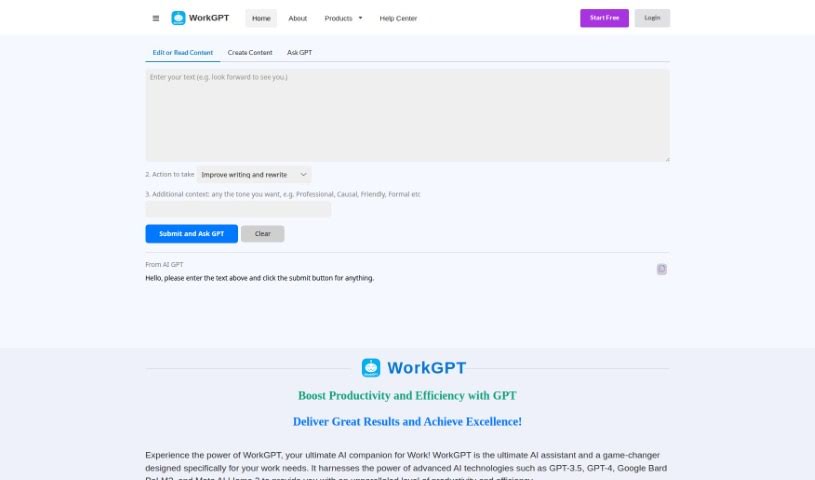
Screenshot of AI Work Suite

AI Work Suite

Discover what AI Work Suite is and learn how to use it effectively in 2025. We'll explore its features and see how it stacks up against other documentation tools.

Screenshot

What is AI Work Suite?

WorkGPT is your go-to AI assistant, built specifically for all your work-related needs. It taps into powerful AI technologies like GPT-3.5, GPT-4, Google Bard PaLM2, and Meta AI LIama 2. The goal? To seriously boost your productivity and make your tasks more efficient, whether you’re writing, editing, creating content, or trying to get a handle on complex information. You can easily weave WorkGPT into your daily routine using Google Workspace apps like Docs, Slides, and Sheets, or just access it through the web or a handy Chrome extension. They’ve also put a lot of thought into data security and privacy, with strong systems to keep your information confidential and safe. WorkGPT can do a lot, from translating languages and summarizing text to helping you understand and explain things, finding synonyms, and even offering a built-in dictionary to make comprehension a breeze. Ultimately, WorkGPT aims to completely change how you work, making you more efficient and helping you tap into your full potential with its AI smarts.

Who created AI Work Suite?

WorkGPT, this really smart AI assistant for work tasks, was actually created by a founder who’s keeping their identity under wraps for now. This AI solution really makes the most of advanced tech like GPT-3.5, GPT-4, Google Bard PaLM2, and Meta AI LIama 2 to give your productivity and efficiency a big boost – we’re talking a 10x improvement in writing and editing. Plus, it fits right into your Google Workspace apps and is super serious about keeping your data private and secure.

What is AI Work Suite used for?

  • Summarizing content: Get the gist of long documents quickly.
  • Creating content: Draft emails, social media posts, and updates with ease.
  • Understanding complex information: Break down difficult topics into simpler terms.
  • Enhancing work tasks: Make your everyday work more efficient.
  • Asking questions: Use plain language prompts to get answers.
  • Creating images: Generate visuals directly within the tool.
  • Seamless integration: Works smoothly with Google Docs, Slides, and Sheets.
  • Translation: Convert text into different languages.
  • Explaining content: Get help understanding and clarifying information.
  • Synonyms and dictionary: Find the right words and look up definitions.

How to use AI Work Suite?

WorkGPT is a really capable AI assistant, perfectly suited for work tasks. It uses top-notch AI technologies like GPT-3.5, GPT-4, Google Bard PaLM2, and Meta AI LIama 2 to give your productivity a significant boost. You can expect a 10x improvement in writing and editing, covering everything from creating content to understanding information. WorkGPT integrates smoothly into Google Workspace apps like Docs, Slides, and Sheets, and you can also access it online or through a handy Chrome extension. They’ve made data security and privacy a priority, with strong measures to keep your information confidential. You can use WorkGPT for all sorts of things: translating, summarizing, understanding content, finding synonyms, using the dictionary, and much more. By really using what WorkGPT offers, professionals can transform their work, become more efficient, and unlock their full potential in the workplace.

Related AI Tools

Discover more tools in similar categories that might interest you

Stay Updated with AI Tools

Get weekly updates on the latest AI tools, trends, and insights delivered to your inbox

Join 25,000+ AI enthusiasts. No spam, unsubscribe anytime.