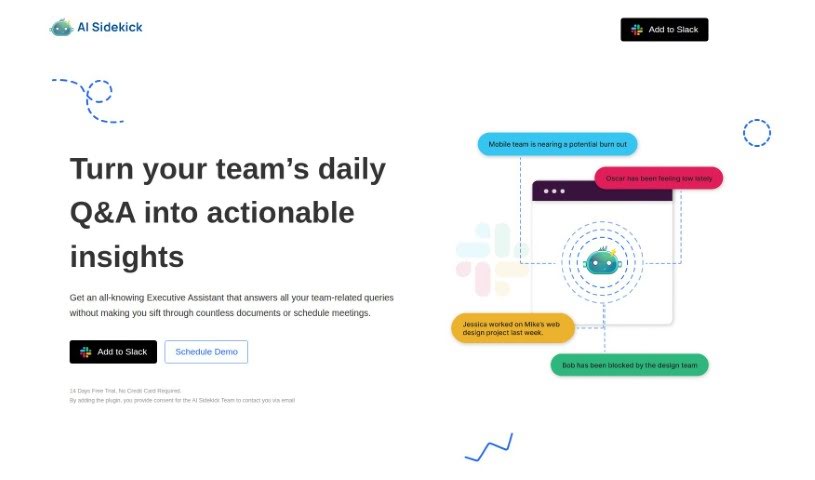
Screenshot of AI Sidekick

AI Sidekick

Discover what AI Sidekick is and how to use it effectively in 2025. We'll explore its features and see how it stacks up against other Meetings Assistants.

Screenshot

What is AI Sidekick?

AI Sidekick is a modern tool that works with Slack, giving you team analytics powered by ChatGPT. It is your virtual Executive Assistant right inside Slack. It’s designed to really boost your team’s productivity by giving you fast answers to questions about your team and offering practical insights. It makes daily tasks much simpler, like setting up a Daily Q&A channel, quickly filling out those daily updates with a simple command, and letting you have unlimited chats. They offer a 14-day free trial, and you can choose plans for individual users or your whole workspace.

Who created AI Sidekick?

AI Sidekick was developed by a dedicated team. This tool is a contemporary solution built to integrate smoothly with Slack, providing valuable team analytics and boosting productivity through ChatGPT technology. Essentially, AI Sidekick acts as your virtual Executive Assistant within Slack, delivering instant answers to team-related questions and offering actionable insights that really help your team perform better. It also aims to help prevent burnout and lift team spirits. You’ll find features like a Daily Q&A channel, and they’re planning to add customizable questions soon, plus they offer 24/7 support. You can sign up for a 14-day free trial, and they have pricing options for individuals or entire workspaces.

What is AI Sidekick used for?

  • It’s really easy to use.
  • You get insights you can actually act on.
  • It helps prevent team burnout.
  • It provides a structured Q&A system.
  • It’s like having your own Executive Assistant for all your team-related questions in Slack.
  • It helps prevent burnout and generally improves team morale.
  • You get actionable insights that help you solve problems quickly.
  • You can easily set up a Daily Q&A channel for regular team interaction.
  • Tasks are simplified with an ‘/in’ shortcut for daily Q&A updates.
  • Enjoy unlimited chats for smooth communication.
  • It helps you identify and fix issues faster by providing context-rich insights.
  • It boosts team productivity through daily questions and insights.
  • It improves how efficiently your workflow runs by integrating with Slack.
  • It enhances how your team collaborates and communicates.
  • It’s all about boosting team productivity.
  • And improving team morale.
  • Plus, identifying and solving blockers faster.
  • It’s like an all-knowing Executive Assistant for anything team-related in Slack.
  • It simplifies daily tasks with its Daily Q&A setup.
  • It’s integrated with Slack for a seamless workflow.

Who is AI Sidekick for?

  • Executives
  • Team leaders
  • Managers
  • HR Professionals
  • Customer service representatives
  • People who work with team analytics
  • Executive assistants

How to use AI Sidekick?

Here’s how you can get the most out of AI Sidekick:

  1. Getting Started is Simple:

    • First, add AI Sidekick to your Slack workspace.
    • Then, set up a dedicated Daily Q&A channel.
    • Make sure your team knows to use the ‘/in’ shortcut to easily fill out their daily Q&A.
  2. Chatting with AI Sidekick:

    • You can ask AI Sidekick anything directly through its direct message feature.
  3. Understanding the Pricing:

    • You can start with a 14-day free trial to test it out.
    • After that, you can choose Sidekick Pro for $9 per user each month, or Sidekick Pro Max for $99 per month, which covers your entire workspace.
  4. Key Features and Benefits:

    • AI Sidekick acts as your Executive Assistant right in Slack, offering team analytics and useful insights.
    • It helps prevent burnout, provides insights with good context, and makes your workflow smoother with its Q&A system.
  5. Making Sure Information is Reliable:

    • While AI Sidekick’s answers are really helpful, it’s always a good idea to double-check important information with other sources too.

By following these straightforward steps, you can easily fit AI Sidekick into your team’s daily routine. It’s a great way to boost productivity and help create a healthier work environment for everyone.

Related AI Tools

Discover more tools in similar categories that might interest you

Stay Updated with AI Tools

Get weekly updates on the latest AI tools, trends, and insights delivered to your inbox

Join 25,000+ AI enthusiasts. No spam, unsubscribe anytime.