What is AI Doc Gpt?
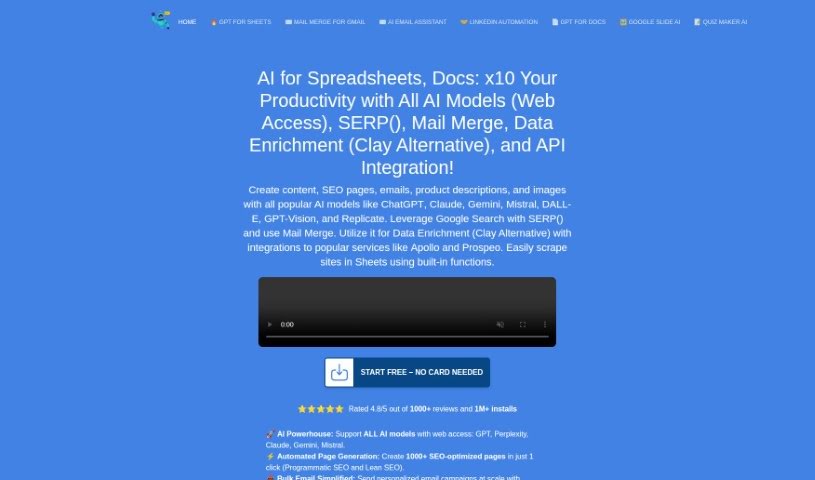
DocGPT is your smart writing partner, built right into Google Docs. It’s designed to help professionals like you create great content quickly and without errors. It uses advanced AI to write in a way that sounds completely natural, just like a human wrote it. Whether you need an email, a report, or even a blog post, DocGPT has you covered. Plus, it supports over 26 languages and can even help you get found online by suggesting keywords to improve your SEO. It’s a really versatile tool for anyone looking to write better and faster.
Who created AI Doc Gpt?
AI Doc GPT was actually created by Yaro, who you can see mentioned in the footer. Yaro is the founder of DocGPT.ai, the company behind this smart AI writing assistant. Their goal is to help professionals produce high-quality content efficiently. As we mentioned, it’s integrated directly into Google Docs and uses sophisticated language generation to sound human-like. It’s pretty impressive that it handles over 26 languages and offers SEO features to boost your content’s visibility.
What is AI Doc Gpt used for?
This tool is incredibly versatile! Here’s a look at just some of the things you can do with it:
- Crafting tweets
- Rewriting existing text to give it a fresh spin
- Pulling out email addresses from platforms like LinkedIn, Instagram, Twitter, and Facebook
- Generating social media content automatically
- Letting Google know when you’ve added new pages
- Helping your pages get indexed by Google automatically
- Writing content with just one click using AI
- Creating SEO-optimized articles
- Improving your email communication with an AI writing assistant
- Generating SEO-optimized pages in bulk – up to 30 at once!
- Creating AI quizzes for Google Forms
- Scraping LinkedIn profiles for information
- Extracting Instagram bios
- One-click AI writing for various content types
- Generating SEO-optimized articles
- Providing AI assistance for your Gmail messages
- Creating presentations with AI and ChatGPT
- Programmatic SEO: generating 30 SEO-optimized pages quickly
- Effortlessly writing content for books, essays, courses, and even just paragraphs
- Easily creating quizzes, forms, and polls for Google Forms based on your topic
- Generating SEO-optimized articles that are over 1000 words, tailored to your keywords
- Enhancing, personalizing, and streamlining your email communication with AI help
- Creating presentations using AI and Google Slides
- Summarizing text into easy-to-read bullet points
- Adding emojis to your text to make it more engaging
- Generating personalized cold emails that get noticed
- Creating content specifically for LinkedIn, Facebook, and Instagram
- Generating 30 SEO-optimized pages in one go
- Extracting emails from social media platforms like LinkedIn, Instagram, Twitter, and Facebook
- Automating social media content creation for posts and collaborations
- Generating pages in bulk with built-in SEO optimization
- Notifying Google automatically about new web pages
- Automating email generation and providing assistance for Gmail users
- Generating AI content for books, essays, courses, and paragraphs
- Creating SEO-optimized articles automatically
- Using AI to create presentations with integrated images and templates
- Generating AI quizzes for Google Forms
- Scraping the web to extract data
Who is AI Doc Gpt for?
This tool is a great fit for a wide range of people:
- Professionals in any field
- Writers of all kinds
- Content creators looking to boost their output
- Marketers aiming for better engagement and reach
- Business professionals needing efficient communication tools
- Students working on assignments and papers
- Anyone who needs AI-generated content to save time or improve quality
- Digital marketers
- Content writers
- SEO specialists
- Social media managers
- Digital Marketing Managers
- Senior Digital Marketing Managers
- Vice Presidents of Human Resources
- Marketing Managers
- Human Resources Managers
How to use AI Doc Gpt?
Getting started with AI Doc Gpt is pretty straightforward. Just follow these simple steps:
- Install the Add-On: Head over to the Workspace Marketplace and click the ‘Install’ button. It’s a quick process.
- Open a Google Doc: Open any document where you’d like to use the add-on’s features.
- Launch the Add-On: Click on the ‘Extensions’ button in your Google Doc menu. Then, select ‘DocGPT - AI Writer’ and click ‘Launch’.
- You’re ready to go! The sidebar for the add-on’s functions will now be open and ready for you to use.
In essence, DocGPT is a powerful AI writing assistant that integrates seamlessly with Google Docs. It’s designed to help you generate high-quality, natural-sounding content in various languages and tones. Whether you’re writing emails, reports, blog posts, or anything else, it can be tailored to your specific needs. Plus, it offers valuable assistance with SEO optimization, helping to improve your search engine rankings. It’s user-friendly, versatile, and really boosts your productivity and the overall quality of your writing.