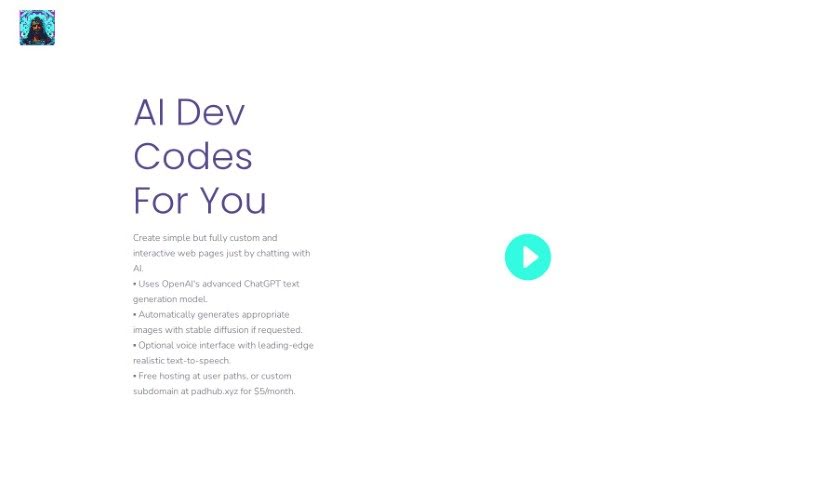
Screenshot of AI Dev Codes

AI Dev Codes

Discover what AI Dev Codes is and how to use it effectively in 2025. We'll explore its features and see how it stacks up against other website builders.

Screenshot

What is AI Dev Codes?

AI Dev Codes is a really neat AI-powered tool that lets you build custom, interactive web pages just by chatting with it. It uses advanced text and image generation tech, with ChatGPT helping out to make sure the responses you get are actually useful. It can even create images for you using stable diffusion, and there’s an optional voice feature with realistic text-to-speech if you prefer that. Plus, you get free hosting for whatever you create! You can make all sorts of pages – think mock-ups, handy utility pages, fun creative writing projects, or even full-blown websites.

This tool is fantastic for making website creation much simpler, especially if you’re not a coding whiz. You can use it for quick prototypes, to whip up utility or informational pages, to experiment with creative writing, and yes, even to build entire websites from scratch. The AI image generation, powered by stable diffusion, is designed to give you high-quality, consistent image results based on what you ask for.

AI Dev Codes really shines when it comes to creating a variety of web pages. For instance, it can help you set up an order system for a lemonade stand, create a character page for Dungeons & Dragons, build a site filled with frog pictures, or even put together a website about common birds found in South Texas. It’s shown it can create artistic images, help build interactive web pages, and even assist in crafting engaging stories through its text generation capabilities.

Who created AI Dev Codes?

The website, Aidev.codes, was actually created by an AI tool called AI Dev Codes itself. It first launched on June 17, 2024. The specific founder behind it wasn’t mentioned in the information I have. Essentially, AI Dev Codes is a platform that makes it super easy for anyone to create their own custom, interactive web pages just by chatting. It offers features like generating custom web pages, creating images, realistic text-to-speech, and free hosting. The whole point is to simplify website building, making it accessible even if you don’t have a lot of coding experience.

What is AI Dev Codes used for?

  • Prototyping web pages: You can create them to discuss ideas and make refinements.
  • Utility or informational pages: Need a quick page for information or a specific function? This tool can help.
  • Creative writing experiments: It can help generate narratives and illustrations to bring your stories to life.
  • Building entire websites: Yes, you can construct complete websites with it.
  • Generating artistic images: Get unique visuals based on your descriptions.
  • Illustrated creative writing: Combine text and images for richer storytelling.
  • Various page types: Think of things like an order system for a lemonade stand, a D&D character page, or a site about South Texas birds.
  • Simple order systems: It can help you set up basic systems for taking orders.
  • Informational websites: Like that site about common birds in South Texas, it’s great for sharing information.

Who is AI Dev Codes for?

  • Web Developers: For quick prototyping and building.
  • Creative Writers: To help visualize stories and create illustrated content.
  • Artists: To generate unique visuals and potentially build portfolios.
  • Utility page creators: For anyone needing specific functional pages.
  • Prototypers: To quickly mock up ideas and test concepts.

How to use AI Dev Codes?

Using Aidev.codes is pretty straightforward. Here’s a simple breakdown:

  1. Start a chat: Just begin a conversation with the tool through its chat interface.
  2. Describe what you need: Clearly tell it what you want to do. This could be creating a web page, generating specific text, or designing an image.
  3. Use specific prompts: Follow the tool’s guidance on commands or prompts to help the AI generate exactly what you’re looking for.
  4. Use its generation powers: Take advantage of both text and image generation to build your custom web pages, illustrations, or narratives.
  5. Explore the features: Check out the optional voice interface with realistic text-to-speech, and remember you get free hosting for your creations.
  6. Ask for customization: You can request things like using medieval or D&D-style fonts to make your pages look just right.
  7. Build and experiment: Use its capabilities for prototyping, making utility or informational pages, and trying out creative writing ideas.
  8. Leverage image generation: Make sure to use stable diffusion for image creation; the tool handles the automatic image creation process for you.
  9. Look out for updates: Keep an eye on future enhancements, like the upcoming templating feature.
  10. Enjoy the process: You’ll find web development is much easier, with interactive design and lots of possibilities for creating different kinds of pages with AI Dev Codes.

Related AI Tools

Discover more tools in similar categories that might interest you

Stay Updated with AI Tools

Get weekly updates on the latest AI tools, trends, and insights delivered to your inbox

Join 25,000+ AI enthusiasts. No spam, unsubscribe anytime.