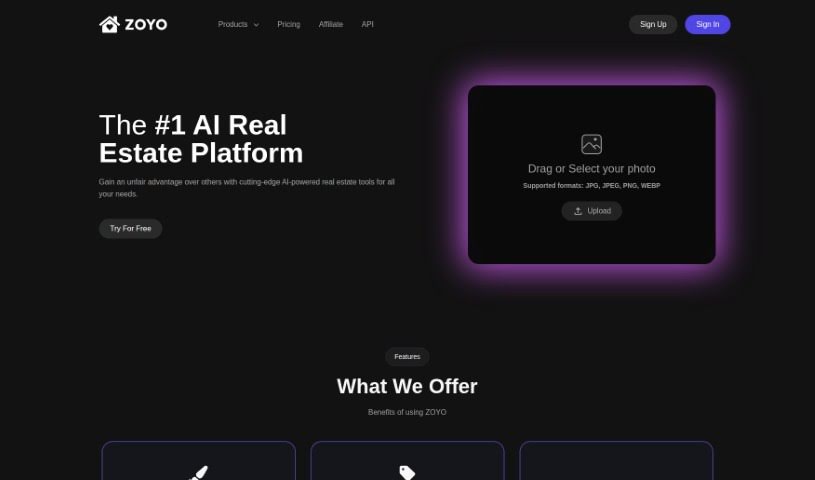
Screenshot of Zoyo

Zoyo

Discover Zoyo, an AI-powered real estate platform. Learn how to use its features like interior design, image enhancement, and virtual staging in 2025, and see how it stacks up against other Interior Design Tools.

Screenshot

What is Zoyo?

Zoyo is a smart, AI-driven platform designed specifically for real estate professionals and anyone working in related fields. It is your go-to digital assistant for making properties look their absolute best. It offers a whole suite of tools to help you out, including:

  • Interior and Exterior Design: Get design ideas for remodeling your spaces.
  • Image Enhancement: Make your property photos pop.
  • Day to Dusk Transformation: Easily turn daytime shots into appealing nighttime views.
  • Sketch to Reality Conversion: See your design sketches come to life as realistic home visuals.
  • Item Removal: Clean up photos by taking out unwanted objects.
  • Virtual Staging: Furnish empty rooms digitally to help buyers visualize the potential.
  • Image Resolution Upscaling: Boost your images to stunning 4K and 8K quality.

What’s really great is that Zoyo can save you a lot of money and time compared to traditional design services. It uses its own special ULTRA image model to create incredibly realistic, high-quality renders. You can upload your images in common formats like JPG, JPEG, PNG, and WEBP. It’s a fantastic tool for realtors, brokerages, homeowners, interior designers, builders, contractors, and architects looking to make their properties stand out.

Who created Zoyo?

Zoyo was launched on December 16, 2023, by a founder who prefers to remain anonymous. As an AI-powered real estate platform, it offers a variety of tools focused on enhancing property visuals. These include services for interior and exterior design, improving image quality, transforming photos from day to dusk, virtually staging properties, and much more. The goal is to help real estate professionals—whether they’re realtors, brokers, homeowners, interior designers, builders, contractors, or architects—make their property listings more attractive. The idea is that better visuals can lead to quicker sales and potentially higher offers.

What is Zoyo used for?

Zoyo is incredibly versatile, helping you with many aspects of real estate marketing and design:

  • Boosting Property Listings: Make listings for brokerage firms look much more appealing.
  • Design Inspiration: Get fresh ideas for interior and exterior remodeling projects.
  • Photo Makeovers: Easily transform daytime photos into attractive nighttime shots with the day-to-dusk feature.
  • Visualizing Designs: Turn your sketches into realistic home designs using the Sketch to Reality tool.
  • Photo Cleanup: Remove unwanted items from your images.
  • Virtual Furnishing: Make empty rooms feel lived-in and stylish with the Virtual Staging tool.
  • High-Resolution Images: Upgrade your photos to crystal-clear 4K and 8K resolution.
  • Realistic Renders: Generate ultra-realistic, high-quality images of real estate properties.
  • Saving Money: Cut down on design costs by quickly generating ideas and visuals.
  • Subscription Options: Choose from various subscription plans that come with different credit allowances and pricing.
  • Faster Sales & Higher Offers: Enhance property listings to attract buyers more effectively.
  • Streamlining Workflows: Offers tools like day-to-dusk transformation, sketch-to-reality conversion, item removal, virtual staging, and image upscaling to make your job easier.

Essentially, Zoyo helps you create better visuals, save money on design, and ultimately, improve your chances of selling properties faster and for more.

Who is Zoyo for?

Zoyo is a fantastic tool for anyone involved in the real estate market or property development. This includes:

  • Realtors
  • Brokerages
  • Homeowners looking to sell
  • Interior designers
  • Builders
  • Contractors
  • Architects

If you work with property visuals, Zoyo likely has something to offer you.

How to use Zoyo?

Getting the most out of Zoyo is pretty straightforward. Just follow these simple steps:

  1. Sign Up: Head over to the Zoyo website and create your account.
  2. Pick a Plan: Choose the subscription plan that best suits your needs. They offer Free, Standard, Pro, and Ultimate options, each with different credit amounts.
  3. Upload Your Images: You can upload photos in JPG, JPEG, PNG, or WEBP formats for Zoyo to work its magic.
  4. Explore the Tools: Dive into the different features available. You’ve got interior and exterior design tools, image enhancement, the day-to-dusk transformation, sketch-to-reality conversion, item removal, and virtual staging.
  5. Use the ULTRA Model: For those super realistic, high-quality renders, make sure you’re utilizing the proprietary ULTRA image model.
  6. Generate Ideas Fast: Need design ideas for remodeling? Zoyo can generate them for interior and exterior spaces in just seconds.
  7. Improve Listings: Use the tools to make your property listings more attractive, aiming for quicker sales and better offers.
  8. Upgrade Image Quality: Need sharper images? Use the resolution upscaling feature to get your photos to 4K and 8K.
  9. Save on Design: Take advantage of Zoyo’s cost-effective design services. It’s a much cheaper way to get design ideas compared to traditional methods.
  10. Enjoy the Perks: As you use Zoyo, you’ll benefit from no watermarks on your images, permission for commercial use, private galleries to keep your work secure, and premium customer support.

By following these steps, you can really make the most of Zoyo’s AI capabilities. It’s designed to help you enhance your property listings, boost sales, and transform spaces efficiently and affordably.

Related AI Tools

Discover more tools in similar categories that might interest you

123RF AI Image Generator

Creative Image Generation
Learn More

Stay Updated with AI Tools

Get weekly updates on the latest AI tools, trends, and insights delivered to your inbox

Join 25,000+ AI enthusiasts. No spam, unsubscribe anytime.