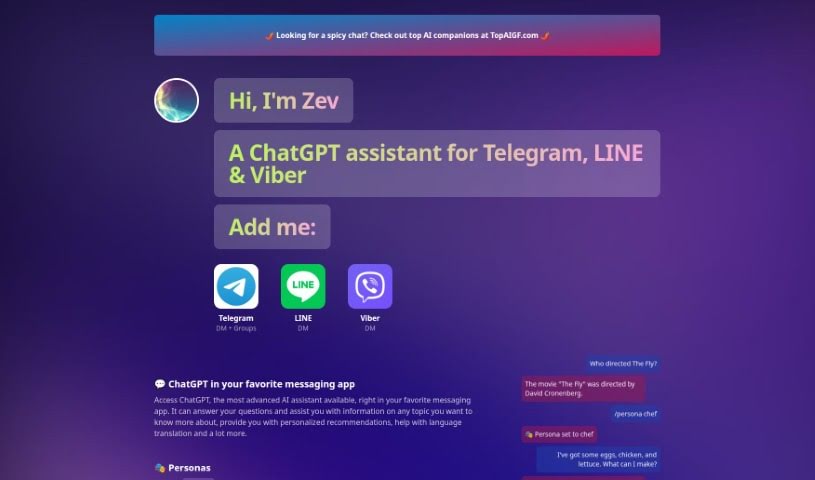
Screenshot of Zev

Zev

Discover Zev, your AI chatbot assistant for 2025! Learn how to use its features, compare it to other chatbots, and see how it can help with everything from recipes to travel plans.

Screenshot

What is Zev?

Zev is your smart AI chatbot assistant. It’s designed to work right inside your favorite messaging apps, like Telegram, LINE, and Viber, and it gives you access to ChatGPT, a really advanced AI. What can it do? Well, it can answer your questions, give you personalized suggestions, help out with translations, and so much more. Zev is pretty versatile, handling all sorts of topics. You can even switch up its personality – imagine chatting with a Chef who helps you with recipes or a Travel Planner who sorts out your trips. Each persona has its own unique way of talking, which is pretty neat. Zev also keeps your conversation history for a few hours, so you can easily pick up where you left off. If you want to start fresh, just use the /clear command. After a free trial, it costs $10 a month, and it’s all powered by that impressive ChatGPT AI technology. It’s great for getting personalized recommendations, helping you whip up recipes, planning your next getaway, and it even supports up to 50 people in group chats on Telegram.

Who created Zev?

Zev was developed by a company focused on creating AI chatbot assistants that seamlessly integrate with popular messaging platforms, bringing ChatGPT’s power to your chats. It first launched on June 17, 2024. The team behind it packed Zev with features like different personalities, personalized conversations, and help with things like cooking and travel. While the founder’s name and specific company details aren’t shared, the focus is clearly on making AI accessible through everyday messaging apps.

What is Zev used for?

Zev is a pretty handy tool for a lot of different things:

  • Switching Personas: You can easily change Zev’s personality to suit your needs.
  • Broad Topic Support: It can chat about almost anything you can think of.
  • Works Everywhere: It runs smoothly on Telegram, LINE, and Viber.
  • Group Chats: On Telegram, it can handle up to 50 people chatting at once.
  • Unique Speech Styles: Each persona has its own distinct way of communicating.
  • Recipe Help: If you’re using the Chef persona, it can help you create recipes.
  • Travel Guidance: The Travel Planner persona is there to help you plan your trips.
  • Personalized Chats: You get interactions tailored just for you.
  • Simple Commands: It’s easy to use with straightforward commands.
  • Customer Service: It’s also suitable for handling customer service interactions.

Who is Zev for?

Zev can be a great assistant for all sorts of people and roles, including:

  • Chefs
  • Travel Planners
  • Social Media Managers
  • Motivational Coaches
  • Poets
  • Rappers
  • Stand-up Comedians
  • Storytellers
  • Personal Trainers

How to use Zev?

Getting started with Zev, your AI chatbot assistant, is pretty straightforward. Here’s a quick rundown:

  1. Connect it to Your Messaging App: First off, Zev works with Telegram, LINE, and Viber, so just integrate it there.
  2. What Kind of Help Can You Get? Zev is ready to answer your questions, offer personalized suggestions, help with translations, manage customer service chats, and even adopt different personalities.
  3. Explore the Personas: You can switch Zev’s personality using the /persona command. Try out roles like Chef, Travel Planner, Motivational Coach, Poet, and many others.
  4. Keep Track of Chats: Zev saves your conversation history for a few hours, making it easy to jump back in. Need a clean slate? Just use the /clear command.
  5. Group Chat Power: You can add Zev to your Telegram groups. Up to 50 people can chat with it simultaneously – just type /zev followed by your question.
  6. Subscription Details: After you’ve tried it out with the free trial, Zev is available for a $10 monthly subscription.
  7. The Tech Behind It: Zev runs on ChatGPT, which is a really advanced AI assistant.
  8. Resetting Your Chat: If you want to clear your conversation history, simply use the /clear command.
  9. Getting Recommendations: Zev is great at providing personalized recommendations just for you.
  10. Language Help: It can also assist with translating languages.
  11. Recipe Creation: The Chef persona is specifically designed to help you create recipes.
  12. Trip Planning Assistance: With the Travel Planner persona, Zev can help you with your trip planning needs.
  13. Customer Service Use: Zev is also a good option for handling customer service inquiries.

By following these simple steps, you’ll be able to use Zev effectively for all sorts of tasks and conversations.

Related AI Tools

Discover more tools in similar categories that might interest you

Stay Updated with AI Tools

Get weekly updates on the latest AI tools, trends, and insights delivered to your inbox

Join 25,000+ AI enthusiasts. No spam, unsubscribe anytime.