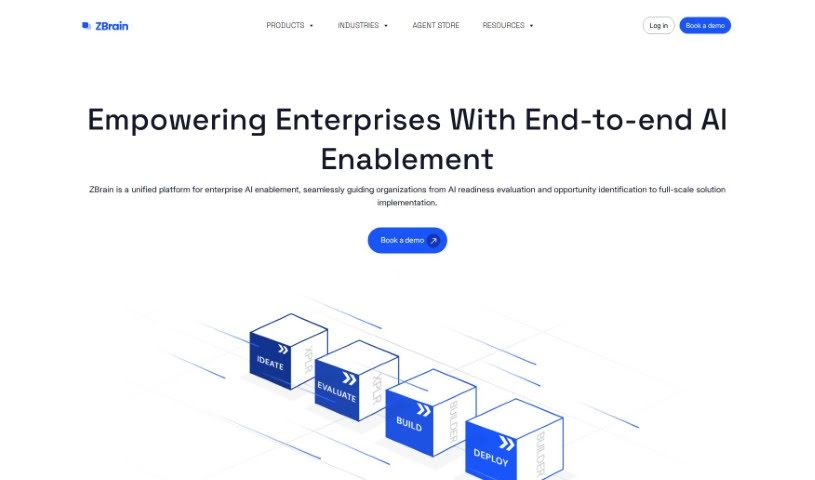
Screenshot of Zbrain

Zbrain

Discover what Zbrain is and how to use it effectively in 2025. We'll explore its features and see how it stacks up against other Customer Service Tools.

Screenshot

What is Zbrain?

ZBrain.AI is a platform that lets you build your own personalized ChatGPT app, all trained on your own data. It is a way to create a custom AI assistant that really understands your specific information. You can easily import data in lots of different formats and pick from popular Large Language Models like GPT-4, FLAN, or GPT-NeoX. What’s really neat is that ZBrain.AI offers features like building business logic without needing to code, keeping your data confidential, pulling information from many sources at once, and storing it all efficiently so you can find what you need quickly. Plus, they have a Risk Governance feature designed to spot and remove any potential risks within your data.

ZBrain.AI makes it simple to create business logic without any coding thanks to a feature called ZBrain Flow. It uses a drag-and-drop interface, so you can connect different models and tools to build smart applications. On top of that, the platform really prioritizes your data privacy with strong security measures. You can even choose to deploy your applications on ZBrain Cloud or on your own private servers to ensure your data stays confidential and intact.

Who created Zbrain?

Zbrain was actually created by an AI platform itself, called ZBrain.AI. It first launched on June 18, 2024. The company behind ZBrain.AI is the one that developed it, and their goal is to offer enterprise-level AI solutions. They also want to make AI technology more accessible to organizations of all sizes. Some of the key things ZBrain.AI can do include integrating with your current tech setup, handling data from multiple sources, keeping your data safe, using adaptive learning to get better over time, offering that no-code interface for building business logic, and providing ways to monitor everything.

What is Zbrain used for?

  • Speeding up AI projects: You can develop AI use cases much faster, even without a big team of AI developers.
  • Getting better with feedback: It allows for continuous improvement by integrating human feedback.
  • Sharper responses: You can refine the AI’s answers to make them more accurate.
  • Protecting your business info: It safeguards critical business intelligence by indexing and chunking your data securely.
  • Constant refinement: An adaptive learning mechanism helps continuously improve the LLM model’s responses.
  • Secure data handling: It’s built for handling your proprietary data safely.
  • Private indexing: Sensitive information stays protected through private indexing and chunking.
  • Clear reporting: You get dashboard reporting for all your AI applications.
  • Cost management: It helps you manage LLM consumption costs for better resource use.
  • Easy custom ‘Flow’ creation: A no-code interface lets you build custom ‘Flows’ for all sorts of different use cases.

Who is Zbrain for?

Zbrain is designed to help a wide range of industries, including:

  • Automotive
  • Customer support
  • Cyber security
  • Education
  • Finance
  • Healthcare
  • Hospitality
  • Insurance
  • Legal
  • Logistics
  • Manufacturing
  • Retail
  • SaaS
  • Supply chain
  • Real estate
  • Human Resources
  • IT
  • Private equity/investment

How to use Zbrain?

To get the most out of ZBrain, here’s a simple step-by-step guide:

  1. Sign Up and Pick a Plan: First, create your account on ZBrain. Then, choose a plan that fits what your organization needs. They have options like Starter or Growth, each with different credits and features.
  2. Import Your Data: You can import your data in various formats, whether it’s text or images. ZBrain makes it easy to connect with different data sources, like databases, cloud storage, and APIs.
  3. Use ChatGPT and ZBrain Flow: You can start using the ChatGPT feature to get a ChatGPT-like interface powered by the Large Language Model you choose. For building business logic without code, ZBrain Flow is your tool – just drag and drop to connect different models and create your applications.
  4. Leverage Risk Governance: Take advantage of the Risk Governance feature to boost your data safety. It helps identify and remove potential risk factors, making sure your data stays confidential.
  5. Customize Your Applications: Make your applications unique by picking from different large language models. Plus, use the no-code interface to build custom ‘Flows’ for all sorts of specific use cases.
  6. Monitor and Secure: Keep an eye on your AI applications with the dashboard reporting feature. You can also manage your LLM costs effectively and ensure data security through secure handling and adaptive learning.
  7. Keep Learning: Enable adaptive learning by adding human feedback. This helps refine the model’s responses over time, making them more accurate.
  8. Deployment Choices: You can choose to deploy on ZBrain Cloud or host it yourself on private infrastructure. Either way, you’re ensuring your data’s integrity and confidentiality.
  9. Boost Efficiency and Growth: Use ZBrain to make your workflows smoother, improve business processes, and increase operational efficiency across different departments.
  10. Future Connections and Growth: Connect ZBrain with the tools you already use, put your GenAI strategies into action, and imagine how AI can drive innovation, efficiency, and growth for your organization.

By following these steps, you can really harness ZBrain’s power to seamlessly integrate AI into your business operations, boost efficiency, and hit your strategic goals.

Related AI Tools

Discover more tools in similar categories that might interest you

Stay Updated with AI Tools

Get weekly updates on the latest AI tools, trends, and insights delivered to your inbox

Join 25,000+ AI enthusiasts. No spam, unsubscribe anytime.