What is Writetext.ai?
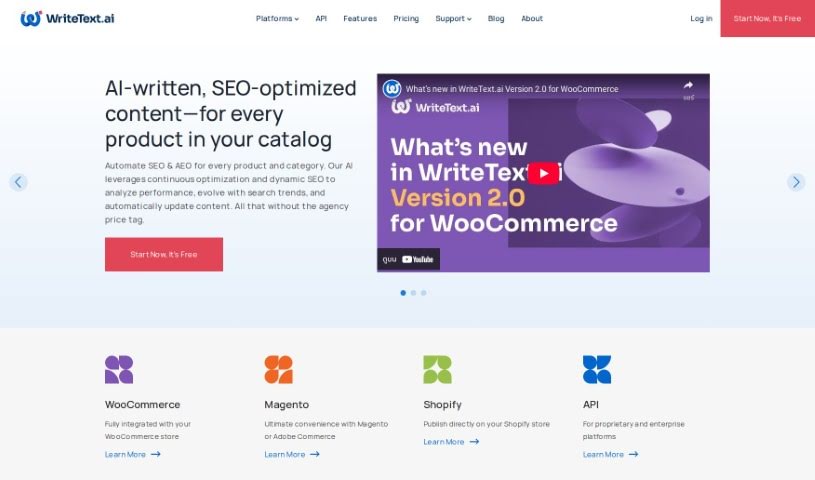
WriteText.ai is a really handy AI tool built specifically for e-commerce businesses. It is your go-to for writing product descriptions, creating SEO-friendly content, and generally making your online store shine. What’s cool is you can tweak the tone, style, and even the audience you’re talking to. It also plays nicely with WooCommerce, making things super smooth. Plus, it can analyze your product images to help generate text that really fits, and it even helps with keyword research. The whole idea is to make your workflow much faster by letting you publish content easily, connect unlimited e-commerce sites, and even use a handy Chrome extension.
To make sure it sounds like a real person wrote it, you could describe WriteText.ai like this:
“WriteText.ai is a super versatile tool designed to really boost your e-commerce content. It gives you the power to write product descriptions that grab attention, get your content seen by search engines, and speak directly to the right customers. Because it integrates so smoothly with WooCommerce, WriteText.ai makes things much simpler and helps online stores work more efficiently. Its image analysis feature is a big plus, ensuring the text it generates is spot-on and relevant, which helps create truly compelling descriptions. On top of that, the tool is great for keyword research, offering suggestions for related terms and calculating their density to help you rank better. With WriteText.ai, you can quickly create content for lots of products at once, saving you valuable time and resources in the busy world of e-commerce.”
Who created Writetext.ai?
Writetext.ai comes from 1902 Software, a company that’s been around since 1998. They launched this tool on November 1, 2023, with the goal of making it much easier for online sellers to write great product descriptions. They’re drawing on over 25 years of experience in software development outsourcing. WriteText.ai is a standalone tool built to work with popular platforms like WordPress/WooCommerce, Magento, and Shopify.
What is Writetext.ai used for?
Here’s a breakdown of what WriteText.ai can do for you:
- Multilingual Support: Write content in different languages.
- Automated Content Generation: Automatically create product descriptions and SEO content.
- Content Customization: Tailor the tone, style, and target audience for your content.
- WooCommerce Integration: Connect directly with your WooCommerce store.
- Image Analysis: Use advanced image analysis to generate text based on visual context.
- Content Consistency: Keep your product descriptions consistent, especially when referencing a polished product’s text to generate descriptions for others.
- Keyword Research: Conduct keyword research right on the platform, getting suggestions for semantic keywords and density calculations to improve search engine visibility.
- Bulk Content Generation: Create content for multiple products all at once, which is a huge time-saver.
- Cost Savings: Save both time and money on your content creation efforts.
- Target Market Selection: Get help choosing the right target markets for your products.
- E-commerce Copywriting: Specifically designed to help with writing for online stores.
- Maintaining Catalog Consistency: Ensure all your product descriptions have a unified feel.
- Companion Chrome Extension: This extension helps improve collaboration and ensures your content is accurate.
- Personalized Content: Create content that feels personal and engaging.
- Contextual Text Generation: Generate text that’s relevant to your product images.
- Keyword Density Calculations: Understand how often your keywords appear.
Who is Writetext.ai for?
This tool is a great fit for:
- E-commerce copywriters
- People creating SEO content
- Online retailers of all sizes
- Marketing professionals
- Ecommerce writers
- SEO professionals
- E-commerce professionals
- Content creators
- SEO specialists
- Product description writers
- Content writers
- Anyone working in e-commerce
How to use Writetext.ai?
Getting started with WriteText.ai is pretty straightforward. Here’s a simple guide:
- Sign Up or Try It Free: You can either create an account or use the no-download free trial. This lets you test out the tool without needing to install anything or sign up first.
- Set It Up: Personalize your content by customizing the tone, style, and audience to match your brand and customers.
- Connect Your Store: If you’re using WooCommerce, integrate WriteText.ai directly. This means you can generate content right within your backend, skipping the copy-pasting.
- Use Image Analysis: Upload your product images and let the advanced analysis feature generate text that’s relevant to what the image shows.
- Do Your Keyword Research: You can research keywords right within the platform. Get suggestions for related terms and check their density to make sure your content is SEO-friendly.
- Generate in Bulk: Need content for many products? Use the bulk generation feature to save a ton of time and effort.
- Keep Things Consistent: Want all your product descriptions to have a similar feel? Use the ‘reference product’ feature to set a standard and maintain consistency across your entire catalog.
- Target Your Audience: You can customize who you’re trying to reach, tailoring the content to specific demographics.
- Consider the Cost: There’s a free trial with 35 credits each month. If you need more, they offer subscription plans with additional features and credits.
- Get Support: While there might not be a dedicated customer support line, WriteText.ai is designed to be easy to learn. You can get started quickly without needing any special technical skills.
By following these steps, you can really make the most of WriteText.ai for all your content needs, especially if you’re in the e-commerce business.