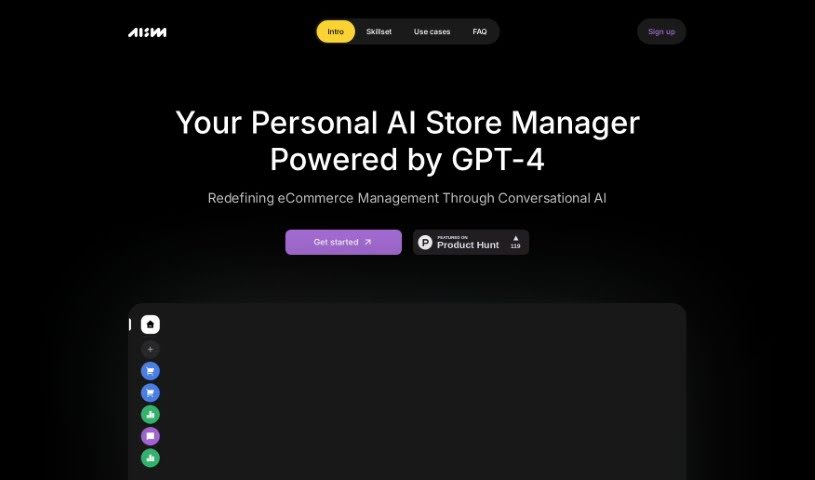
Screenshot of AI Store Manager

AI Store Manager

Discover what AI Store Manager is and how to use it effectively in 2025. Explore its features and see how it stacks up against other Amazon Seller Tools.

Screenshot

What is AI Store Manager?

AI Store Manager is your personal assistant for running an online shop. It’s powered by GPT-4 technology and aims to completely change how we manage eCommerce using conversational AI. It works with lots of different eCommerce platforms. This assistant has a bunch of built-in abilities, or ‘skills,’ that you can turn on to handle tasks in various parts of your store. These skills work together to make your experience much smoother. It’s specifically built for Small to Medium Businesses and supports all sorts of eCommerce types and business models. You can even connect this AI assistant to your favorite messaging apps, which lets you automate your store’s operations really efficiently. Right now, the product is in a limited-access beta phase. They plan to open it up to more people later as they keep refining and improving the system.

The team behind AI Store Manager, Ettico Labs SRL, is a small, independent group that’s self-funded. They have a clear vision: to make managing a store feel intuitive, efficient, and genuinely enjoyable. They’re really aiming to redefine the whole eCommerce landscape.

Who created AI Store Manager?

AI Store Manager was developed by a small, independent, and self-funded team at Ettico Labs SRL. Their big idea was to revolutionize eCommerce management by using conversational AI, making the process feel more like a friendly chat. They want to reshape the eCommerce world, making business operations more intuitive, efficient, and enjoyable for everyone.

Ettico Labs SRL is registered in Romania, with its main offices located in Bucharest, Romania, and Vienna, Austria.

What is AI Store Manager used for?

  • Making things run more efficiently
  • Automating everyday store tasks
  • Improving how customers experience your brand
  • Making business operations feel more natural and easy to understand
  • Offering a friendly, chat-like experience for management
  • Streamlining the entire eCommerce management process
  • Cutting down the time you spend on routine, less exciting tasks
  • Providing support specifically for small to medium-sized businesses
  • Adapting to various types of eCommerce and different business models
  • Connecting with your preferred messaging tools for easy communication

Who is AI Store Manager for?

  • Owners of Small to Medium Businesses
  • Professionals who manage stores
  • People working in eCommerce

How to use AI Store Manager?

To get the most out of AI Store Manager, just follow these simple steps:

  1. Sign Up: Head over to the AI Store Manager website and create your account. You’ll just need to provide some basic details.
  2. Pick Your Skills: Decide which skills you want to activate for your AI assistant. Choose the ones that match the tasks you need done in different parts of your store.
  3. Enjoy a Better Experience: These skills work together seamlessly to improve your overall experience and make managing your store much smoother.
  4. Perfect for Small-Medium Businesses: AI Store Manager is built to help all kinds of eCommerce businesses, making it a great fit for small and medium-sized companies.
  5. Connect with Messaging Tools: The tool easily links up with your favorite messaging apps, so you can chat with your AI assistant conveniently.
  6. Automate Your Work: Take advantage of the automation features to save time on repetitive tasks. This frees you up to focus on the more strategic parts of your business.
  7. Currently in Beta: Just a heads-up, the product is in a limited-access beta right now. They’ll be rolling out broader access gradually as they incorporate feedback to make it even better.
  8. Need Help? Reach Out: If you have any questions about the product, billing, or anything else, don’t hesitate to contact the support team. You can reach them on Discord or via email using the contact info provided.
  9. Save for Later: It’s a good idea to bookmark the AI Store Manager website so you can easily find it again.
  10. Explore What It Offers: Once you’ve signed up, take some time to look through all the different features and functions. You can customize AI Store Manager to perfectly fit your store’s specific needs.

By following these steps, you can really make the most of the AI Store Manager tool. It’ll help you streamline your eCommerce operations and improve how you manage your business.

Related AI Tools

Discover more tools in similar categories that might interest you

Stay Updated with AI Tools

Get weekly updates on the latest AI tools, trends, and insights delivered to your inbox

Join 25,000+ AI enthusiasts. No spam, unsubscribe anytime.