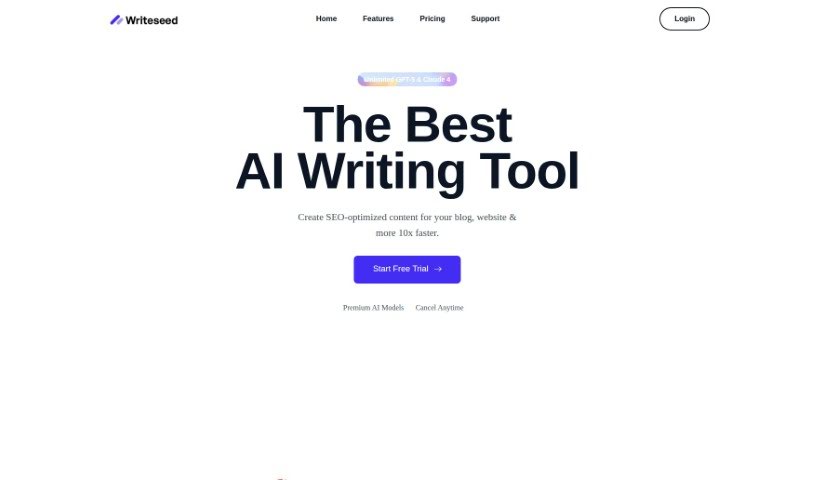
Screenshot of Writeseed

Writeseed

Discover what Writeseed is and how to use it effectively in 2025. We'll explore its features and see how it stacks up against other writing tools.

Screenshot

What is Writeseed?

Writeseed is an AI-powered tool that helps you create search engine optimized content quickly and efficiently. It is your personal writing assistant. You just give it a keyword, and within 1-3 minutes, you’ll get content related to it. This makes it super handy for all sorts of writing jobs, whether you’re crafting blog posts, writing ad copy, or generating SEO content. Writeseed uses machine learning models, trained on tons of data, to churn out unique, SEO-friendly content that actually sounds like you and matches your brand’s voice. It’s pretty impressive, offering over 70 templates for writing in many different languages. Plus, it can help you rephrase text, summarize long pieces, or even write full articles. People seem to really like Writeseed because it’s easy to use, speeds up content creation, and genuinely helps save time while boosting the quality of your writing. Basically, if you want to make your content creation process smoother and smarter with AI, Writeseed is a great option.

Who created Writeseed?

Writeseed was actually started by one person, Yash T. The company itself offers this AI writing tool designed to help users generate SEO-optimized content fast and efficiently. It supports more than 35 languages and gives you access to different AI models, like GPT-4 and Claude 3.5 Sonnet, for your writing needs. You can use Writeseed for a bunch of things – writing blog posts, ad copy, sales pitches, or even just rephrasing existing text. It’s a really versatile tool that can handle content generation across all sorts of platforms.

What is Writeseed used for?

Here’s a look at what you can do with Writeseed:

  • Blog Outlines: Easily generate outlines for your blog posts based on specific keywords.
  • Quick Content: Get content related to your keywords in just 1-3 minutes.
  • Ad Copy: Create compelling ad copy with a single click.
  • SEO Content: Write SEO-friendly content quickly and efficiently.
  • Bulk Creation: Produce unique, SEO-friendly content in large quantities.
  • Marketing Copy: Craft SEO-optimized marketing materials for blogs, ads, and more.
  • Topic Ideas: Discover new topics based on your niche or industry.
  • Rephrasing & Summarizing: Edit existing texts by paraphrasing or summarizing them with a single click.
  • Advanced AI Models: Utilize powerful AI models like GPT-4, GPT-4o, and Claude 3.5.
  • Multilingual Support: Write content in many different languages using AI.

Who is Writeseed for?

Writeseed is a great tool for anyone involved in creating content or managing online presence. This includes:

  • Content writers
  • Marketing professionals
  • Bloggers
  • SEO professionals
  • Creatives
  • Content marketers
  • SEO specialists
  • Copywriters
  • Creative Writers

How to use Writeseed?

Using Writeseed is pretty straightforward. Just follow these steps:

  1. Log In: Head over to Writeseed.com and log in to your account.
  2. Enter Your Keyword: Type in the keyword or topic you want to create content about.
  3. Customize: You can edit the subtitles and the content itself directly to make it just right.
  4. Review SEO: Once the content is generated, check out the SEO overview for helpful insights.
  5. Create Marketing Copy: Use the AI writer to produce SEO-optimized marketing copy for blogs, ads, and other needs.
  6. Get Topic Ideas: Let the AI suggest topics based on your business niche or industry.
  7. Edit Existing Text: Easily rephrase or summarize texts with a single click in the AI editor.
  8. Choose Your AI: Benefit from various AI models like GPT-4, Claude 3.5 Sonnet, and others for different writing tasks.
  9. Use the Chrome Extension: Access AI capabilities directly in your browser across platforms like Gmail and WordPress.
  10. Optimize with SEO & NLP: Track key SEO metrics and refine your content using NLP terms with the dedicated editor.
  11. Explore Templates: Pick from over 70 templates available in more than 35 languages to suit your diverse writing needs.
  12. Enjoy Extra Features: You can also create AI images and enjoy the overall efficiency of content generation.

Related AI Tools

Discover more tools in similar categories that might interest you

Stay Updated with AI Tools

Get weekly updates on the latest AI tools, trends, and insights delivered to your inbox

Join 25,000+ AI enthusiasts. No spam, unsubscribe anytime.