What is Writers Brew Ai?
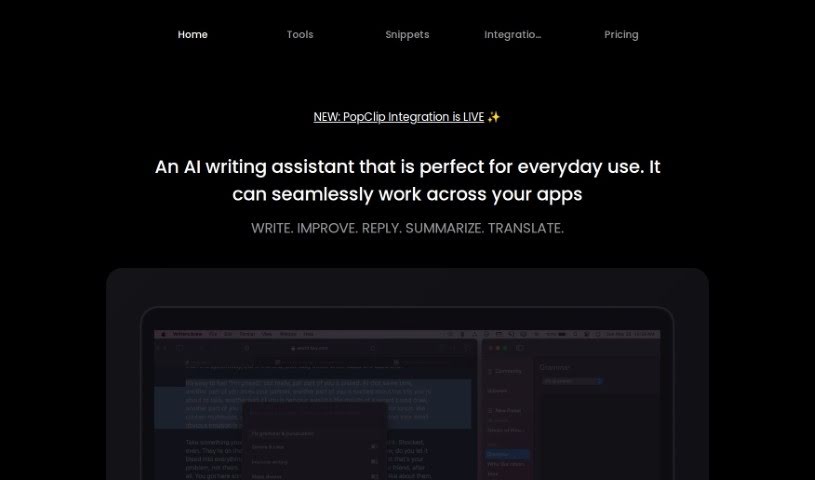
Writers Brew Ai is a smart writing assistant built just for Mac users. It fits right into your workflow, whether you’re using browsers, native apps, or electron apps, making your writing experience smoother. It’s packed with features like great browser compatibility, seamless integration with native apps, and support for electron apps. You also get a grammar checker, a plagiarism checker, word suggestions, personalized writing stats, and a mode that helps you focus without distractions. This AI assistant is designed to help with all sorts of writing tasks, boosting your productivity with handy utilities and snippets. Plus, it has an OCR-to-text feature that lets you grab text from images anywhere on your Mac. Lots of people at companies and universities around the world already trust Writers Brew Ai.
Who created Writers Brew Ai?
Writers Brew Ai was developed by a dedicated individual who wanted to create a top-notch AI writing assistant specifically for Mac users. This app is packed with advanced features and works smoothly across browsers, native apps, and electron apps. It includes a smart grammar checker, a plagiarism checker, personalized writing statistics, a distraction-free writing mode, and helpful word suggestion tools to really improve how you write. With its easy-to-use interface and a full suite of features, Writers Brew Ai is here to help students, professional writers, and anyone looking to effortlessly sharpen their writing skills.
What is Writers Brew Ai used for?
- AI Prompts: Use these to improve your everyday writing.
- Non-AI Utilities: These tools help boost your productivity on text-related tasks.
- OCR to Text AI: Easily extract text from images on your macOS device.
- Translator: Translate text into over 15 different languages.
- Snippets: Save time and write more efficiently by using these shortcuts.
- Keyboard Shortcuts: Quickly access AI prompts, utilities, and translations.
- Custom Presets: Build your own writing prompt presets.
- Spotlight-like Menu: Get instant access to features by searching.
- Smart Placeholders in Snippets: Use dynamic content like the current date, time, or clipboard text.
- Forms in Snippets: Create custom forms using placeholders for names, phone numbers, and more.
- Writing Quality Tools: Benefit from an intelligent grammar checker, plagiarism checker, and word suggestion tools.
Let’s break down some of the key uses:
- AI Prompts: Whether you use the built-in prompts or create your own, Writers Brew can help with daily writing tasks like rewriting, explaining, summarizing, translating, and replying to messages.
- Utilities: These are great for boosting productivity on small, everyday text-related tasks.
- Snippets: Type less and get more done. Think of it like TextExpander, but for all your writing needs.
- OCR to Text AI: Need text from an image on your Mac? This feature handles it.
- Translator: Translate text into more than 15 languages with ease.
- Insert Prefix & Suffix: Add text to the beginning or end of each line quickly.
- Smart Placeholders: Make your snippets dynamic by including real-time info like the current date, time, or clipboard content.
- Custom Forms: Build forms within your snippets using custom placeholders like name, phone, etc.
- Keyboard Shortcuts: Trigger AI prompts, utilities, and translations with just a key press.
- Broad Compatibility: Writers Brew Ai works seamlessly across browsers, native apps (like Pages and Mail), and electron apps. It offers features like grammar checking, plagiarism checking, word suggestions, personalized writing stats, and a distraction-free writing mode to enhance your overall writing experience.
Who is Writers Brew Ai for?
- Students
- Professional writers
- Anyone looking to improve their writing skills
- Individuals aiming to write better
How to use Writers Brew Ai?
To get the most out of Writers Brew AI on your Mac, just follow these simple steps:
- AI Prompts: Use the prompts that come with the app or create your own. They’re great for improving everyday writing tasks like rewriting, explaining, summarizing, translating, and replying.
- Non-AI Utilities: Give your productivity a boost with these utilities designed for small, everyday text tasks.
- Non-AI Snippets: Save yourself typing time. Snippets let you auto-generate text, much like the TextExpander app.
- OCR to Text AI: Need to get text from an image on your Mac? This feature makes it easy.
- Build Your Own Presets (BYOP): Get creative! You can write and save your own custom prompts as presets.
- Spotlight-Like Menu: Need quick access? Just highlight text in any macOS app and press a keyboard shortcut to bring up a handy menu.
- Translator: Translate your text into over 15 languages.
- Keyboard Shortcuts: Trigger AI prompts, utilities, and translations with a simple key press.
- Compatibility: Writers Brew AI fits right in with browsers, native apps like Pages and Mail, and electron apps.
- Features: Enjoy a smart grammar checker, plagiarism checker, word suggestion tool, personalized writing stats, a distraction-free mode, and much more for a better writing experience.
No matter if you’re a student, a professional writer, or just want to get better at writing, Writers Brew AI for macOS offers a complete set of tools to make your writing process more efficient and effective.