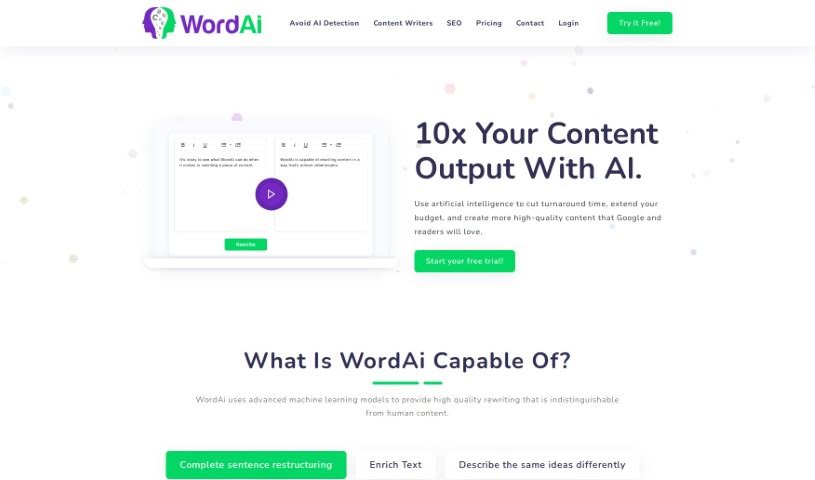
Screenshot of WordAi

WordAi

Discover what WordAi is and how to use it effectively in 2025. We'll explore its features and compare it to other paraphrasing tools.

Screenshot

What is WordAi?

WordAi is a sophisticated tool that uses artificial intelligence, specifically machine learning models, to rewrite text with impressive quality. It’s designed to completely rephrase sentences while making sure the original meaning stays intact. It is a smart assistant that can also make your writing richer by adding LSI keywords, suggesting different ways to say things, fixing spelling and grammar errors, and generally making your text clearer and more to the point. WordAi can rewrite content really fast, helping you avoid duplicate content issues. Plus, it gives you control over how creative the rewrites are, offers multiple versions for each piece, and even has advanced features like rewriting multiple articles at once and API integration. Ultimately, WordAi aims to produce content that sounds so natural, it could have been written by a person, helping you get past AI detectors and boosting your content creation and SEO efforts.

Who created WordAi?

WordAi was actually started by Alex Cardinell, and he’s still leading the company today. The team there really specializes in advanced text rewriting, using AI models to create content that’s incredibly close to what a human would write. As we touched on, WordAi is known for its ability to completely change sentence structures, add relevant LSI keywords to make your text more robust, come up with various ways to express the same ideas, catch and fix spelling and grammar mistakes, and generally improve how clear and concise your writing is.

Who is WordAi for?

  • Content writers looking to speed up their process
  • Marketers needing to produce a lot of copy
  • SEO professionals aiming for unique content
  • Bloggers wanting to publish regularly
  • Copywriters seeking fresh angles

How to use WordAi?

Here’s a straightforward way to get the most out of WordAi:

  1. Input your content: Just paste the text you want to rewrite directly into WordAi’s user-friendly interface.
  2. Click ‘Rewrite’: Hit that rewrite button and let WordAi work its magic on your text.
  3. Guaranteed unique content: WordAi makes sure everything is original by rewriting each sentence from the ground up, so you don’t have to worry about duplicates.
  4. Fast turnaround: You’ll get your rewritten content back quickly, which means you can significantly increase how much content you produce.
  5. Adjust creativity: You can actually control how creative WordAi gets. This lets you either stick closely to your original content or really push for maximum SEO impact.
  6. Generate multiple versions: Need options? WordAi can create up to 1,000 different versions of an article, which is a great way to beat writer’s block.
  7. Beat AI detection: WordAi is designed to make content sound more human, improving its quality and helping it bypass AI detection tools.
  8. Explore more features: Dive into bulk rewriting, HTML support, API integration, and other functionalities for all sorts of uses.
  9. Review and download: Once rewritten, you can easily view and edit your content. You can also export in bulk, use the API, and check out other integrations, like with Article Forge.
  10. Try it free: See how WordAi can really change your content strategy by signing up for a free trial.

By following these steps, you can really tap into the power of AI to make your content creation process smoother and produce high-quality, engaging material without all the usual effort.

Related AI Tools

Discover more tools in similar categories that might interest you

Academic Help Free Essay Generator

Education Academic Writing
Learn More

Stay Updated with AI Tools

Get weekly updates on the latest AI tools, trends, and insights delivered to your inbox

Join 25,000+ AI enthusiasts. No spam, unsubscribe anytime.