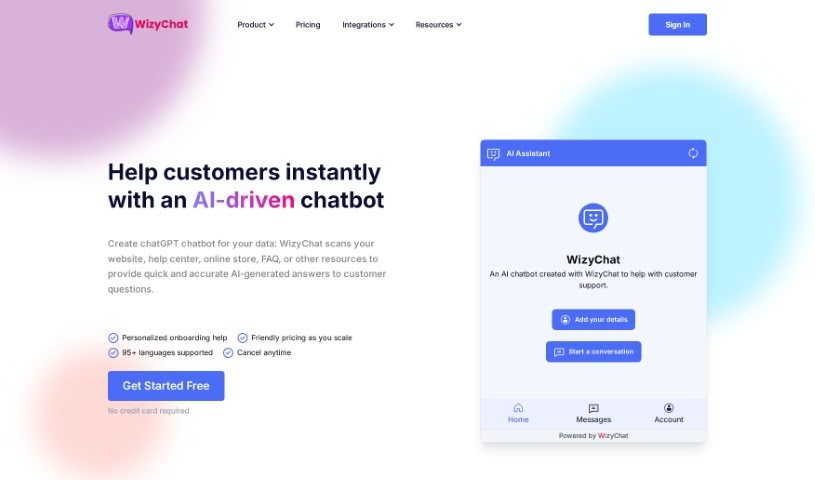
Screenshot of WizyChat

WizyChat

Discover WizyChat in 2025! Learn what this custom GPT chatbot platform is, how to use its features effectively, and how it stacks up against other chatbots.

Screenshot

What is WizyChat?

WizyChat is a platform that lets you create custom GPT chatbots. These aren’t just any chatbots; they’re trained specifically on your data. The goal? To automate customer interactions and really boost how you connect with people on your website, all without needing to write a single line of code. You can get these chatbots up and running in just minutes. What’s in it for you? Think better customer engagement thanks to dynamic, smart responses, and a chatbot that actually gets smarter over time thanks to artificial intelligence. Plus, WizyChat gives you analytics so you can see what’s working and make smarter decisions. It also plays nicely with lots of other tools you might already use, like Zapier, Slack, and WordPress, among others. Whether you’re in marketing, sales, support, education, running a large enterprise, or in healthcare, WizyChat has you covered. You can build exactly the chatbot you need using their easy-to-use Visual Builder.

Who created WizyChat?

WizyChat was developed by a company that really knows its stuff when it comes to custom GPT chatbots. They focus on creating chatbots that are trained on your specific data, making it super simple to automate website interactions without any coding hassle. The whole idea behind WizyChat is to improve how you engage with customers by giving them dynamic responses and continuously making the chatbot better through AI. You also get access to analytics to really understand how your chatbot is performing, and it connects with popular tools like Zapier, Slack, and WordPress.

What is WizyChat used for?

  • Marketing
  • Customer Support
  • Healthcare
  • Education
  • Sales
  • Enterprise Solutions

Who is WizyChat for?

  • Marketing professionals
  • Sales teams
  • Customer support agents
  • Educational institutions
  • Businesses of all sizes (Enterprise)
  • Healthcare providers
  • Anyone focused on customer support or enterprise solutions

How to use WizyChat?

Getting started with WizyChat is pretty straightforward. Here’s a quick rundown:

  1. Pick a Plan: First, sign up for a plan that fits what you need. They offer options from Free all the way up to Premium or Enterprise.
  2. Build Your Chatbot: Use WizyChat’s Visual Builder. It’s a really intuitive tool, so you can customize your chatbot without needing any coding skills at all.
  3. Train It: Feed your chatbot your specific data. This is how you automate interactions on your website, and it’s surprisingly effortless.
  4. Boost Engagement: Make your users happy with dynamic responses. Plus, the AI helps it learn and improve continuously, so it just gets better.
  5. Analyze Performance: WizyChat provides analytics. Use these insights to understand how your chatbot is doing and what your customers are doing.
  6. Connect Everywhere: Want your chatbot on Slack, MS Teams, WhatsApp, or your WordPress site? WizyChat supports a ton of integrations, including Shopify, Google Drive, and more, so you can connect with customers wherever they are.
  7. Leverage Features: Take advantage of all the features WizyChat offers. You can create chatbots specifically for industries like marketing, sales, support, education, enterprise, and healthcare.

By following these steps, you’ll be well on your way to using WizyChat to automate your website’s interactions and really improve how you connect with your customers.

Related AI Tools

Discover more tools in similar categories that might interest you

Stay Updated with AI Tools

Get weekly updates on the latest AI tools, trends, and insights delivered to your inbox

Join 25,000+ AI enthusiasts. No spam, unsubscribe anytime.