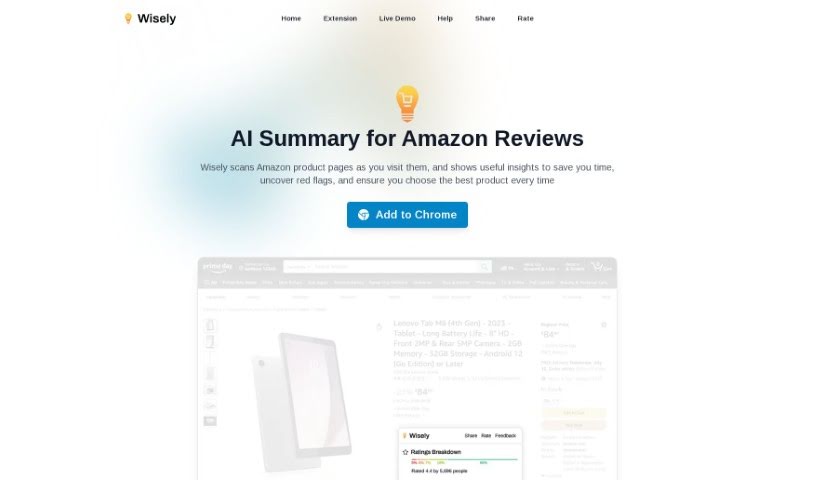
Screenshot of Wisely

Wisely

Discover Wisely, your AI shopping assistant for Amazon in 2025. Learn how it works, its key features, and how it stacks up against other Amazon Seller Tools.

Screenshot

What is Wisely?

Wisely is an AI assistant designed to help you out when you’re browsing Amazon. It looks at the product pages you visit and quickly gives you key insights. It is a smart helper that pulls out the top pros and cons from customer reviews, highlights important product features, and points out any potential downsides. The whole idea is to save you time on research, help you spot product issues early on, and ultimately, make smarter shopping decisions. It works as a handy Chrome extension, making it a really useful tool for anyone who shops online and wants to analyze products efficiently.

Who created Wisely?

While the specific individual or team behind Wisely isn’t explicitly mentioned in the information I have, the company behind it has developed an AI assistant focused on providing quick, helpful insights directly on Amazon product pages. Their aim is to streamline your research process and empower you to make well-informed shopping choices. The tool offers a clear visual breakdown of ratings, summarizes the main pros and cons, presents crucial product information, and points out notable features, all designed to make your shopping experience smoother and more insightful.

What is Wisely used for?

Wisely helps you in several key ways when you’re shopping on Amazon:

  • Visual Ratings Breakdown: You get an easy-to-understand chart showing how customer ratings are distributed, so you can quickly see the overall sentiment.
  • Summary of Pros and Cons: It analyzes customer reviews to give you a concise summary of the main advantages and disadvantages of a product.
  • Things You Should Know: This includes important details like potential red flags, essential product information, or even things like unhealthy ingredients if they’re relevant.
  • Notable Product Features: Wisely highlights the unique features that really make a product stand out from the crowd.

How to use Wisely?

Using Wisely is pretty straightforward. Just follow these simple steps to get the most out of it:

  1. Install Wisely: First, you’ll want to add the Wisely Chrome extension to your web browser. This is how you’ll access the tool.

  2. Visit Amazon Product Pages: Once installed, head over to any Amazon product page that catches your eye.

  3. Activate Wisely: As soon as you land on an Amazon product page, Wisely automatically gets to work, scanning and analyzing all the details.

  4. Receive Insights: Wisely then presents you with valuable information, including:

    • Visual Ratings Breakdown: Easily grasp how customers have rated the product overall.
    • Summary of Pros and Cons: Get a quick overview by seeing the main points from customer reviews.
    • Important Information: Find out about any red flags, key product details, or significant concerns worth noting.
    • Notable Product Features: Discover what makes this particular product unique and special.
  5. Make Informed Decisions: Use all these insights to cut down your research time, clearly see a product’s strengths and weaknesses, and confidently make the right purchasing decisions.

By following these steps, you can really improve your Amazon shopping experience. Wisely helps you shop smarter by giving you AI-powered insights right when you need them.

Related AI Tools

Discover more tools in similar categories that might interest you

Stay Updated with AI Tools

Get weekly updates on the latest AI tools, trends, and insights delivered to your inbox

Join 25,000+ AI enthusiasts. No spam, unsubscribe anytime.