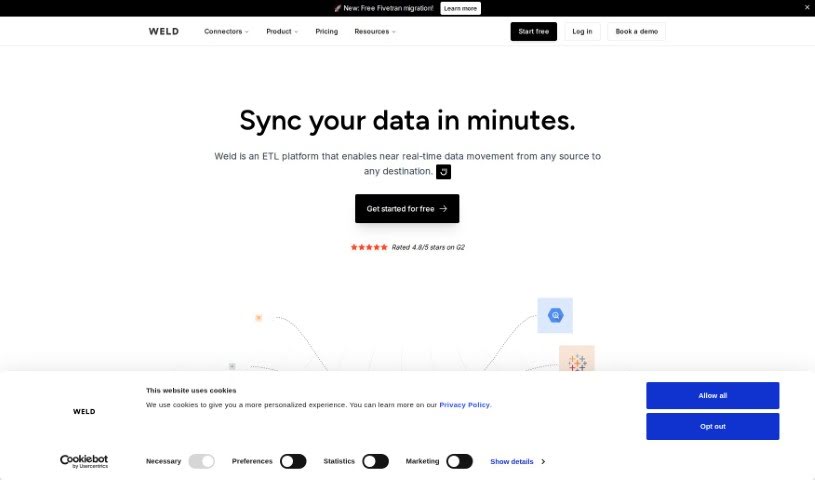
Screenshot of WELD

WELD

Discover what WELD is and how to use it effectively in 2025. Explore its features, compare it with other data analytics tools, and learn how it simplifies data warehousing.

Screenshot

What is WELD?

WELD is a really neat data engineering and analytics platform that makes building and managing data warehouses much simpler. It got its start in Copenhagen back in 2021, thanks to tech entrepreneurs Jonas Thordal, Jakob Skytte, and Jakob Kristensen. WELD comes packed with features like automated data pipelines, ways to create your own API integrations, flexible options for storing your data, a smart SQL editor that includes an AI Assistant, and tools for exporting your data. Lots of data-driven companies around the world trust WELD, and they take security seriously – they’re SOC 2 Type II certified and ISO-certified, which means your data is well-protected.

Basically, WELD is a complete platform that lets you connect to over 100 different applications, databases, and files really quickly and without any fuss, so you can jump right into your analytics. It offers powerful tools like automatic data syncing, SQL transformations, rELT, an AI Assistant, and you can either store your data directly with WELD or link up with your favorite data warehouses like BigQuery and Snowflake. People like WELD because it’s easy to use, keeps your data secure, and is efficient at managing data warehouses.

Who created WELD?

Weld, which is a platform for data engineering and analytics, was founded in 2021 in Copenhagen. The founders are tech entrepreneurs Jonas Thordal, Jakob Skytte, and Jakob Kristensen. This trio were early team members at the successful startup Pleo. They noticed how tough it could be to actually get value from data and wanted to build a better solution. Because Thordal, Skytte, and Kristensen already had experience building data infrastructure at Pleo, they were well-equipped to set Weld’s mission: to make data warehousing easier and help businesses truly become data-driven.

What is WELD used for?

  • Automated Data Pipelines: You can set up pre-built connectors to automatically sync your data.
  • Custom API Integrations: Use the Custom Connector framework if you want to write your own integrations.
  • Flexible Data Storage Options: You have choices here! You can store your data with Weld, or you can use your own data warehouse, like BigQuery or Snowflake.
  • Advanced SQL Editor & AI Assistant: Writing SQL code is made easier with AI assistance. You can easily create prompts for custom SQL code.
  • Data Exporting: You can export your data straight to the apps and BI tools you like, or as CSV and Sheets files.
  • Build metrics in minutes with the AI Assistant, Ed: Ed can help you create metrics quickly.
  • Easily transform data into meaningful metrics with the SQL AI Assistant, Ed: Ed helps turn your raw data into useful metrics.
  • Create a single source of truth for your business by gathering data from multiple sources: This helps everyone in your business work from the same, accurate data.
  • Synchronize data automatically from all relevant tools, databases, and apps: Keep your data up-to-date across all your systems.
  • Effortlessly blend data from various sources to create a holistic overview of important metrics: Get a complete picture by combining data from different places.
  • Automated Data Pipelines: (Repeated for emphasis on core feature)
  • Custom API Integrations: (Repeated for emphasis on core feature)
  • Flexible Data Storage Options: (Repeated for emphasis on core feature)
  • Advanced SQL Editor & AI Assistant: (Repeated for emphasis on core feature)
  • Data Exporting: (Repeated for emphasis on core feature)
  • Blend data from various sources: Combine information from different places.
  • Create metrics with AI Assistant: Use AI to help build your metrics.
  • Data warehouse building in minutes: Get your data warehouse set up very quickly.
  • Storage with Weld or own data warehouses: You can choose where to store your data.
  • Security certifications (SOC 2 Type II certified and ISO-certified): This shows their commitment to security.
  • Combine and transform data with AI: Use AI to work with your data.
  • Effortlessly blend data with insights from various departments: Combine data and insights from different teams.
  • Synchronization of data from various tools, databases, and apps: Keep data flowing automatically from all your systems.
  • Creating metrics with AI assistance: AI helps you create metrics.
  • Building data warehouses rapidly: Set up data warehouses fast.
  • Security Certifications: They have important security certifications.
  • AI Assistant for SQL code generation: The AI can help write SQL code for you.
  • Templates for guidance: Pre-made templates can help you get started.
  • Data Lineage Tools: Tools to track where your data comes from.
  • Reverse ETL to send data where needed: Send your processed data to other tools.

Who is WELD for?

WELD is designed for a variety of professionals who work with data:

  • Data engineers
  • Data Analysts
  • Business analysts
  • Data scientists
  • Finance professionals
  • Operations professionals
  • Marketing professionals
  • Sales professionals
  • Customer success professionals

How to use WELD?

To get the most out of Weld, here’s a simple step-by-step guide:

  1. Connect Data Sources: Weld makes it super easy to connect to over 100 apps and databases. You can actually build your data warehouse in just minutes by syncing data from all sorts of sources without any trouble.
  2. Choose Data Storage Options: Weld offers flexible ways to store your data. You have the choice to keep your data within the Weld service itself, or you can connect it to external data warehouse solutions you might already be using, like BigQuery or Snowflake.
  3. Utilize Custom API Integrations: If you need to connect to a service that doesn’t have a pre-built connector, you can use the Custom Connector framework. This lets you write your own integrations, so you can really tailor your data workflows to exactly what you need.
  4. Leverage Advanced SQL Editor & AI Assistant: Weld comes with an AI Assistant that’s really helpful for writing SQL code more efficiently. The Advanced SQL Editor lets you create prompts for custom SQL code, making the process smooth and straightforward.
  5. Export Data: Once your data is ready, Weld lets you export it directly to your favorite applications, BI tools, or in common formats like CSV and Google Sheets. This makes sharing and further analysis a breeze.
  6. Ensure Data Security: Security is a top priority for Weld. All their servers are SOC 2 Type II certified and ISO-certified, which means they’ve got strong security measures in place to protect your data.

By following these steps, you can really use Weld’s features to make your data pipeline run smoother, improve your data analytics, and manage your data efficiently and securely.

Related AI Tools

Discover more tools in similar categories that might interest you

Stay Updated with AI Tools

Get weekly updates on the latest AI tools, trends, and insights delivered to your inbox

Join 25,000+ AI enthusiasts. No spam, unsubscribe anytime.