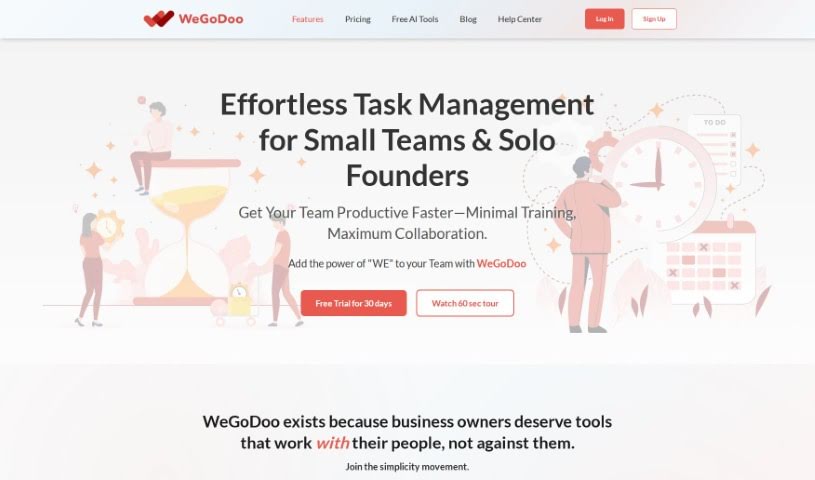
Screenshot of WeGoDoo

WeGoDoo

Discover what WeGoDoo is and how to use it effectively in 2025. We'll explore its features and see how it stacks up against other Project Management Tools.

Screenshot

What is WeGoDoo?

WeGoDoo is a task management app built to help you and your team stay organized, communicate smoothly, and get more done. It is your go-to for keeping everything in order. It comes packed with features like setting due dates, reminders, and recurring tasks. You can also prioritize what’s most important, chat with your team directly in the app, share files, and even use its unique task verification abilities. Plus, it has built-in permissions to keep things secure. The whole idea behind WeGoDoo is to be simple, easy to use, and sync up effortlessly across all your devices. It lets you chop down those overwhelming task lists into bite-sized pieces, so you can easily see what needs tackling each day. People who use it say it’s become an essential tool for staying accountable and organized in their businesses.

Who created WeGoDoo?

Haresh Raichura is the creator behind WeGoDoo. We know this thanks to Viral Shah, the CEO of Swan Sweets Pvt Ltd, who shared a testimonial praising the app’s task verification feature. The app itself is all about keeping things simple and making task organization a breeze. It helps you prioritize what’s on your plate, communicate clearly with your team, and delegate tasks without a hitch. You’ll find features like due dates, reminders, recurring tasks, and that handy task verification tool, all designed to boost productivity and make sure everyone stays accountable.

What is WeGoDoo used for?

  • Keep everything in one place: Track all your tasks and to-dos.
  • Get more done, stress less: Manage your workload more effectively.
  • Never miss a deadline: Add due dates, set reminders, and create recurring tasks.
  • Focus on what matters: Mark tasks as ‘Important’ to prioritize.
  • Talk to your team: Communicate clearly and efficiently with your colleagues.
  • Ensure tasks are done right: Use the unique Task Verification Feature.
  • Boost productivity, cut the drama: Streamline your workflow for better results.
  • Keep your team accountable: Make sure everyone knows their responsibilities.
  • Team task management made easy: Organize and manage tasks within your team effortlessly.
  • Delegate with confidence: Assign tasks to teammates and keep everyone responsible.

How to use WeGoDoo?

Here’s a straightforward guide to getting the most out of WeGoDoo:

  1. Get Organized: Start by keeping track of everything you need to do. You can add due dates, set reminders, and create recurring tasks to stay on top of your workload. Don’t forget to mark important tasks so you know exactly what to focus on.
  2. Communicate Effectively with Your Team: Make collaboration smoother by adding comments directly to tasks. You can also share files and use ‘@username’ in messages to notify specific team members instantly.
  3. Leverage Task Verification: Use the built-in task verification feature to boost accountability within your team. You can assign someone to check off completed tasks, ensuring better overall task management.
  4. Manage Tasks Efficiently: If you have long task lists, break them down into smaller, manageable steps. Add these to your ‘Doing This Today’ section for a clear overview of your team’s daily priorities.
  5. Benefit from Unique Features: WeGoDoo includes built-in permissions mechanisms. These help prevent unauthorized changes, which is great for maintaining task integrity and accountability.
  6. Enjoy Simplicity and Productivity: WeGoDoo is designed to be simple and boost your productivity, meaning you won’t need any special training to start using it. Plus, tasks sync seamlessly across all your devices, making it super convenient.
  7. Connect with the Community: Join the WeGoDoo community on platforms like Facebook, Twitter, LinkedIn, and YouTube. You’ll find helpful resources, get support, and stay updated on new features.
  8. Review Legal Information: Make sure you’re familiar with WeGoDoo’s legal terms and usage policies. This helps protect the software and content rights.
  9. Download the App: Ready to streamline your task management and team collaboration? Access the WeGoDoo app to manage your work on the go.

Ultimately, WeGoDoo makes task management simpler, helps your team stay accountable, and encourages efficient communication to boost productivity across your organization. Head over to the WeGoDoo website to get started and see firsthand how user-friendly and beneficial this platform can be.

Related AI Tools

Discover more tools in similar categories that might interest you

Stay Updated with AI Tools

Get weekly updates on the latest AI tools, trends, and insights delivered to your inbox

Join 25,000+ AI enthusiasts. No spam, unsubscribe anytime.