What is WebPilot?
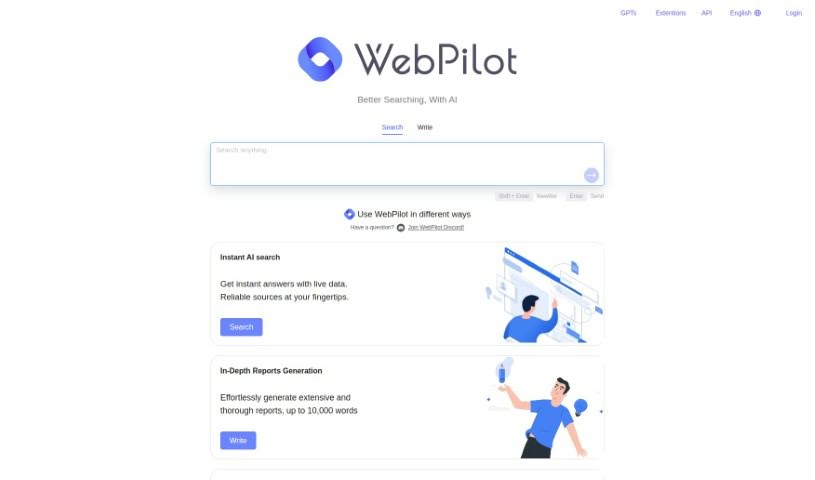
WebPilot is a really handy, multi-talented tool. It’s designed to make interacting with information online much smoother and faster. Here’s a breakdown of what it can do:
- Instant AI Search: Need an answer right now? WebPilot gives you immediate responses, pulling live data from trustworthy sources. It’s like having a super-fast research assistant.
- In-Depth Reports Generation: If you need to dive deep into a topic, WebPilot can help you create really thorough reports, going up to 10,000 words. It takes the heavy lifting out of compiling detailed information.
- Action and API Offering: You can actually use WebPilot within GPTs. This lets you easily search, browse the web, and create content, all powered by WebPilot’s capabilities.
- Open-source Extension: There’s also a free extension available that’s open-source. This means you can chat with any webpage or ask it questions directly about the content you’re viewing.
Who created WebPilot?
Brett Romans, a tech entrepreneur who’s really passionate about AI, is the person behind WebPilot. He started the company with a clear goal: to build an AI search tool that could deliver accurate information quickly and efficiently. The company also provides that handy open-source extension, making it super easy for users to chat and ask questions about any web content they encounter.
What is WebPilot used for?
Basically, WebPilot is great for a few key things:
- Getting quick answers with AI search.
- Creating detailed, in-depth reports.
- Using its capabilities through an API or within GPTs.
- Taking advantage of its free, open-source extension for web interaction.
Who is WebPilot for?
WebPilot is a versatile tool that can help a wide range of people:
- Profession 1
- Profession 2
- Profession 3
- Profession 4
- Profession 5
- AI researchers
- Writers
- Researchers
- QA professionals
- Editors
- Marketers
- Web Developers
- Journalists
- Data Analysts
- Web designers
If you work with information online, there’s a good chance WebPilot could be useful for you.
How to use WebPilot?
Getting the most out of WebPilot is pretty straightforward. Just follow these simple steps:
- For Instant AI Search: When you need quick answers, just use WebPilot. It’ll pull live data from reliable sources right to your fingertips, giving you immediate information.
- For In-Depth Reports Generation: If you have a topic that needs a deep dive, WebPilot makes it easy to create comprehensive reports. You can generate extensive documents, up to 10,000 words, without all the usual hassle.
- For Action and API Offering: Want to boost your productivity? You can integrate WebPilot with GPTs. This lets you search, browse, and even write content directly within your workflow, making things much more efficient.
- For the Open-Source Extension: Take advantage of the free, open-source extension. It’s a great way to chat and ask questions about any webpage you’re on, really expanding how you can interact with web content.
By using WebPilot in these ways, you can really improve how you do things like instant AI searches, create detailed reports, work with GPTs, and generally make your browsing and research activities much more effective.