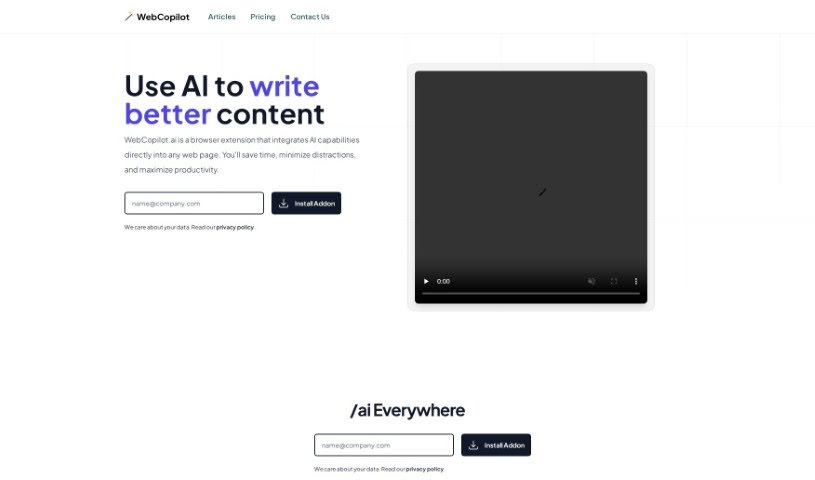
Screenshot of Webcopilot

Webcopilot

Discover what Webcopilot is and how to use it effectively in 2025. We'll explore its features, compare it to other LinkedIn tools, and show you how it can boost your online engagement.

Screenshot

What is Webcopilot?

WebCopilot.ai is a smart browser extension that brings artificial intelligence right into your workflow. It’s designed to help anyone who creates content online – whether you’re a digital marketer, a blogger, or just a professional looking to engage more effectively on platforms like LinkedIn. Essentially, it offers AI-powered suggestions to make creating content smoother, save you precious time, cut down on distractions, and generally make you more productive. You can use it for things like managing your emails better, sprucing up your social media posts, automating data analysis, and even improving your networking on LinkedIn.

What really makes this tool stand out is how easy it is to use, its ability to work across different platforms, and how much time it can save you. It genuinely helps you create better content. However, it’s not perfect. Right now, it only works on desktop computers, it relies on the OpenAI API, and you’ll need an internet connection for the AI features to work. Still, you can see WebCopilot.ai as a really solid alternative to tools like Grammarly or Hootsuite, offering a wide range of features and personalized AI tips.

Who created Webcopilot?

WebCopilot.ai was started by someone with a knack for innovation, who wanted to offer AI-powered help for content creation across all sorts of online spaces – emails, social media, you name it. The founder’s big idea was to give professionals, content creators, and digital marketers a way to really boost their online engagement and get more done. The tool cleverly weaves AI capabilities directly into web pages, offering smart suggestions that really help streamline how you create content.

What is Webcopilot used for?

WebCopilot.ai can help you with a lot of things:

  • Boost Your Productivity: Get more done in less time.
  • Data Analysis: Make sense of your information more easily.
  • Streamline Email Management: Speed up how you handle your inbox.
  • Craft Engaging Tweets: Effortlessly write tweets that grab attention and improve your Twitter presence.
  • Enhance LinkedIn: Boost your professional networking and content creation efforts.
  • Improve Facebook Posts: Make your Facebook updates more impactful with AI insights.
  • Automate Google Sheets Tasks: Simplify data analysis right in your spreadsheets.
  • Generate Compelling Content: Create posts and comments that really connect with your audience.
  • Speed Up Emailing: Write and respond to emails faster thanks to AI suggestions.
  • Amplify Social Media Impact: Make your posts on Twitter, Facebook, and LinkedIn more engaging and insightful.
  • Optimize LinkedIn Interactions: Improve how you connect and create content on LinkedIn for better professional engagement.
  • Create Resonant Content: Easily generate posts and comments that truly connect with people.
  • Boost Your Social Media Impact: Make your presence felt more strongly online.
  • Elevate Your Professional Connections: Build better relationships in your professional network.
  • Amplify Your Social Impact: Increase your influence and reach.
  • Sheet Formula Creation: Get help writing formulas for your spreadsheets.
  • Boost Your Community Influence: Become a more influential voice in your online communities.
  • Enhanced Content Creation: Make your content creation process smoother and more effective.
  • Professional Networking: Improve how you connect with others professionally.

Who is Webcopilot for?

This tool is a great fit for:

  • Content creators
  • Digital marketers
  • Bloggers
  • Professionals

How to use Webcopilot?

Getting started with WebCopilot.ai is pretty straightforward. Here’s what you need to do:

  1. Create an OpenAI Account: It only takes about a minute to sign up for an account with OpenAI. You’ll get your API key for free, which is essential for the AI features.
  2. Install & Activate: Once you have your API key, install the WebCopilot.ai plugin directly into your browser. Then, just activate it using the key you got from OpenAI.

Basically, WebCopilot.ai is a browser extension packed with AI smarts that works right on the web pages you visit. It helps with all sorts of tasks, like making email writing faster, boosting your social media game, improving how you network on LinkedIn, automating things in Google Sheets, and much more. The whole idea is to make content creation easier for professionals, marketers, bloggers, and others by giving you AI-driven tips that save time and boost your productivity. You get features for managing emails, enhancing social media, analyzing data, networking, and even building community influence.

While it’s currently only available for desktop and laptop computers (so mobile users will have to wait), WebCopilot.ai is designed to be super user-friendly with a simple installation process. It operates on a subscription basis, and if you ever need help, they offer customer support and detailed documentation.

Related AI Tools

Discover more tools in similar categories that might interest you

Stay Updated with AI Tools

Get weekly updates on the latest AI tools, trends, and insights delivered to your inbox

Join 25,000+ AI enthusiasts. No spam, unsubscribe anytime.