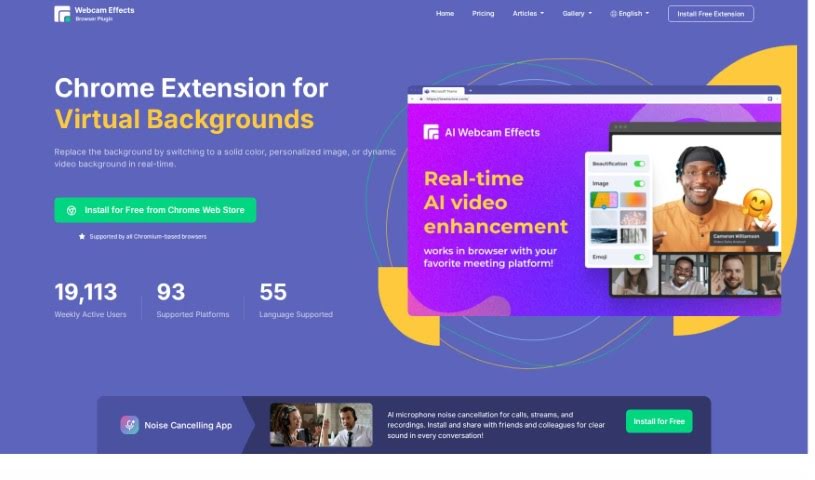
Screenshot of Webcam Effects Chrome Plugin

Webcam Effects Chrome Plugin

Discover what the Webcam Effects Chrome Plugin is all about and how you can use it effectively in 2025. We'll dive into its features and see how it stacks up against other automation tools.

Screenshot

What is the Webcam Effects Chrome Plugin?

The Webcam Effects Chrome plugin is designed to really boost your video streaming quality. It offers a bunch of cool features, like virtual backgrounds, ways to make your face look better, customizable layouts, and even automatic background blurring. What’s neat is that it works right in your browser, so you don’t need any extra software. Plus, it’s compatible with Windows, Mac, and Linux. You can tweak your video’s appearance on the fly, and it even has privacy features to help filter out anything you don’t want in the background. You can even pop in your own custom backgrounds, whether they’re images or videos, during your video calls. This can make you look more professional, more attractive, and honestly, just add a fun touch to your conversations.

Who created the Webcam Effects Chrome Plugin?

Webcameffects Overview:

Launched: Webcameffects first came out on July 3, 2023. It brought features like virtual backgrounds, better layout options, background blur, smart zoom, and even emoji integration.

Founder: The information we have doesn’t actually mention who founded Webcameffects.

Company Details: Webcameffects offers a Chrome extension that’s great for virtual backgrounds, optimizing your video layout, and blurring backgrounds. It really makes your video calls better with features like real-time face beautification. This tool works directly within the Chrome browser, and they offer different subscription plans. These plans can include extras like a custom watermark, a video enhancer, and personalized virtual backgrounds.

Who is the Webcam Effects Chrome Plugin for?

  • People who create content online
  • Professionals who use video conferencing regularly
  • Those who plan virtual events

How do you use the Webcam Effects Chrome Plugin?

If you want to use the Webcameffects Chrome plugin to make your real-time video look better, here’s a simple breakdown of how to do it:

  1. Getting it Installed:

    • First, head over to the Chrome Web Store. From there, just add the AI Web Video Effects Chrome plugin to your browser.
    • Make sure you’ve got Google Chrome installed and a working internet connection. That’s key for everything to run smoothly.
  2. Checking Out the Features:

    • You can enjoy effects that work in real-time, like blurring, removing, or even replacing backgrounds in your webcam video streams.
    • It also has face beautification features. Think skin smoothing, getting rid of acne, and adding soft lighting effects.
    • You can also customize how your video frame looks, control the boundaries, and play around with background blur options to really improve your video quality.
  3. Making it Your Own:

    • Want to switch up your background during a video call? You can replace it with your own images or even dynamic videos.
    • You have control over how much blur you want in the background and can adjust user boundaries to fit what you prefer.
  4. Staying Private and Professional:

    • To keep your video calls private, you can filter out any unwanted elements from your background.
    • And by using optimized video layouts and engaging effects, you can definitely maintain a professional appearance.
  5. Other Cool Stuff:

    • Looking for some fun? You can integrate Emojis and Giphy to make your video conversations more lively.
    • If you want even more features beyond the free version, there are different pricing plans to choose from.
  6. Compatibility and Help:

    • This plugin works with Windows, Mac, and Linux operating systems, and it runs really smoothly on Google Chrome.
    • You’ll find it’s quick to install, works on pretty much any platform, and even has multi-language support to make it easier for everyone to use.

By following these steps, you can really make the most of the Webcameffects Chrome plugin. It’s a great way to add creativity, privacy, and professionalism to your video calls.

Related AI Tools

Discover more tools in similar categories that might interest you

Stay Updated with AI Tools

Get weekly updates on the latest AI tools, trends, and insights delivered to your inbox

Join 25,000+ AI enthusiasts. No spam, unsubscribe anytime.