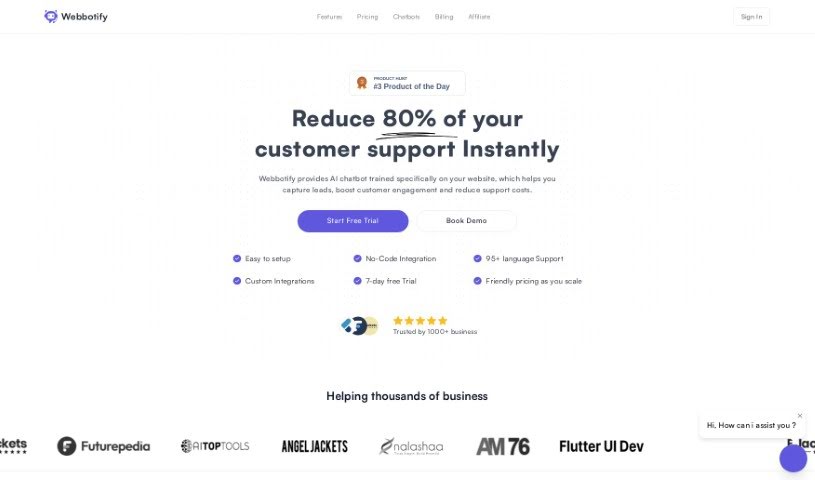
Screenshot of Webbotify

Webbotify

Discover what Webbotify is and how to use it effectively in 2025. We'll explore its features and see how it stacks up against other chatbots.

Screenshot

What is Webbotify?

Webbotify makes it super easy to add a chatbot to your website. You can get it set up and running quickly, without any hassle. It is your own custom ChatGPT, built just for your website.

It’s designed to help you connect with visitors in real-time. The best part? You can have your AI assistant ready to go in under five minutes, with just a few simple clicks. If you’ve been looking for something like SiteGPT, or just want to see what a chatbot can do for you, Webbotify is a great choice. It’s built to keep your visitors interested and happy.

Key Features:

  1. Super Easy Integration: Get your chatbot up and running in less than 5 minutes. Seriously, it only takes about 3 clicks.
  2. Tailored to You: We train ChatGPT specifically on your website’s content and services, so it knows exactly what you offer.
  3. Connect with Visitors: Make interactions better by having real-time conversations and offering support.
  4. Fast Setup: Forget about long, complicated installations. It’s ready to go in a flash.
  5. A Great SiteGPT Alternative: If you’re looking for something different from SiteGPT, this is an efficient and user-friendly option.

Webbotify also offers different pricing plans. You can choose options like removing our branding, using your own custom domain, and getting extra message credits. It’s all about creating a personalized experience that fits your business perfectly.

Who created Webbotify?

Webbotify was built to make it simple to integrate ChatGPT for real-time visitor engagement. The company’s goal is to offer an AI chatbot that’s quick to set up, matches your website’s look and feel, and is tailored to your specific services. They really focus on making integration easy, offering personalized experiences, fast deployment, and affordability, so businesses of any size can benefit. Webbotify also includes multiple data sources, analytics, and insights to help you improve how you interact with customers.

What is Webbotify used for?

  • Easy Integration: Get your chatbot up and running in less than 5 minutes. Seriously, it only takes about 3 clicks.
  • Tailored to You: We train ChatGPT specifically on your website’s content and services, so it knows exactly what you offer.
  • Connect with Visitors: Make interactions better by having real-time conversations and offering support.
  • Fast Setup: Forget about long, complicated installations. It’s ready to go in a flash.
  • A Great SiteGPT Alternative: If you’re looking for something different from SiteGPT, this is an efficient and user-friendly option.

Who is Webbotify for?

  • Anyone working in customer support.
  • Team members who manage chatbots.
  • Anyone on a business team.

How to use Webbotify?

Webbotify is a really straightforward tool that lets you quickly and easily add chatbots to websites. To get the most out of it, just follow these steps:

  1. Quick Setup: You can create and embed a chatbot in under 5 minutes.
  2. Use Various Data Sources: Train your chatbot using information from different places, like PDFs, documents, and plain text.
  3. Get Analytics and Insights: Learn valuable things about your users, what they’re asking most often, and how they’re engaging.
  4. Make it Your Own: Customize how your chatbot looks so it perfectly matches your brand and website design.
  5. Ensure Accurate Answers: Features like ‘Revise answers’ help make sure your chatbot gives correct information.
  6. Auto Sync: Your chatbot can automatically retrain itself to stay up-to-date with your data.
  7. Security: You can secure your bot by restricting access to specific domains.
  8. Work Together: Collaborate with support agents and other team members to manage the chatbot effectively.
  9. Choose Your AI Model: Pick from different AI models, including GPT-3.5-turbo and GPT-4.
  10. Pricing Plans: Select a plan that fits your website’s size and needs. You can also get features like custom domains and remove our branding.

To get started, simply sign up for an account. Then, set up your chatbot, train it with your specific information, customize its look, keep an eye on the analytics, and work with your team to manage it all. Webbotify’s easy-to-use interface and powerful features offer a smooth way to add AI chatbots to your website, making visitor engagement and support much better.

Related AI Tools

Discover more tools in similar categories that might interest you

Stay Updated with AI Tools

Get weekly updates on the latest AI tools, trends, and insights delivered to your inbox

Join 25,000+ AI enthusiasts. No spam, unsubscribe anytime.