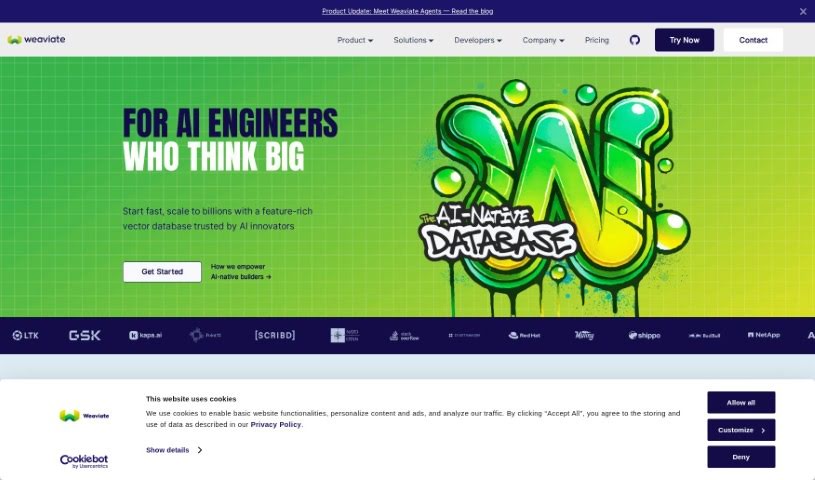
Screenshot of Weaviate

Weaviate

Discover what Weaviate is and how to use it effectively in 2025. Explore its features and see how it stacks up against other tools for Software Engineers.

Screenshot

What is Weaviate?

Weaviate is an open-source, cloud-native vector search engine. It’s built to handle data and search queries really efficiently. What makes it special is how it uses machine learning models to understand how different pieces of data relate to each other. This means it can offer smart search features that are based on context and relevance, not just keywords. You can structure and connect your data in Weaviate in a really flexible way, which lets you run complex searches even across huge amounts of data. Because it focuses on finding things that are similar in meaning and understanding context, Weaviate is a great fit for all sorts of applications. Think natural language processing, building chatbots, creating recommendation systems, and much more. Basically, Weaviate shines when it comes to providing intelligent search by organizing and retrieving data in a way that actually makes sense.

Who created Weaviate?

Weaviate first launched on February 15, 2022. Bob van Luijt is the founder. The company is Weaviate, B.V., and they hold the copyright © 2024.

What is Weaviate used for?

Weaviate is incredibly versatile. Here are just some of the ways people are using it:

  • Building AI applications from the ground up.
  • Creating services similar to ChatGPT.
  • Handling tasks related to Natural Language Processing (NLP) and generative AI.
  • Automatically generating economic insights.
  • Powering tools that find academic experts based on natural language queries.
  • Implementing hybrid search to find tech talent.
  • Serving AI models and managing multi-tenant setups.
  • Speeding up the development of generative AI applications.
  • Making intelligence-based bots smarter with vector search.
  • Developing AI-powered search engines.
  • Helping customers accurately categorize and search through their feedback.
  • Managing advanced NLP and generative AI tasks, processing millions of news articles daily across many languages.
  • Enabling businesses to build AI apps in minutes, offering developer tools and complete functionality.
  • Powering natural language academic expert finders.
  • Making it faster to develop generative AI applications.
  • Providing unmatched flexibility in how you define your data schema, which really helps when storing unstructured data.
  • Improving RAG-based shopping assistants by creating the necessary context for the generation phase.
  • Boosting search accuracy and making life easier for developers on various projects.
  • Acting as a long-term memory for Conversational AI, storing and retrieving data for more in-depth interactions.
  • Turbocharging talent searches, helping you pinpoint precise and related skills using hybrid search.
  • Building AI applications that include features like keyword search, vector search, and document storage.
  • Developing RAG-based shopping assistants.
  • Handling advanced NLP and generative AI tasks.
  • Facilitating semantic search.
  • Creating AI-powered research and intelligence tools for the pharmaceutical industry.
  • Providing hybrid search for talent hunting.
  • Allowing interaction with various data sources to gain business insights.
  • Storing and retrieving conversational data for future interactions, helping to deepen relationships on platforms like LinkedIn.
  • Making it fast to develop generative AI applications by removing the need to write boilerplate code, set up databases, or manage infrastructure.
  • Powering sophisticated use cases that can handle thousands of queries at the same time.
  • Integrating with intelligence-based bots to easily enhance them with vector search.
  • Offering flexibility when starting and building GenAI applications.
  • Automating the generation of deep economic insights in educational settings.
  • Improving search accuracy and the developer experience.
  • Handling advanced NLP and generative AI tasks across a large volume of news articles in multiple languages.
  • Providing an easy-to-set-up database for AI-powered research and intelligence tools.
  • Opening up new possibilities for AI platforms to interact with diverse data sources, giving businesses unparalleled insights and capabilities.
  • Advanced NLP and generative AI tasks.
  • Building context for the generation phase in shopping assistant applications.
  • Helping to accurately categorize and search customer feedback.
  • Offering a prototype-friendly trial plan for AI projects.
  • Providing an accurate and flexible vector database.
  • Efficiently building and launching ChatGPT services.
  • Offering hybrid search capabilities for fast talent pinpointing.
  • Developing AI-powered research and intelligence tools for regulated industries.
  • Handling advanced NLP and generative AI tasks across over 4 million news articles daily in 120 languages.
  • Prototyping, iterating, and releasing Cognigy Knowledge AI products.
  • Unlocking new potentials in AI with transformative and avant-garde semantic search solutions.
  • Building AI-powered research and intelligence tools specifically for the highly-regulated pharmaceutical industry.
  • Developing a RAG-based shopping assistant.
  • Pioneering French legal research.
  • Managing multi-tenancy.
  • Building GenAI applications.
  • Handling model serving and multi-tenant implementation for vector search.
  • Enhancing AI Platforms for effortless interaction with diverse data sources.

Who is Weaviate for?

Weaviate is a great tool for a variety of professionals, including:

  • Data Scientists
  • Software Engineers
  • Machine Learning Engineers
  • Researchers
  • Product Managers
  • Data Analysts
  • UX Designers
  • Content Strategists
  • Business Analysts
  • AI Developers
  • System Architects
  • Marketing Specialists
  • Chatbot Developers
  • Recommendation System Engineers

How to use Weaviate?

Here’s a straightforward guide to using Weaviate:

  1. Installation: First, you’ll need to install Weaviate. You can do this easily using Docker, Kubernetes, or the Helm Chart.
  2. Initialization: After installation, start up the Weaviate server. You can initialize it right from the command line.
  3. Schema Setup: Next, you need to define your schema. This means specifying the classes and properties for your data. For instance, you could create a ‘Person’ class with properties like ‘name’ and ‘age’.
  4. Data Ingestion: Now, it’s time to get your data into Weaviate. You can use the RESTful API for this, or you can use the client libraries available for various programming languages.
  5. Exploration: Once your data is in, explore it within Weaviate to get a feel for its structure and how different pieces connect. You can use GraphQL queries to pull out specific information.
  6. Vector Search: Take advantage of Weaviate’s vector search. This lets you perform similarity searches based on the embeddings of your data, finding things that are conceptually alike.
  7. Schema Evolution: As your data needs change, you can easily modify your schema. Feel free to add new classes, properties, or update existing ones.
  8. Authentication and Authorization: To keep your data secure, set up authentication and authorization. This controls who can access your Weaviate instance.
  9. Integration: Connect Weaviate with other tools and services you use. This can really boost its functionality and make it fit better into your workflow.
  10. Monitoring and Maintenance: Keep an eye on Weaviate’s performance and perform regular maintenance. This ensures everything runs smoothly.

By following these steps, you’ll be able to effectively manage and retrieve your data using Weaviate.

Related AI Tools

Discover more tools in similar categories that might interest you

Stay Updated with AI Tools

Get weekly updates on the latest AI tools, trends, and insights delivered to your inbox

Join 25,000+ AI enthusiasts. No spam, unsubscribe anytime.