What Exactly is Vook.ai?
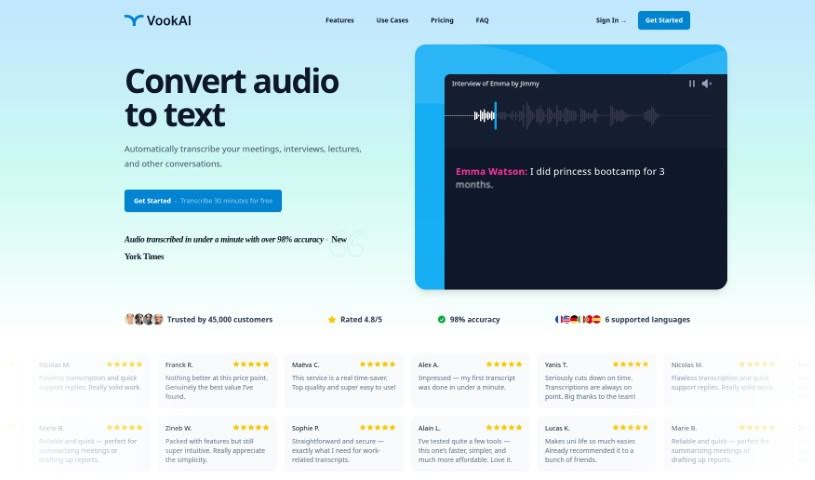
Vook.ai is a really smart tool that turns spoken words into written text, making audio-to-text conversion super efficient. It is your go-to for automatically transcribing things like meetings, presentations, or even just casual conversations. What’s great is that it’s quick, usually getting it right about 90% of the time on average. Plus, they take your privacy seriously, encrypting all your files and transcripts to keep your data safe. You’ll also find handy features like identifying who’s speaking, letting you export your text in different formats, and even translating it into six different languages. People who’ve used it often mention how well it works, how easy it is to use, and how much time it saves them, whether for work or school.
Who’s Behind Vook.ai?
Alex A. is the founder behind Vook.ai. He developed this platform to offer a really innovative way to convert audio to text, focusing on speed and accuracy. The company’s core mission is to protect user privacy, which they do by encrypting all the files and transcripts. On the platform, you can expect features like speaker identification and the ability to export your transcriptions in various formats. Users have generally found the service to be simple, fast, and a great time-saver for both their professional projects and academic work.
What Can You Actually Use Vook.ai For?
This tool is incredibly versatile! You can use it for:
- Translation: Easily translate spoken content into different languages.
- Meetings: Get accurate transcripts of all your important discussions.
- Presentations: Capture every word from your talks and lectures.
- Conversations: Transcribe informal chats or interviews.
- Academic purposes: Perfect for students and researchers needing to document lectures or interviews.
- Professional purposes: Streamline workflows for reports, studies, and client interactions.
- Interviews: Ensure you have a precise record of every interview.
- Reports: Quickly generate text for reports based on audio recordings.
- Studies: Document findings or discussions for research studies.
- Speaker Identification: Know exactly who said what.
- Editing capabilities: Easily refine your transcripts.
- Meetings transcriptions: Get clear records of your meeting discussions.
- Presentations transcriptions: Keep a written record of your presentations.
- Conversations transcriptions: Easily document spoken exchanges.
- Multi-format export: Save your text in formats like .pdf, .docx, .html, or .srt.
- Translation into multiple languages: Access content in the language you need.
- Encrypted file and transcript security: Your data stays private and protected.
- Fast conversion from speech to text: Get your transcriptions quickly.
- High accuracy in transcriptions: Rely on precise results most of the time.
Who Would Find Vook.ai Useful?
This service is a great fit for:
- Business professionals: Anyone needing to document meetings, client calls, or market research.
- Businesses: Companies looking to improve internal communication and documentation.
- Academic Professionals: Researchers, professors, and educators who need to transcribe lectures, interviews, or study sessions.
- Students: To help with note-taking, recording lectures, or transcribing study group discussions.
How Do I Actually Use Vook.ai?
Getting started with Vook.ai is pretty straightforward. Here’s a simple breakdown:
- First, head over to the Vook.ai website and sign up for an account. It’s a quick process.
- Next, you can either upload an audio file you already have, or you can record directly through the platform if that’s easier for you.
- The tool then gets to work, converting your speech into text. It’s impressively fast and usually hits around 90% accuracy on average.
- You can feel good about using it, as they’ve built in security features that encrypt your files and transcripts, keeping your information private and protected.
- To get you started, they include 1 hour of transcription for free. After that, it’s quite affordable at 3€ per hour, which is a great deal.
- Once you have your transcript, you can easily edit it using the platform’s user-friendly interface. The speaker identification feature is also really helpful here.
- When you’re happy with it, you can export your text in a variety of common formats, like .pdf, .docx, .html, or .srt.
- One of the best parts is the flexibility – you can access and edit your transcripts from any device, just by using a web browser.
- If you need to translate your content, they offer services into six different languages, all powered by advanced machine translation technology.
- Don’t forget to check out what other users are saying! Customer reviews consistently praise Vook.ai for being simple, fast, and a real time-saver for both professional and academic tasks.
Overall, Vook.ai really shines because it’s fast, accurate, secure, and offers helpful features like speaker identification and multiple export options. It makes the whole transcription process smooth and efficient, proving itself as a truly valuable tool for pretty much any transcription need you might have.