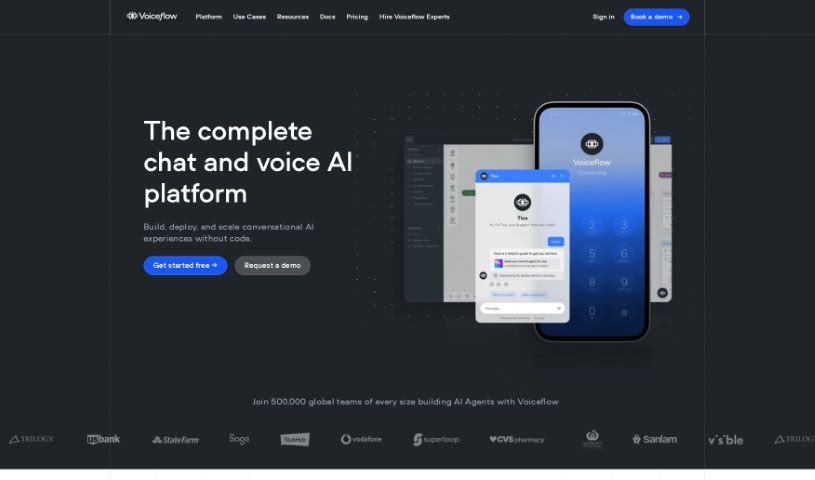
Screenshot of Voiceflow

Voiceflow

Discover what Voiceflow is and how to use it effectively in 2025. We'll explore its features and see how it stacks up against other customer service tools.

Screenshot

What is Voiceflow?

Voiceflow is a conversation design platform that over 100,000 people from all sorts of companies use to design, prototype, and build Assistants. These can be for anything from customer support to automating personal tasks. It really lets you create Assistants of any size or complexity. What’s great about Voiceflow is its user-friendly interface, and it can grow with you, making it super accessible even if you’re new to AI and automation. Essentially, it’s a platform focused on building advanced AI agents through a flexible developer setup. Voiceflow is well-known for making it much simpler to build powerful conversational experiences, especially when working as a team.

Who created Voiceflow?

Voiceflow was actually started by a team led by Victor Algaze and Ciprian Nastase. They began building AI agents back in 2018. They were pretty frustrated with the tools available for creating chatbots at the time, so they set out to create a platform that would make scalable customer interaction through AI agents much easier. Today, Voiceflow is used by more than 250,000 users and teams across many different companies. It offers a collaborative, easy-to-use space for building advanced AI agents.

What is Voiceflow used for?

Voiceflow is incredibly versatile. You can use it to:

  • Automate customer support with smart AI agents.
  • Build custom responses and integrations for your AI agents.
  • Create dynamic carousels that pull from your Zendesk help center articles.
  • Automate L1 and L2 support tickets by using curated knowledge bases and integrating with Zendesk.
  • Reduce ticket costs while delivering a better customer experience.
  • Resolve complex user questions, even those involving code-first API queries.
  • Build AI agents for personal automation to streamline your own tasks.
  • Collaboratively design, prototype, and build Assistants of any scale or complexity.
  • Empower enterprise product teams to securely build, test, and manage conversational AI agents at scale.
  • Connect with a huge global community of over 250,000 Voiceflow users.
  • Automate customer support tasks.
  • Create custom responses and interfaces.
  • Build multi-step tasks for agents to handle.
  • Manage agents at scale effectively.
  • Use, build, and share reusable integrations.
  • Extend the platform with custom developer features.
  • Train AI agents on your specific data and tasks.
  • Build custom functions and integrations.
  • Innovate with any AI vendor you choose.
  • Collaborate and scale your AI products.
  • Innovate with any AI vendor directly within an Enterprise Cloud setup.
  • Avoid vendor lock-in with flexible options.
  • Build multi-step tasks for Agents to complete.
  • Integrate with Zendesk Help Center Articles.
  • Speed up AI product team sprints.
  • Efficiently scale to new use cases.
  • Connect with a global community of Voiceflow users.
  • Build WhatsApp Assistants powered by GPT-3.
  • Design, prototype & launch conversational experiences.
  • Build customer support chatbots.
  • Develop personal automation solutions.
  • Collaboratively design assistants of any scale or complexity.
  • Prototype and build assistants together.
  • Create advanced AI automations.
  • Build, test, launch, and manage conversational AI agents at scale.
  • Connect with other builders and share agent functions.
  • Shape the future of communication alongside conversation designers and developers.
  • Build AI agents for support automation.
  • Create customized AI agents for a better customer experience.
  • Design conversational AI agents at scale.
  • Build conversation agents for customer interaction.
  • Automate L1 and L2 support tickets.
  • Reduce ticket costs.
  • Resolve complex user questions using a multi-knowledge base approach.
  • Create conversational AI platforms for both internal and external applications.

Who is Voiceflow for?

Voiceflow is a great tool for:

  • Software Engineers
  • L3 Support AI Engineers
  • Conversation Designers
  • Developers

How to use Voiceflow?

To get started with Voiceflow, here’s a breakdown of the steps:

  1. Platform Overview: First, you’ll want to train your AI agent on your specific data. This is key to ensuring it can provide accurate responses and perform tasks effectively.
  2. Workflow Builder: Next, use this tool to build out the multi-step tasks that your agents will need to complete.
  3. Data Management: Keep your agents organized with centralized data management. This means having all your prompts, responses, intents, workflows, and more in one place.
  4. Customization: Voiceflow lets you build custom responses, interfaces, functions, integrations, and pretty much anything else you need.
  5. Developer Platform: If you want to go further, you can use the developer features to extend the platform with your own custom features, integrations, and interfaces.
  6. Reusable Integrations: You can use, build, and share integrations to create highly customized experiences for your end-users.
  7. Enterprise Cloud Integration: For larger teams, you can innovate with any AI vendor directly within an Enterprise Cloud environment. This allows for secure agent building, testing, launching, and management at scale.

Voiceflow offers different subscription plans: Pro, Team, and Enterprise. Each plan comes with varying features, like the number of knowledge base sources you can use, monthly AI tokens, and different customization options.

If you’re looking to switch to Voiceflow Enterprise, you’ll need to contact their sales team through the demo request form. While Voiceflow doesn’t currently offer discounts for individual students, educational institutions can get in touch to see about including Voiceflow in their curriculum.

Overall, Voiceflow is a collaborative conversation design platform that companies of all sizes use to build assistants for all sorts of purposes. People often praise its user-friendly interface and its powerful automation capabilities. Why not give Voiceflow a try? You can check it out at Voiceflow.com.

Related AI Tools

Discover more tools in similar categories that might interest you

Stay Updated with AI Tools

Get weekly updates on the latest AI tools, trends, and insights delivered to your inbox

Join 25,000+ AI enthusiasts. No spam, unsubscribe anytime.