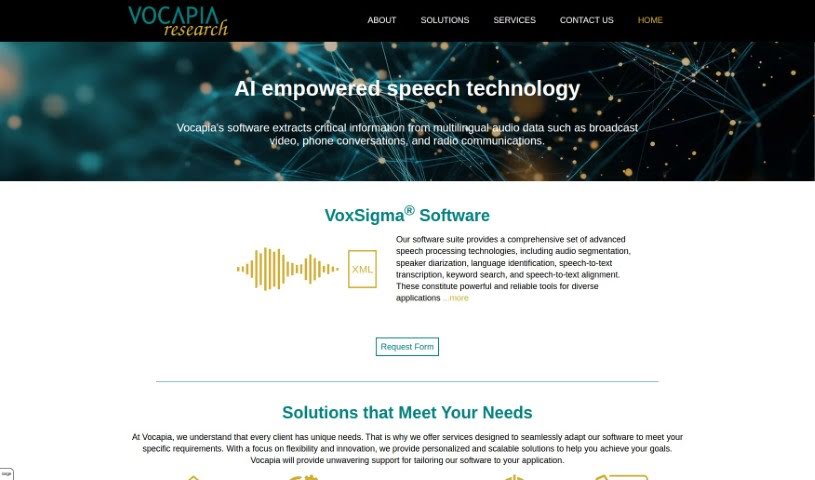
Screenshot of Vocapia

Vocapia

Discover what Vocapia is and how to make the most of its transcription tools in 2025. We'll dive into its features and see how it stacks up against other transcription services.

Screenshot

What is Vocapia?

Vocapia is a company that really knows its way around speech processing. They focus on advanced technologies for recognizing continuous speech with large vocabularies and providing transcription services in many different languages. Their main product, VoxSigma™, is a powerful suite that uses AI and machine learning to make speech recognition and transcription super efficient. It’s designed to handle all sorts of audio data, automatically breaking it down, figuring out who’s speaking when (that’s speaker diarization!), and turning it all into structured, searchable XML documents. Plus, Vocapia can even customize its models to fit exactly what you need, ensuring you get the most accurate results possible.

Who created Vocapia?

Vocapia was actually founded by Vocapia Research, a group that’s deeply involved in advanced speech processing. They’re experts in things like large vocabulary continuous speech recognition and transcribing in multiple languages. Their software, VoxSigma™, is known for delivering top-notch performance across different kinds of audio. What’s great is that they also offer custom services, so they can really tailor solutions to meet specific client needs, which helps ensure high accuracy and a good return on investment.

Who is Vocapia for?

Vocapia’s tools are incredibly useful for a variety of tasks:

  • Keeping track of broadcasts
  • Transcribing lectures and seminars
  • Creating subtitles for videos
  • Transcribing conference calls and voicemails
  • Analyzing speech patterns

How to use Vocapia?

Ready to dive into Vocapia’s VoxSigma™ Speech-to-Text software suite? Here’s a straightforward guide to get you started:

  1. First off, head over to the official Vocapia website. That’s where you’ll find access to the VoxSigma technology.
  2. You’ll want to make use of its large vocabulary continuous speech recognition feature. It’s really efficient for transcribing in all sorts of languages.
  3. Don’t forget to explore the advanced speech processing tech, like automatic audio segmentation and speaker diarization. They make a big difference!
  4. You have a couple of options for how to use it: there’s a standalone solution for Linux, or you can go with the SaaS option, which you can access through a REST API for your transcription needs.
  5. If you have unique requirements, you can customize the solutions. This means you can adapt, tune, or even create specific models that are perfect for your particular application.
  6. For reliability, especially with transcribing audio and video documents, you’ll be glad to know it’s available 24/7 and has geographic redundancy built-in.
  7. It supports a wide range of languages, from Arabic all the way to Urdu. This makes it super versatile for things like broadcast monitoring, conference call transcription, and much more.
  8. And remember that customization service we mentioned? It’s a great way to tailor models to your specific client needs, ensuring you get the best possible accuracy and results.

By following these steps, you should be able to use Vocapia’s VoxSigma™ Speech-to-Text software suite effectively for accurate and efficient transcription, no matter the language or application.

Related AI Tools

Discover more tools in similar categories that might interest you

Stay Updated with AI Tools

Get weekly updates on the latest AI tools, trends, and insights delivered to your inbox

Join 25,000+ AI enthusiasts. No spam, unsubscribe anytime.