What is Visionati?
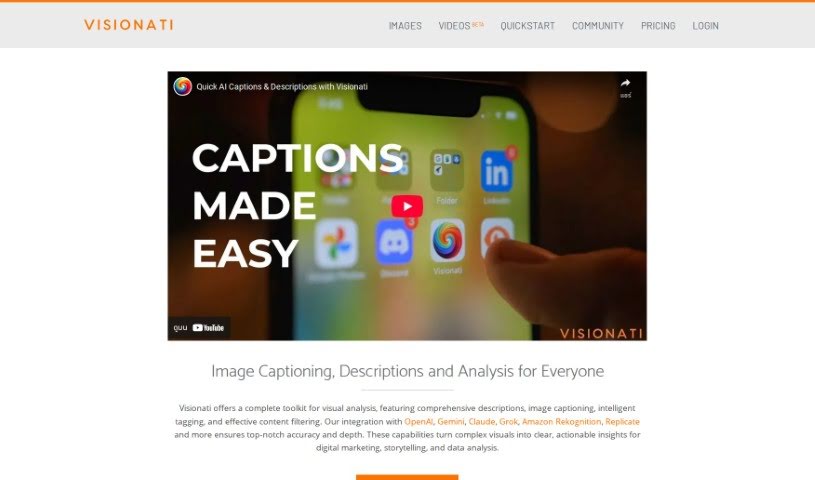
Visionati is your AI-powered visual detective. It’s designed to take complicated images and break them down into simple, useful information you can actually act on. It excels at giving you detailed descriptions, creating captions, intelligently tagging what’s in the image, and even filtering content. What’s really neat is how it works with other big names like OpenAI, Gemini, Amazon Recognition, and Replicate. This integration means you get super accurate and in-depth analysis every time. If you’re a developer, you can use the Visionati API to get custom analysis and descriptions, essentially giving your own apps a smarter way to understand images.
Visionati’s feature set is pretty comprehensive. It can automatically spot and manage sensitive content, recognize faces, detect brands and logos, tag images, analyze colors, and even read text within images (that’s Optical Character Recognition, or OCR). It gives you a really thorough look at your visuals, which is super helpful for understanding your market position and what your competitors are up to. Plus, if you’re working with video, Visionati can analyze it frame by frame, providing detailed insights and helping you build richer narratives.
Who created Visionati?
Visionati first appeared on December 6, 2023. While the specific founder isn’t mentioned in the information I have, the company behind it offers this AI tool that turns complex visuals into clear, actionable insights through detailed descriptions, smart tagging, and content filtering.
What is Visionati used for?
Visionati is a versatile tool with a wide range of applications:
- Optical Character Recognition (OCR): It can read text directly from images.
- Efficient content organization: Helps you sort and manage your visual assets more effectively.
- Color analysis: Provides insights into the color palettes used in images.
- Detailed descriptions: Generates in-depth explanations of image content.
- Image captioning: Creates descriptive captions for your images.
- Intelligent tagging: Automatically assigns relevant tags to images for easier searching.
- Content filtering: Helps you manage or remove specific types of content.
- Facial recognition for demographics: Analyzes facial features to understand audience demographics.
- Facial recognition for emotions: Identifies and interprets emotions expressed in faces.
- Market presence insight: Offers data on how your brand or products appear visually in the market.
- Competitive analysis tool: Helps you understand your competitors’ visual strategies.
- Video analysis function: Analyzes video content for various insights.
- Frame-by-frame video evaluation: Breaks down videos into individual frames for detailed examination.
- Integration with Gemini: Works with Google’s Gemini AI for enhanced capabilities.
- Integration with Amazon Rekognition: Connects with AWS’s image and video analysis service.
- Integration with Replicate: Supports integration with the Replicate platform for broader AI model access.
- Image captions generation: Specifically creates captions for images.
- Content analyzer tool: Acts as a tool to analyze and understand content.
- Deep insights into visuals: Provides profound understanding of visual data.
- Customizable API analysis: Allows developers to tailor analysis methods.
- OCR capability: Specifically highlights its ability to perform Optical Character Recognition.
Who is Visionati for?
Visionati is particularly useful for:
- Digital marketers: To understand visual trends and audience engagement.
- Storytellers: To enrich narratives with visual data and insights.
- Data Analysts: To process and interpret visual information efficiently.
How to use Visionati?
Getting the most out of Visionati is straightforward. Here’s a simple guide:
- Get to Know What Visionati Can Do: First, familiarize yourself with its core features. This includes things like color analysis, OCR for reading text in images, generating detailed image descriptions, and its advanced video analysis capabilities.
- Connect Your Tools: Visionati plays well with others! It integrates smoothly with popular platforms such as OpenAI, Gemini, Amazon Rekognition, and Replicate. This connection helps boost the accuracy and depth of the analysis.
- Use the API for Customization: If you’re a developer, you can really make Visionati your own by using its API. This lets you create custom image descriptions and analysis options, giving your own applications a much smarter way to understand visual content.
- Explore the Toolkit Features: Dive into what the toolkit offers. You’ll find features like brand and logo detection, managing sensitive content, facial recognition, color analysis, and of course, OCR.
- Improve Your Data Analysis: Visionati is great for transforming complex visual data into clear, actionable insights. This makes your decision-making more accurate and effective.
- Analyze Your Content Easily: The tool provides detailed image descriptions, intelligent tagging, and content filtering. This makes finding and accessing your visual content much simpler.
- Tailor Analysis with the API: As mentioned, developers can customize Visionati via its API. You can fine-tune analysis options and image descriptions to perfectly suit your application’s needs.
- Reach Out for Help: If you have specific questions or need guidance on API features and customization, don’t hesitate to contact Visionati’s team. They’re there to help you get the best results.
By following these steps, you can effectively use Visionati’s AI-powered visual analysis to boost your digital marketing efforts, enhance your storytelling, and streamline your data analysis tasks.