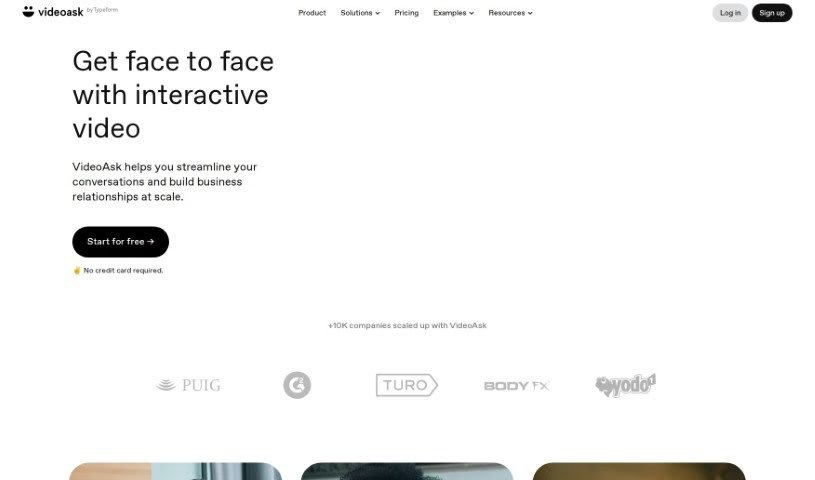
Screenshot of VideoAsk

VideoAsk

Discover what VideoAsk is and learn how to use it effectively in 2025. We'll explore its key features and see how it stacks up against other customer service tools.

Screenshot

What is VideoAsk?

VideoAsk, brought to you by Typeform, is a really neat interactive video platform. Its main goal is to make one-on-one conversations feel more personal and engaging. It is a way to connect with people using video in a way that feels natural and efficient. It packs in some cool features like video funnels, which guide people through a series of videos, AI-powered chatbots that can chat with your audience anytime, and multimedia messaging. You can also use it for interactive forms, making it super handy for all sorts of business tasks. Whether you’re hiring, selling, marketing, or helping customers, VideoAsk can make a big difference. It’s especially great for things like asynchronous interviews (where people record their answers on their own time), making scheduling a breeze, and generally giving candidates a much better experience.

What’s also great is that it’s super user-friendly and you don’t need any coding skills. Plus, it plays nicely with over 1,500 other apps thanks to Zapier, its API, and webhooks, meaning it can grow with your business and help boost your conversion rates.

Some of the standout features you’ll find with VideoAsk include:

  • Live Calls: You can jump into real-time conversations, adding that personal touch that’s so important.
  • Video Funnels: These let you guide your audience through specific video paths, making their journey with you more structured and engaging.
  • AI-Powered Video Chatbots: These bots are there to automatically engage with your audience whenever they reach out, day or night.

So, what can you actually do with VideoAsk? Well, businesses can use it to make hiring much smoother, capture potential leads more effectively, gather glowing testimonials from happy customers, keep those customer relationships strong, and even conduct research or gather feedback. It also gives you the power to collect really valuable data through engaging video forms, and it helps you manage those high-touch communications with videos that are interactive and can be recorded at your convenience.

Who created VideoAsk?

VideoAsk was actually created by Typeform. They’ve built it as an interactive video platform specifically designed to help you have more personalized one-on-one conversations. It brings together features like video funnels, AI-powered video chatbots, and multimedia messaging to make communication more dynamic. This tool really shines when it comes to efficient scheduling, improving the experience for candidates, and building stronger relationships with your customers across all sorts of business processes. And because it integrates so easily with over 1,500 different applications, VideoAsk is a fantastic way to boost your communication strategies while also collecting valuable data for your business.

What is VideoAsk used for?

VideoAsk is incredibly versatile! Here are some of the main ways businesses use it:

  • Lead Generation: Capture interest and gather contact information from potential customers.
  • Education: Deliver training materials or explain complex topics in an engaging video format.
  • Customer Support Enhancement: Provide quick, personalized answers and support.
  • Asynchronous interviews: Conduct interviews efficiently without needing to schedule live calls.
  • Collecting testimonials: Easily gather feedback and success stories from satisfied clients.
  • Maintaining customer loyalty: Keep customers engaged and informed.
  • Recruitment process optimization: Streamline the hiring process from application to interview.
  • Sales lead generation: Identify and nurture potential sales opportunities.
  • Gathering valuable data: Collect insights through interactive video responses.
  • Improving communication strategies: Make all your customer and candidate interactions more effective and personal.

Who is VideoAsk for?

VideoAsk is a great tool for a variety of teams and functions within a business:

  • Recruitment: HR and hiring managers can use it to screen candidates and gather initial impressions.
  • Sales & Marketing: Teams can use it for lead qualification, product demos, and engaging marketing campaigns.
  • Research and Feedback: Anyone needing to gather insights, conduct surveys, or get user feedback will find it invaluable.
  • Training: For onboarding new employees or teaching new skills, it offers an interactive approach.
  • Customer Support: Support teams can use it to provide personalized assistance and FAQs.

How to use VideoAsk?

Getting started with VideoAsk is pretty straightforward. Here’s a simple guide to help you use it effectively:

  1. Sign Up: First off, you’ll want to create a VideoAsk account. The good news is, you don’t need a credit card to sign up, making it easy to try out.
  2. Record or Upload: You can either record your videos directly within the app, or if you already have videos, you can upload them.
  3. Create Interactive Content: Now for the fun part! You can build out your interactive video content. This includes setting up those handy video funnels, incorporating AI-powered chatbots for instant engagement, and using multimedia messaging to make your videos richer.
  4. Customize for Your Needs: Tailor your videoasks to fit exactly what you need them for. Whether it’s for recruitment, sales, marketing, or customer support, you can customize them to match your goals.
  5. Engage in Real-Time or Asynchronously: You have the flexibility to engage in live, real-time conversations with a personal touch, or you can set up asynchronous video interviews. This makes interactions super efficient, especially when you’re dealing with people in different time zones or who have busy schedules.
  6. Collect Data with Ease: Use features like direct messaging, the AI chatbots, and video forms to gather valuable data and feedback from your audience. It’s a much more engaging way to collect information than traditional methods.
  7. Connect Your Tools: To really boost functionality, you can integrate VideoAsk with over 1,500 other applications. This is done through Zapier, APIs, and webhooks, allowing you to connect it to your existing workflow.
  8. Choose the Right Plan: Finally, pick a plan that best suits your needs. Consider how much video/audio processing you’ll need and what other features are important for your business.

By following these steps, you’ll be well on your way to using VideoAsk to make your conversations smoother, your interactions more personal, and to really boost how well you engage with your audience.

Related AI Tools

Discover more tools in similar categories that might interest you

Stay Updated with AI Tools

Get weekly updates on the latest AI tools, trends, and insights delivered to your inbox

Join 25,000+ AI enthusiasts. No spam, unsubscribe anytime.