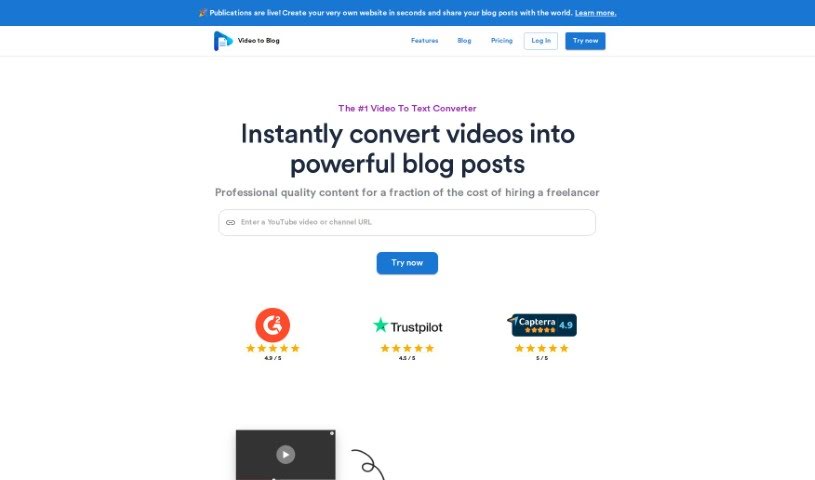
Screenshot of Video To Blog

Video To Blog

Discover what Video to Blog is and how to use it to create SEO-optimized blog posts from YouTube videos in 2025. We'll cover its features and compare it to other blog writing tools.

Screenshot

What is Video To Blog?

Video To Blog is a really neat platform that turns YouTube videos into well-organized blog posts. It uses advanced AI, specifically GPT technology, to make this happen. It is a way to simplify things for content creators: it transcribes your videos and then generates a blog draft based on that transcript. The whole idea is to create high-quality, SEO-friendly content with as little effort from you as possible. The goal is to give readers valuable information that’s easy to read, scan, and even includes relevant visuals. Essentially, it automates the whole journey from a video to a ready-to-publish blog post – you just pop in a YouTube URL, and you get a draft back pretty quickly.

So, what makes Video To Blog stand out?

  1. Quick Video Conversion: It efficiently turns your YouTube videos into blog content.
  2. Smart GPT Tech: It uses advanced GPT models to write high-quality content.
  3. Easy to Use: You just need to input a YouTube link, and it generates a draft post.
  4. Works for Many: It’s perfect for bloggers, marketers, and educators alike.
  5. Smoother Workflow: It really simplifies how you create content, moving from video to text to help you connect better with your audience.

Who created Video To Blog?

Andrew Petrovics is the person behind Video To Blog. He created it as a way for YouTube creators to easily turn their videos into high-quality, SEO-optimized blogs. The company is self-funded and operates independently, incorporated right here in the US. Right now, Andrew is the only one on the team, but he’s planning to expand as the platform grows. Video To Blog is all about producing valuable content that readers will love, making sure it’s optimized for search engines, and keeping the interface super simple so users don’t have to work too hard. To do all this, the platform relies on AI technology, including OpenAI’s GPT-3.5 and GPT-4 for writing, Claude (Haiku) for creating outlines and auto-screenshots, and DALL-E-3 for generating images.

Who is Video To Blog for?

  • Bloggers
  • Marketers
  • Educators

How to use Video To Blog?

Using Video To Blog is pretty straightforward. Here’s how you do it:

  1. First, head over to the Video To Blog platform. You’ll need to paste the YouTube URL of the video you want to turn into a blog post.
  2. Once you’ve done that, the tool will transcribe the video for you. Then, it sends that transcript over to the AI to generate a blog post based on what was said.
  3. The AI models doing the heavy lifting here are pretty impressive: OpenAI’s GPT-3.5 and GPT-4 are used for creating the blog posts, Claude (Haiku) helps with generating outlines and taking automatic screenshots, and DALL-E-3 is used for creating images.
  4. After the AI has done its work, you’ll get a blog post draft. The aim is for this draft to be high-quality and optimized for SEO right from the start.
  5. To really make it shine, you can use features like auto screenshots, auto metadata generation, AI-generated featured images, automatic internal linking, and various website integrations.
  6. It’s always a good idea to customize the content to fit your style. Make sure it’s well-organized with clear headings, paragraphs that are easy to read, and visuals that add value.
  7. Finally, give the draft a good proofread, make any tweaks you think are necessary, and then you’re ready to publish it on your website.

Basically, Video To Blog makes it super easy to turn your YouTube videos into engaging blog content using advanced GPT technology. It really simplifies the whole process of going from video to text, helping you reach more readers.

Just so you know, Video To Blog has a free plan that lets you create three blogs each month. If you need more, there’s a paid plan for $9 a month, which gives you 125 credits, meaning you can create up to 125 blogs every month.

Related AI Tools

Discover more tools in similar categories that might interest you

Stay Updated with AI Tools

Get weekly updates on the latest AI tools, trends, and insights delivered to your inbox

Join 25,000+ AI enthusiasts. No spam, unsubscribe anytime.