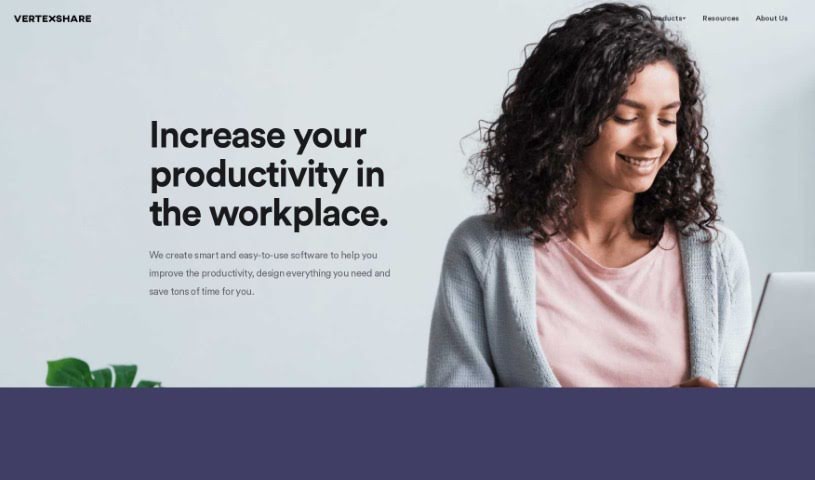
Screenshot of Vertexshare

Vertexshare

Discover what Vertexshare is and how to use its tools effectively in 2025. We'll explore its features, compare it to other photo editors, and highlight its benefits and limitations.

Screenshot

What is Vertexshare?

Vertexshare is a software company that creates smart, user-friendly applications designed to boost your productivity and save you valuable time. They offer a suite of tools, including Photo Stitcher, which lets you combine photos vertically and horizontally with just one click. You’ll also find Photo Effects for applying beautiful filters and effects, and Photo HDR for merging photos with different exposures to create stunning HDR images. Vertexshare is known for both its online and offline software, which works smoothly on Windows and Mac. Plus, they have features like Image Upscaler to keep your photos sharp and a Colorizer to bring black & white images to life. While Vertexshare’s tools are great for improving how you work, they do have a few drawbacks. For instance, there isn’t a mobile version, it’s not supported on Linux, the converter formats are a bit limited, and it doesn’t offer advanced editing capabilities. The company really values what users think, offers 24-hour customer support, and is committed to providing high-quality services at prices that make sense.

Who created Vertexshare?

Vertexshare was founded by a team passionate about making smart, easy-to-use software that helps people be more productive. They launched the company on February 8, 2021, with a clear goal: to develop both online and offline tools that make completing tasks much more efficient. Their aim is to offer top-notch services without breaking the bank, and they genuinely care about customer feedback, which helps them deliver real value.

What is Vertexshare used for?

Vertexshare’s tools are designed to help you in several ways:

  • Boost your productivity at work.
  • Create eye-catching filters and photo effects.
  • Merge photos with different exposures to make HDR images.
  • Combine photos vertically and horizontally with a single click.
  • Convert files using their WebP Converter for various formats.
  • Easily convert HEIC files for better compatibility.
  • Use their tools online or offline.
  • Enjoy compatibility with both Windows and Mac systems.
  • Automatically erase backgrounds from images.
  • Perform High Dynamic Range merging.
  • Photo Stitcher makes combining photos vertically and horizontally incredibly simple – just one click!
  • Photo Effects lets you create amazing filters and creative photo effects.
  • Photo HDR helps you merge photos with different exposures to produce HDR images.
  • Use the Colorizer to add color to your black & white photos.
  • Convert WebP to JPG/PNG easily.
  • Convert HEIC to JPG/PNG/PDF formats.
  • Create HDR photos.
  • Combine photos vertically and horizontally with just one click.
  • Achieve single-click photo combination.
  • Benefit from free background removal.
  • Photo Stitcher is great for combining images.
  • Experiment with creative photo filters.
  • Find time-saving photo processing solutions.
  • Ultimately, improve workplace productivity.

Who is Vertexshare for?

Vertexshare is a great choice for:

  • Photographers looking to streamline their workflow.
  • Graphic designers needing efficient image manipulation tools.
  • Photo Editors seeking user-friendly solutions for common tasks.

How to use Vertexshare?

Here’s a simple guide to getting started with Vertexshare:

  1. Visit Vertexshare: Head over to the Vertexshare website. You’ll find a range of tools there designed to improve productivity for both Windows and Mac users.
  2. Explore the Tools: Take a look at what they offer, like Photo Stitcher for merging images, Photo Effects for filters, and Photo HDR for creating HDR photos.
  3. Get in Touch: If you need a specific tool or have an idea, feel free to email Vertexshare at [email protected]. They promise to get back to you within 24 hours.
  4. Weigh the Pros and Cons: Think about the advantages, such as using the tools online or offline, their compatibility with Windows and Mac, and helpful features like Image Upscaler. Also, keep in mind the limitations, like the absence of a mobile version, no Linux support, and a limited selection of converter formats.
  5. Discover Extra Features: Make sure to check out features like the Colorizer for black & white photos, the automated background eraser, creative filters, HDR merging capabilities, and the WebP and HEIC format converters. They also provide regular updates.
  6. Lean on Customer Support: Don’t hesitate to use their 24-hour customer support if you need any help or have questions.
  7. Stay Up-to-Date: Keep an eye on their blog for useful resources. You’ll notice their user base is constantly growing, which really speaks to how trustworthy their services are.
  8. Share Your Thoughts: Your feedback is important and helps them develop new features. Enjoy the time-saving solutions they offer for photo processing that really do make your work easier.

By following these steps, you can make the most of Vertexshare’s tools to boost your productivity and improve your image editing skills.

Related AI Tools

Discover more tools in similar categories that might interest you

123RF AI Image Generator

Creative Image Generation
Learn More

Stay Updated with AI Tools

Get weekly updates on the latest AI tools, trends, and insights delivered to your inbox

Join 25,000+ AI enthusiasts. No spam, unsubscribe anytime.