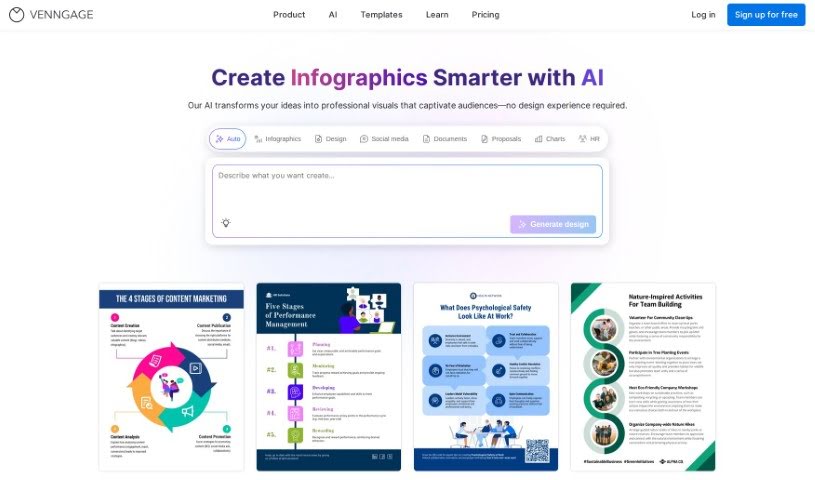
Screenshot of Venngage

Venngage

Discover Venngage in 2025! Learn what this platform is, how to use its AI Infographic Generator, explore its features, and see how it stacks up against other infographic tools.

Screenshot

What is Venngage?

Venngage’s AI Infographic Generator is designed to be super easy to use. It offers a bunch of helpful features, like letting you create infographics quickly with AI’s help. You’ll find tons of different templates for all sorts of design needs, making it simple to navigate and get the most out of your experience. Plus, it gives you detailed insights through site usage analytics, which can really help you fine-tune your marketing efforts with eye-catching visuals. Essentially, this tool uses AI to make creating infographics a breeze, ensuring your designs not only look great but also get your message across clearly.

Who created Venngage?

Venngage, the company behind the AI Infographic Generator, was founded by Eugene Woo. It officially got started in July 2012, but the idea actually came from a hackathon back in 2011. Since then, Venngage has seen some major growth. It went viral in 2015, started expanding globally by 2017, and has consistently added new features to make design more accessible and communication clearer. Eugene Woo is currently the Chief Executive Officer, guiding the team as they innovate and provide a platform where creating compelling visuals feels effortless.

Who is Venngage for?

  • Web Developers
  • Marketing Managers
  • Designers
  • Business Professionals
  • Marketers
  • Team Collaborators
  • Non-Profits
  • Marketing Professionals
  • Business Analysts
  • Content Creators
  • Project Managers
  • Public Relations Professionals
  • HR Professionals
  • Consultants

(Note: Some entries like ‘Pawfessional Web Developer’, ‘Purrformace Manager’, ‘Head of Accounts Retrievable’, ‘Pawduct Manager’ appear to be playful or placeholder entries and are included as provided.)

How to use Venngage?

Ready to dive into creating infographics with Venngage’s AI Infographic Generator? Here’s a simple breakdown of how to get started:

  1. Sign Up: First things first, you’ll need to register for a free account on Venngage. This gives you access to the AI Infographic Generator and all its capabilities.
  2. Choose a Template: Once you’re in, explore the template library. You’ll find a wide variety of options, whether you need flowcharts, bar graphs, scatterplot charts, or something else entirely.
  3. Customize: Pick a template that fits what you’re trying to create and then make it your own! You can easily add or change text, tweak colors, adjust shapes, swap out icons, and insert images to really personalize your infographic.
  4. Utilize AI Assistance: Take advantage of the AI-powered tools to speed things up. The AI can help you generate infographics much faster and more efficiently.
  5. Enhance Navigation: You’ll notice the site navigation is pretty straightforward, which makes finding what you need a lot easier and improves the overall user experience.
  6. Optimize Marketing Efforts: Create visuals that really grab attention to boost your marketing. The AI helps you craft impactful visual content that can make a real difference.
  7. Export and Share: When your infographic is looking just right, you can export it in several formats, like PNG, Hi-Res PNG, PDF, and even PowerPoint. You can then share your creations however you like, whether publicly or just with specific people.
  8. Collaborate: If you’re working with a team, Venngage has features that let you share designs, keep your files organized, and work together smoothly.

By following these steps, you can really make the most of Venngage’s AI Infographic Generator to produce informative and visually appealing infographics for whatever you need them for.

Related AI Tools

Discover more tools in similar categories that might interest you

123RF AI Image Generator

Creative Image Generation
Learn More

Stay Updated with AI Tools

Get weekly updates on the latest AI tools, trends, and insights delivered to your inbox

Join 25,000+ AI enthusiasts. No spam, unsubscribe anytime.