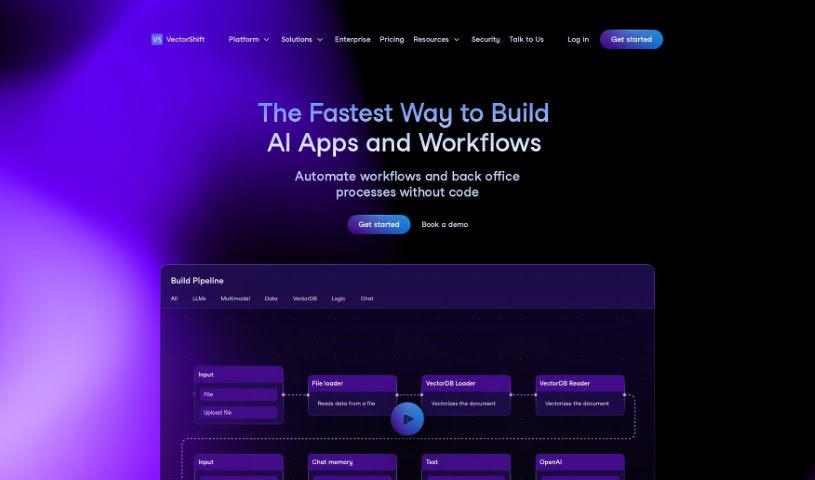
What is VectorShift?
VectorShift is a tool designed to bring generative AI right into your custom business processes. It is a way to easily and securely plug in your own Large Language Models (LLMs), like ChatGPT, into your personal or team workflows – no coding required! You can build and embed chatbots on your website, create custom search engines, automate tasks like writing documents, and set up pipelines that connect LLMs with your data sources and Vector databases. Plus, VectorShift can help with marketing and sales, improve customer service, answer internal HR and technical questions, and it keeps your data secure with a zero-day retention policy.
If you’re curious to learn more, you can sign up for a free trial and see exactly what VectorShift can do for you.
Who created VectorShift?
John Doe is the creator behind VectorShift. He launched the company on August 4, 2023, with a clear mission: to offer an integrated framework of no-code, low-code, and generative AI solutions. This framework is all about building AI search engines, assistants, chatbots, and automations. The platform really lets you use AI across your company and products. You get features like easy no-code integration, LLM integration, chatbot creation, real-time document summarization, automated document writing, and even generating graphics at scale.
What is VectorShift used for?
VectorShift can help with a lot of things:
- Contributing to user pipelines
- Writing proposals
- Automating responses to RFPs
- Updating CRMs
- Preparing research before calls
- Drafting account plans
- Upskilling support agents
- Automating HR requests
- Automating technical support
- Making applications visible to end-users
- Automating document creation tasks
- Building and embedding chatbots directly onto websites
- Creating search engines that can summarize and answer questions about all sorts of media
- Automating the generation of marketing copy
- Scaling personalized outbound emails
- Automating call summaries
- Generating graphics at scale
- Supporting sales and marketing efforts, like writing proposals and updating CRM systems
- Assisting customer service by building chatbots and co-pilots trained on your knowledge base
- Handling internal HR and technical inquiries automatically
- Building and deploying your own custom generative AI workflows
- Embedding chatbots onto websites easily
- Creating search engines to summarize and answer questions about documents, videos, audio files, and websites
- Building pipelines that connect Large Language Models (LLMs), data sources, and Vector databases
- Helping with marketing and sales tasks such as writing proposals, responding to RFPs, updating CRM, preparing research for calls, and drafting account plans
- Assisting customer service by building enterprise-grade chatbots and co-pilots trained on your knowledge base
- Helping with internal HR and technical inquiries
- Integrating smoothly into your existing workflows
- Automatically creating content to engage customers
- Building and embedding chatbots onto websites
- Creating search engines to summarize and answer questions about various media types
- Automating document creation tasks
- Generating marketing copy, personalized outbound emails, call summaries, and graphics at scale
- Writing proposals and responding to RFPs
- Updating CRM and generating prep research for calls
- Drafting account plans
- Building pipelines involving Large Language Models (LLMs), data sources, and Vector databases
- Assisting with internal HR and technical inquiries
- Automating customer engagement content creation
Who is VectorShift for?
VectorShift is designed for:
- Marketing professionals
- Sales professionals
- Support agents
- Human Resources professionals
- Technical support professionals
- Marketing teams
- Sales teams
- Customer Service departments
- Internal HR teams
- Technical Support teams
- Customer service professionals
- HR Professionals
How to use VectorShift?
Here’s a simple guide to using VectorShift effectively:
- Sign Up: First, sign up for a free trial on the VectorShift platform. This lets you explore its capabilities without any upfront cost.
- Understand VectorShift: VectorShift is a no-code platform that brings generative AI into your custom business processes. You can build, design, and deploy your own generative AI workflows to boost customer engagement and team productivity.
- Incorporate Large Language Models (LLMs): Get familiar with LLMs – these are machine learning models that generate human-like text. VectorShift makes it easy to integrate custom LLMs, like ChatGPT, into your workflows for various tasks.
- Utilize Common Uses: Check out the common ways VectorShift is used. This includes building chatbots, creating search engines, automating document creation, and setting up workflows that connect LLMs, data sources, and Vector databases.
- Build and Deploy Chatbots: You can build and deploy chatbots in just minutes with VectorShift. Use the platform’s tools to easily embed chatbots on your website and connect them to your knowledge base.
- Automate Document Creation: VectorShift can help automate document creation. This means generating marketing copy, personalized outbound emails, call summaries, and even graphics at scale.
- Ensure Data Security: VectorShift takes data security seriously. They have a zero-day retention policy, meaning your user data isn’t stored, offering maximum privacy and protection.
- Seek Support for Marketing, Sales, and Customer Service: VectorShift offers great support for marketing and sales tasks. It also helps with customer service through chatbots and co-pilots, and can even up-skill your support agents.
- Handle Internal HR and Technical Inquiries: You can use VectorShift for your internal HR and technical support needs. It can automate reporting, answer requests, and generally improve team productivity.
- Explore Integration: VectorShift integrates smoothly with your existing processes. This means you can incorporate it easily without needing major system overhauls.
By following these steps, you can effectively use VectorShift to simplify your business processes and harness generative AI for better productivity and customer engagement.