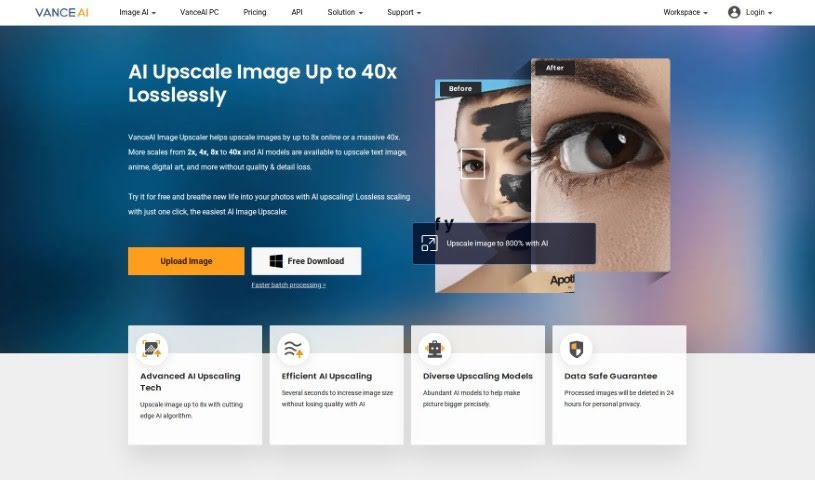
Screenshot of VanceAI Image Upscaler

VanceAI Image Upscaler

Discover what VanceAI Image Upscaler is and how to use it effectively in 2025. We'll explore its features and see how it stacks up against other image enhancers and upscalers.

Screenshot

What is VanceAI Image Upscaler?

VanceAI Image Upscaler is a smart tool designed to boost your images. It increases the resolution, making them sharper and clearer, all thanks to advanced AI technology. This means you can take those lower-resolution photos and make them look much better, whether you’re preparing them for printing or just want them to look great on screen. It’s really good at cutting down on noise and distortion, so your images end up with more detail and a professional finish. What sets VanceAI Image Upscaler apart is its intelligent approach to making images bigger without sacrificing quality, offering a simple and effective way to improve how your pictures look.

Who created VanceAI Image Upscaler?

VanceAI Image Upscaler comes from Vance Technology. They launched it on June 14, 2024, aiming to give people an AI-powered way to make images larger without losing any of that important quality. Vance Technology focuses on creating AI tools, like this Image Upscaler, that are built to improve image quality and bring out finer details when you enlarge your photos.

What is VanceAI Image Upscaler used for?

This tool is incredibly versatile! Here’s a look at what it’s great for:

  • Making presentations look sharp and professional.
  • Improving product photos for eCommerce, which can really help sales.
  • Getting stunning results when printing photos.
  • Boosting the quality of product images.
  • Making your personal photo prints larger and more impactful.
  • Enhancing digital artwork to look its best.
  • Making blurred contract text easier to read.
  • Improving how images look when you resize them.
  • Giving your car listings clearer, more appealing photos.
  • Achieving that crisp print quality you want.
  • Upgrading your art to a beautiful 4K resolution.
  • Making blurry scans much more readable.
  • It’s especially useful for enhancing product photos for eCommerce platforms.
  • It’s efficient for making sure your presentations are visually appealing.
  • It helps with improving digital artwork quality.
  • It’s also great for enhancing blurred contract text.
  • It aids in photo recovery, bringing detail back to older images.
  • It’s a go-to for improving image resizing.
  • It boosts the quality of art images.
  • It’s perfect for enhancing anime visuals.
  • It helps with optimizing image reconstruction.
  • It’s a valuable asset for marketplaces.
  • Car dealerships can use it to make their listings pop.
  • It’s excellent for art images in general.
  • It significantly improves text readability on images.
  • It’s great for upscaling anime pictures.
  • It offers real detail enhancement.
  • It can improve color enhancement.
  • You can achieve up to 40x upscaling with the software version.
  • The online version offers 8x upscaling.
  • It’s ideal for upscaling anime visuals.
  • It’s particularly helpful for car dealerships wanting better visuals.
  • It upgrades art to a stunning 4K quality.
  • It enhances image resizing capabilities.
  • It improves image quality specifically for printing.
  • It’s perfect for all your printing purposes.
  • It helps improve eCommerce product photos.
  • It can boost sales on eCommerce platforms by making products look better.
  • It enhances the readability of blurred contract text.
  • It’s excellent for boosting e-commerce listings.
  • It helps improve print quality across the board.

Who is VanceAI Image Upscaler for?

This tool is a great fit for a variety of professionals and enthusiasts:

  • Photographers who want to enlarge their shots without losing detail.
  • Graphic designers needing high-resolution images for their projects.
  • Advertising specialists looking to create impactful visuals.
  • Artists who want to present their work in the best possible light.
  • Web Developers requiring crisp images for websites.
  • Content creators aiming for polished visual content.
  • Social media managers needing eye-catching images.
  • Print editors who demand high-quality output.
  • Fashion designers using visuals in their portfolios or marketing.
  • Architects who need clear renderings and plans.

How to use VanceAI Image Upscaler?

Using VanceAI Image Upscaler is pretty straightforward. Just follow these simple steps:

  1. First, head over to the VanceAI Image Upscaler website.
  2. Next, upload the image you’re looking to enlarge onto the platform.
  3. Then, pick an upscaling scale that fits what you need.
  4. Start the upscaling process. The AI will work its magic to enhance the image while keeping its quality intact.
  5. Once it’s done, download your newly upscaled image.
  6. If you want, you can also tweak some settings and modes to customize the enlargement even further to your liking.
  7. Finally, enjoy your high-quality, enlarged image, complete with better details and textures.

This tool is especially handy for those low-resolution images where the details are a bit fuzzy. It’s a really valuable asset for both amateur and professional photographers who want to enhance and enlarge their images without any quality loss.

Related AI Tools

Discover more tools in similar categories that might interest you

123RF AI Image Generator

Creative Image Generation
Learn More

Stay Updated with AI Tools

Get weekly updates on the latest AI tools, trends, and insights delivered to your inbox

Join 25,000+ AI enthusiasts. No spam, unsubscribe anytime.