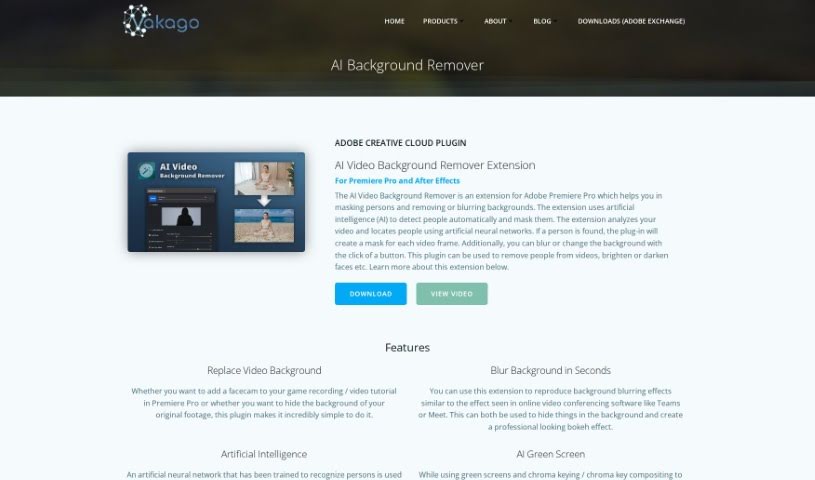
Screenshot of Vakago Tools AI Background Remover

Vakago Tools AI Background Remover

Discover what Vakago Tools AI Background Remover is and how to use it effectively in 2025. We'll cover its features and compare it to other background removers.

Screenshot

What is Vakago Tools AI Background Remover?

This tool uses artificial intelligence to automatically spot people in videos. It then creates masks for them using advanced neural networks. What this means for you is you can easily blur or change the background with just a click. You can do all sorts of editing, like removing people from videos entirely or tweaking brightness and contrast. It’s built to work smoothly with Adobe Premiere Pro and After Effects, offering a really user-friendly way to mask individuals and manipulate backgrounds effectively. Plus, it’s super flexible – you can tweak how the mask expands, its sensitivity, and how much the background blurs to get exactly the results you want.

Who created Vakago Tools AI Background Remover?

Vakago Tools is the company behind this AI Background Remover. They actually have a whole suite of software solutions. This includes their AI masking and background removal tool, technology for stabilizing videos, and other helpful tools for CEP and Extendscript developers. Vakago Tools founded this extension specifically to help creative professionals who work with video editing in Adobe’s Creative Cloud applications.

Who is Vakago Tools AI Background Remover for?

  • Video Editors
  • Content Creators
  • Social Media Managers
  • Graphic Designers
  • Photographers
  • Marketing Specialists
  • YouTubers
  • Filmmakers
  • Animators
  • Web Designers

How to use Vakago Tools AI Background Remover?

Ready to give it a try? Here’s how you can use the AI Background Remover tool:

  1. Download the Extension: First, head over to the Adobe Creative Cloud plugin page. From there, you can download the AI Video Background Remover extension, which works for both Adobe Premiere Pro and After Effects.
  2. Highlight Persons and Faces: This tool is great for brightening faces or drawing attention to specific individuals in your videos. It automatically generates a mask to separate people from the background. If you enable the soft mask feature, you’ll get really natural-looking results.
  3. Adjust Settings: You’ve got a lot of control here. You can manually adjust things like how the mask expands, its sensitivity, and how much the background blurs. This lets you really customize the effects to your liking.
  4. Edit with Premiere Pro: Once you’ve got your background sorted, you can use other effects, like Premiere Pro’s Lumetri Color effect. This lets you control contrast, white balance, brightness, and more, either for the foreground or background separately.

By following these simple steps, you can really make your videos shine with personalized background removal and editing features using the AI Background Remover tool.

Related AI Tools

Discover more tools in similar categories that might interest you

123RF AI Image Generator

Creative Image Generation
Learn More

Stay Updated with AI Tools

Get weekly updates on the latest AI tools, trends, and insights delivered to your inbox

Join 25,000+ AI enthusiasts. No spam, unsubscribe anytime.