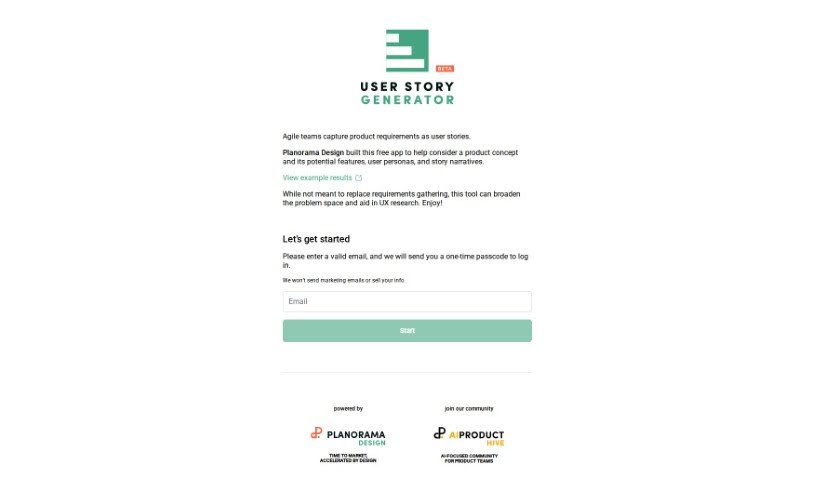
Screenshot of User Story Generator

User Story Generator

Discover what the User Story Generator is and how to make the most of it in 2025. We'll dive into its features and see how it stacks up against other Project Management Tools.

Screenshot

What Exactly is a User Story Generator?

The User Story Generator is a handy, free app from Planorama Design. Its main purpose is to help agile teams capture product requirements in the form of user stories. It is a helpful assistant that prompts you to consider your product’s core concepts, potential features, the different types of users (personas), and the actual narratives for those stories. Now, it’s not meant to completely replace the traditional ways you gather requirements, but it’s a fantastic tool for exploring a wider range of possibilities and really boosting your user experience (UX) research.

Who’s Behind the User Story Generator?

Planorama Design is the team that created the User Story Generator. They offer this free app specifically to help agile teams brainstorm product ideas, think through features, define user personas, and craft compelling story narratives. Ultimately, this work supports better UX research. Planorama Design’s core mission is to speed up how quickly products get to market by providing smart design solutions.

Who Will Find This Tool Useful?

  • Agile Teams: If you work in an agile environment, this tool can streamline your requirement gathering.
  • Product Teams: Anyone involved in defining and developing products will find value here.
  • UX Researchers: This is a great way to expand your thinking and gather richer insights.

How Do I Actually Use the User Story Generator?

Getting started with the User Story Generator is pretty straightforward. Just follow these simple steps:

  1. First, head over to the User Story Generator tool on their website.
  2. Once you’re there, look for and click the “Start a new product idea” button. That’s your starting point.
  3. Now, take a moment to think about a product idea or a concept you’re working on that you’d like to create user stories for.
  4. In the designated spot, type in the title or a short description of your product idea.
  5. After you’ve entered your idea, the tool will automatically generate user stories based on what you’ve provided.
  6. It’s a good idea to review the user stories the tool has created for you.
  7. If any of them aren’t quite right, you can easily edit or customize them to better match your specific product idea.
  8. Finally, save or export the user stories you’ve finalized. This way, you can keep them for later or share them with your team.

By working through these steps, you can really make the most of the User Story Generator to build solid user stories for your product development process.

Related AI Tools

Discover more tools in similar categories that might interest you

Stay Updated with AI Tools

Get weekly updates on the latest AI tools, trends, and insights delivered to your inbox

Join 25,000+ AI enthusiasts. No spam, unsubscribe anytime.