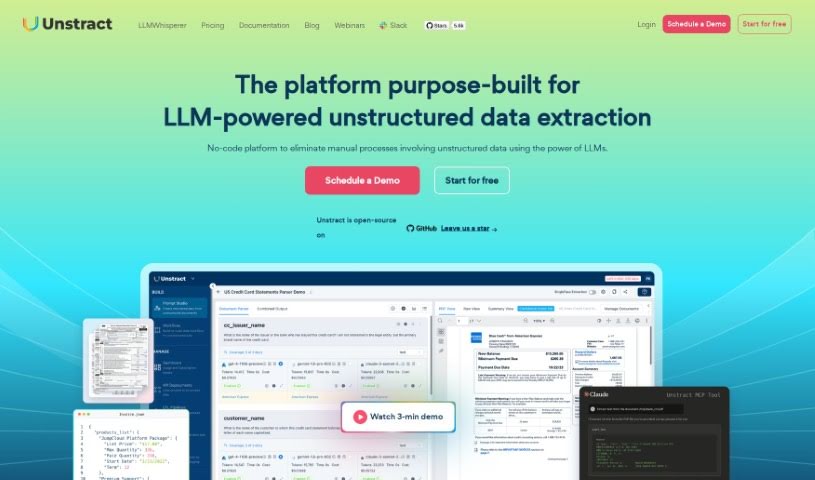
What is Unstract?
Unstract is a smart AI assistant that takes messy, unstructured data – like text documents or reports – and tidies it up into neat, usable formats. This means you can automate a lot of those tedious manual tasks that used to take ages. It’s packed with helpful features like LLMWhisperer, LLMeval, and LLMObservability, all designed to make pulling out and checking your data much smoother. You’ll often find Unstract being used in places like insurance and finance, where it really boosts accuracy when processing things like insurance claims, underwriting applications, and Know-Your-Customer (KYC) checks. Plus, it’s built with data security and privacy in mind, and it’s easy to plug into your current systems. For a deeper dive into everything Unstract can do, the full document has all the details.
Who created Unstract?
Unstract was brought to life by Michelle H. and Alex W. Here’s a quick look at their story:
Michelle H. and Alex W. launched Unstract on December 15, 2023. Their company focuses on creating AI tools that are brilliant at handling unstructured data. They offer features like LLMWhisperer, LLMeval, and LLMObservability. Unstract provides a no-code platform, making it simple to structure data and automate manual processes. It’s particularly useful for industries like finance and insurance, and it’s designed to keep your data secure and compliant with regulations.
What is Unstract used for?
- Makes processing insurance claims much easier.
- Helps automate the underwriting process.
- Streamlines Know-Your-Customer (KYC) procedures.
- Aids in automating finance tasks.
- Supports automation within the insurance sector.
- Its API Hub works with common document types.
- It can handle custom document formats.
- Great for dealing with unstructured data in various applications.
- Offers pre-built document APIs for straightforward data extraction.
- The Prompts Studio helps you deploy ETL Pipelines.
- It monitors how your data interacts with LLMs.
- The Prompt Studio also supports deploying API Endpoints.
Who is Unstract for?
- People working in insurance.
- Finance professionals.
- Those involved in insurance claims processing.
- Underwriters.
- Anyone handling Know-Your-Customer (KYC) procedures.
- Teams focused on Finance Automation.
- Those working in Insurance automation.
How to use Unstract?
Here’s a simple guide to getting the most out of Unstract:
- Get to Know Unstract: First off, understand that Unstract is an AI tool designed to process unstructured data. It helps uncover insights and automate manual tasks across different industries, especially finance and insurance.
- Process Your Data: Make the most of features like LLMWhisperer and LLMEval. They’re there to help you extract and validate your data, ensuring it’s accurate.
- Apply it to Your Industry: If you’re in insurance, Unstract can really speed up and improve how you handle documents for claims, underwriting, and KYC.
- Understand the Key Parts: Familiarize yourself with LLMWhisperer for presenting data clearly, LLMeval for checking accuracy, and LLMObservability for keeping an eye on your projects.
- Set Up ETL Pipelines: Use ETL Pipelines to smoothly integrate your unstructured data workflows into your existing applications.
- Use the Automation Hub: This feature is fantastic for automating the structuring of common documents like insurance policies, quotes, and reports.
- Connect with the API Hub: Unstract integrates easily into your apps thanks to the API Hub. It supports many common document types, making data extraction a breeze.
- Work with Prompt Studio: This no-code tool lets you extract structured data from documents, compare different results, and then integrate them into API endpoints or ETL Pipelines.
- Chat with Documents using DocDialog: You can have natural conversations with your documents. Ask questions directly, and it supports various document sources.
- Keep Data Secure: Rest assured, Unstract follows compliance rules to keep your data safe, secure, and private throughout the entire processing.
By following these steps, you’ll be able to effectively use Unstract’s power to process unstructured data and automate your document workflows.
If you’re curious about more details or other features, the full Unstract documentation is a great place to look.