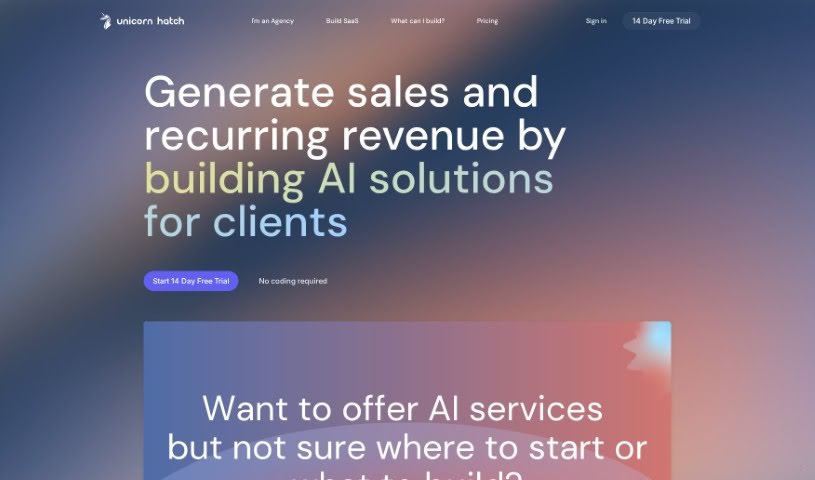
Screenshot of Unicorn Hatch

Unicorn Hatch

Discover what Unicorn Hatch is and how to use it effectively in 2025. We'll explore its features and see how it stacks up against other customer service tools.

Screenshot

What is Unicorn Hatch?

Unicorn Hatch is a tool built for businesses and agencies looking to create and launch their very own GPT chatbot applications. It uses Generative AI to power customer support, aiming to boost conversion rates and cut down on operational costs by automating customer support and lead generation. If you’re an agency, or work in SEO, web, or marketing, this tool is likely for you. Some of its standout features include an automated billing system, a dashboard for managing clients, a visual flow builder to design your chatbot conversations, the ability to add custom forms right into your chatbots, a built-in help center, and it can even handle many customer conversations at once.

Essentially, Unicorn Hatch works by using Generative AI to make customer support smoother. It lets businesses set up guided conversation flows, automatically answer frequently asked questions, and weave workflows together seamlessly. The visual flow builder makes creating chatbots pretty straightforward – you just connect conversations using nodes. Plus, you can really boost your customer service by adding a help center directly into the chatbot itself.

Unicorn Hatch can really help businesses improve their conversion rates. It does this by engaging potential customers and automating customer support, which frees up your team to focus on other important tasks. By setting up guided conversation flows and providing automated answers to common questions, businesses can significantly improve the overall customer service experience. This naturally leads to more engagement and better conversion rates.

Who created Unicorn Hatch?

Unicorn Hatch was developed by a company focused on helping businesses and agencies build and launch their own GPT chatbot applications, all powered by Generative AI technology. The tool first became available on February 15, 2024. It’s specifically designed for agencies, SEO professionals, web agencies, marketing agencies, and consultants. You’ll find it packed with features like automated billing, a client management dashboard, a visual flow builder for easy chatbot creation, integration for custom forms, an embedded help center, and the capability to manage multiple customer interactions simultaneously.

What is Unicorn Hatch used for?

  • Building your own SaaS chatbot
  • Automating customer support
  • Generating leads efficiently
  • Integrating workflows seamlessly
  • Perfect for agencies
  • Creating new revenue streams
  • Managing billing automatically
  • A dashboard for client management
  • A visual builder for conversation flows
  • Adding custom forms to chatbots
  • Improving how you engage with clients
  • Supporting various website builders
  • Helping you achieve better conversion rates
  • Automating your workflows
  • Making chatbot creation simpler
  • Generating leads effectively
  • Handling customer interactions automatically
  • A straightforward setup process
  • Launching your chatbot in less than 30 minutes
  • Using a visual interface for conversation nodes

Who is Unicorn Hatch for?

  • Agencies
  • SEO professionals
  • Web agencies
  • Marketing Agencies
  • Consultants
  • SEO agencies

How to use Unicorn Hatch?

To get the most out of Unicorn Hatch, here’s a simple guide:

  1. Understanding Unicorn Hatch: Think of Unicorn Hatch as your go-to tool for businesses and agencies wanting to create and launch GPT-powered chatbots. It’s great for customer support and generating leads.
  2. Key Features:
    • Use the visual flow builder to easily map out your chatbot’s conversation paths.
    • Add custom forms directly into your chatbots to collect specific lead information.
    • Automate answers to common questions to improve customer service.
    • Handle many customer conversations at the same time, making support more efficient.
  3. Setting Up:
    • Good news – you don’t need any coding skills to set it up! It’s designed to be user-friendly.
    • You can launch your GPT chatbot in under 30 minutes using the visual interface.
    • Get your automated billing system and client management dashboard configured for smoother operations.
  4. Improving Conversion Rates:
    • Engage potential customers effectively to boost lead generation and conversion rates.
    • Automate customer support to save valuable time and resources for other business tasks.
    • Make your customer service even better by creating guided conversation flows and automated FAQ responses.
  5. Enhancing Lead Generation:
    • Build chatbots that can talk to potential customers, answer their questions, and collect important data for lead generation.
    • Integrate custom forms to efficiently capture specific lead details.
  6. Use Across Agencies:
    • Unicorn Hatch is a great fit for agencies, SEO, web, and marketing firms. It even offers white-label services and opportunities for recurring revenue.
  7. Continuous Improvement:
    • Feel free to update things like Magic Overlays and message limits as your business needs change.
    • If you need adjustments beyond the standard message and form limits, just reach out to support.
  8. Payment and Support:
    • You can start with a free trial without needing to add card details right away.
    • Upgrade your plan to access more features and support.
    • You’ll get your invoice details via email after any successful payments.

By following these steps, you can really make Unicorn Hatch work for you, improving customer engagement, streamlining your operations, and boosting conversion rates for your business or agency.

Related AI Tools

Discover more tools in similar categories that might interest you

Stay Updated with AI Tools

Get weekly updates on the latest AI tools, trends, and insights delivered to your inbox

Join 25,000+ AI enthusiasts. No spam, unsubscribe anytime.