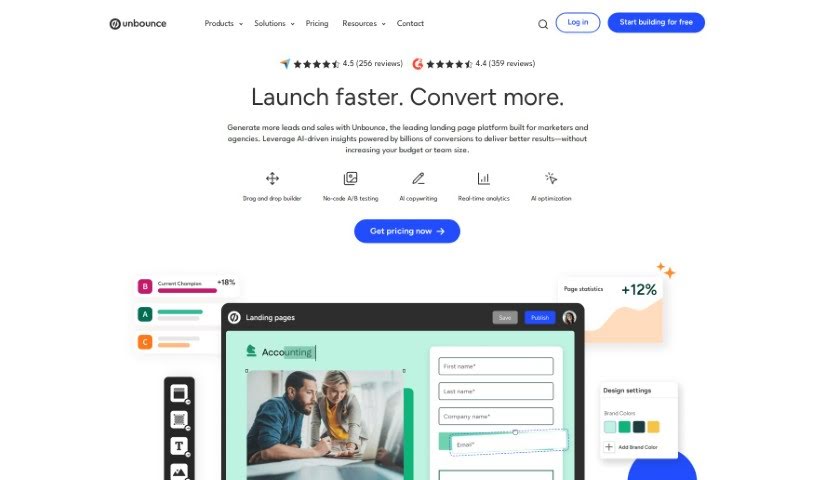
Screenshot of Unbounce

Unbounce

Discover what Unbounce is and how to use it effectively in 2025. We'll explore its features and compare it to other copywriting tools.

Screenshot

What is Unbounce?

Unbounce is a really handy tool that helps you create creative, high-quality ad copy in a flash. Whether you need it for your company website, a blog post, or an ad campaign, Unbounce has you covered. You can use it as a web app, a desktop app, or even a handy Chrome extension. It comes with ready-to-go templates specifically designed for things like Google Ads and Facebook Ads, and you can even pop in your own media clips to make the generated copy truly yours.

Who created Unbounce?

Smart Copy, the ad copy generator you’re asking about, was actually created by Claire Seymour, who’s the Director of Marketing over at Unbounce. Smart Copy itself is designed to help users quickly generate creative and high-quality copy for all sorts of things, from ads to blog posts, and it’s available as a web app, desktop app, and Chrome extension. Unbounce, the company behind Smart Copy, focuses on AI-powered tools that help you build and fine-tune landing pages. Their goal is to boost conversions and generally improve your marketing efforts across the board.

What is Unbounce used for?

  • Quickly create engaging ad copy: Generate creative, high-quality ad copy right when you need it.
  • Flexible access: It’s available as a web app, desktop app, and a convenient Chrome extension.
  • Ready-made templates: Get started fast with pre-made templates for Google Ads, Facebook Ads, and more.
  • Personalize your content: You can easily insert your own media clips into the copy it generates.
  • AI-powered assistance: It’s an AI tool that helps you generate ad copy.
  • Content for websites and blogs: It helps you create copy for your company’s website or blog.
  • Fast campaign content: Get content generated quickly for all sorts of campaign needs.
  • Customize offers: Make your offers stand out with popups and sticky bars.
  • Capture visitor attention: It helps grab the attention of people visiting your site.
  • Integrates with popular tools: Connects with marketing platforms like Salesforce and Hubspot.
  • Generate copy for various platforms: Create creative ad copy for your company, website, or blog.
  • Instant high-quality copy: Get high-quality copy generated instantly.
  • Easy access: Available as a web app, desktop app, and Chrome extension.
  • Template variety: Comes with pre-made templates for Google Ads, Facebook Ads, and more.
  • Add your own media: You can insert your own media clips into the copy.
  • Generate, remix, expand: Helps you generate, remix, and expand content for your campaigns.
  • Custom offers: Customize offers with popups and sticky bars.
  • Speed up landing pages: Use AI copywriting to create landing pages faster.
  • Seamless integration: Integrates smoothly with marketing platforms like Salesforce and Hubspot.
  • For all marketers: Suitable for marketers in various industries and team sizes.
  • Creative copy for everything: Generate creative copy for your company, website, or blog.
  • Web, desktop, extension: Available as a web app, desktop app, and Chrome extension.
  • More templates: Comes with pre-made templates such as Google Ads, Facebook Ads, and more.
  • Insert media: Insert your own media clips into the copy.
  • On-the-spot ads: Helps in creating ad copy on-the-spot.
  • Platform support: Provides ad copy generation for various platforms.
  • Template ease: Enables easy creation of copy with templates.
  • Media integration: Facilitates insertion of media clips into generated copy.
  • Efficient generation: Assists in generating creative copy quickly and efficiently.
  • AI enhancement: Enhances the copywriting process with an AI-powered tool.
  • Copy for company/site/blog: Generate creative copy for your company, website, or blog.
  • Add media clips: Allows insertion of media clips into the copy.
  • Instant quality copy: Helps in on-the-spot generation of high-quality copy.
  • Ads and emails: Can be used for ads and emails.
  • AI ad copy: Provides AI-powered ad copy generation.
  • Customization options: Offers customization with popups and sticky bars.
  • Targeted offers: Helps trigger customized offers to target converting visitors.
  • Content flexibility: Supports quick generation, remixing, and expanding of content.

Who is Unbounce for?

  • SaaS Businesses: Great for software-as-a-service companies.
  • Ecommerce stores: Perfect for online shops.
  • Marketing Agencies: Ideal for agencies managing multiple clients.

How to use Unbounce?

To get the most out of the Smart Copy tool, just follow these simple steps:

  1. Access the Tool: You can find Smart Copy as a web app, a desktop app, or a Chrome extension. Just head over to the link provided to get started.
  2. Generate Copy: Smart Copy is an ad copy generator designed to help you create creative and high-quality content. It offers pre-made templates for things like Google Ads and Facebook Ads, or you can insert your own media clips to make it unique.
  3. Customize Offers: Want to tailor your offers? You can add popups and sticky bars to your website pages in just minutes. This lets you trigger custom offers to visitors who are most likely to convert.
  4. Choose Templates: Smart Copy gives you over 100 templates for landing pages, popups, and sticky bars. These are ready to use and already optimized to help you get more conversions.
  5. Integration: The tool plays nicely with others, seamlessly integrating with marketing platforms like Salesforce and Hubspot. Plus, you can connect it with Zapier and webhooks for even more flexibility.
  6. Business Applications: Smart Copy is super helpful for marketers in all sorts of industries. Whether you’re in SaaS, run an ecommerce store, or work for a marketing agency, it can help you quickly create compelling campaigns and boost your conversions.
  7. Optimization: Use the AI-powered features to make your content even better and increase conversions. It can help direct visitors to pages that have a higher chance of converting them.
  8. Feedback and Assistance: If you need a little extra help, you can purchase professional services like onboarding, page migrations, and consultations with any plan. This offers extra support whenever you need it.

By following these steps, you’ll be able to effectively use the Smart Copy tool to create engaging and compelling copy for all your marketing campaigns and initiatives.

Related AI Tools

Discover more tools in similar categories that might interest you

Stay Updated with AI Tools

Get weekly updates on the latest AI tools, trends, and insights delivered to your inbox

Join 25,000+ AI enthusiasts. No spam, unsubscribe anytime.