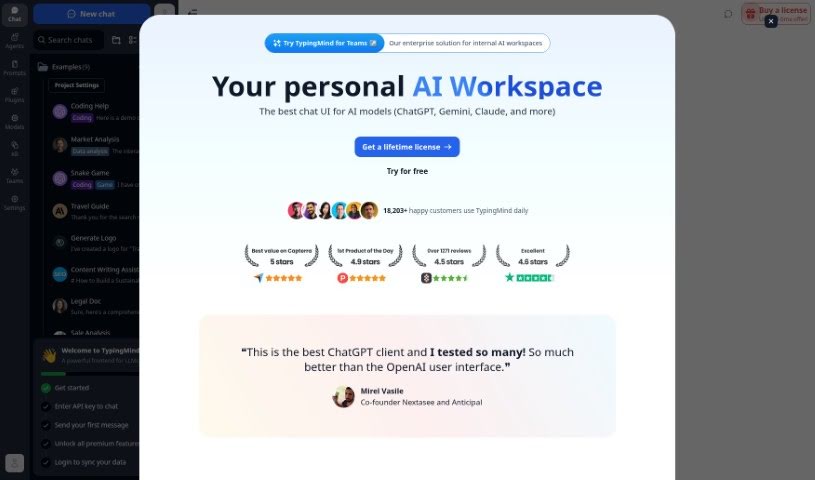
Screenshot of TypingMind

TypingMind

Discover what TypingMind is and how to use it effectively in 2025. We'll explore its features and see how it stacks up against other chatbots.

Screenshot

What is TypingMind?

TypingMind is a way to make your experience with ChatGPT even better. It’s a platform built to enhance the user interface, aiming for a smooth and efficient chat experience. It boasts a clean, clutter-free design that’s also optimized for search engines, meaning it’s easier to find. Plus, you get personalized responses in real-time, all while integrating seamlessly with ChatGPT. Essentially, its main strengths are a better user interface, SEO friendliness, real-time personalization, a distraction-free environment, and smooth integration with ChatGPT.

Who created TypingMind?

TypingMind is designed to really boost how you interact with ChatGPT. It fine-tunes ChatGPT’s capabilities so it performs better, offering a clean, distraction-free experience and letting you get personalized answers right away. While the specific founder isn’t mentioned here, the company’s focus is clearly on making ChatGPT more discoverable through SEO, ensuring it’s easy to use with a friendly design, and making sure it works perfectly with ChatGPT. If you want to dive deeper, you can always check out their website: TypingMind Website.

What is TypingMind used for?

  • A Better User Interface: It gives you an improved way to use ChatGPT, making the whole experience smoother and easier to navigate.
  • SEO Optimization: It’s set up to be found easily by search engines, which helps attract more people.
  • Real-time Personalization: You get responses that are tailored just for you, right when you need them, adapting to your specific needs and preferences.
  • Clutter-free Experience: It keeps things tidy, so you can concentrate on your chat without any annoying distractions.
  • Seamless Integration: It connects smoothly with ChatGPT, allowing for easy and natural communication between you and the chatbot.

Who is TypingMind for?

  • People who work with Natural Language Processing
  • Those who develop chatbots
  • SEO specialists

How to use TypingMind?

TypingMind is really straightforward to use, making your ChatGPT experience even better. Here’s a simple guide to get the most out of it:

  1. Get Started: Just head over to the TypingMind website at typingmind.com to start using the platform.
  2. Explore the Interface: Take a look around the enhanced user interface. You’ll find it makes navigating between features nice and easy.
  3. Use the Sidebar: The sidebar is your friend for moving between different features. You can open or close it whenever you like, which helps create a more personal experience.
  4. Benefit from SEO: TypingMind is optimized for search engines, so it ranks well, making it simple for people to discover.
  5. Get Personalized Answers: You’ll receive responses tailored to you in real-time. Just chat with the platform, and it’ll provide accurate, relevant information quickly.
  6. Check Out the Features: Make sure to use everything it offers, like the improved interface, SEO optimization, real-time personalization, the clutter-free setup, and how well it works with ChatGPT.
  7. Chat with ChatGPT: You can communicate with ChatGPT effortlessly through TypingMind, making your interactions smooth and easy.
  8. See Pricing: If you’re curious about plans and what’s included, you can check out the pricing details on their website.

By following these steps, you can really make the most of what TypingMind has to offer. You’ll get an optimized ChatGPT experience with personalized answers and easy navigation.

Related AI Tools

Discover more tools in similar categories that might interest you

Stay Updated with AI Tools

Get weekly updates on the latest AI tools, trends, and insights delivered to your inbox

Join 25,000+ AI enthusiasts. No spam, unsubscribe anytime.