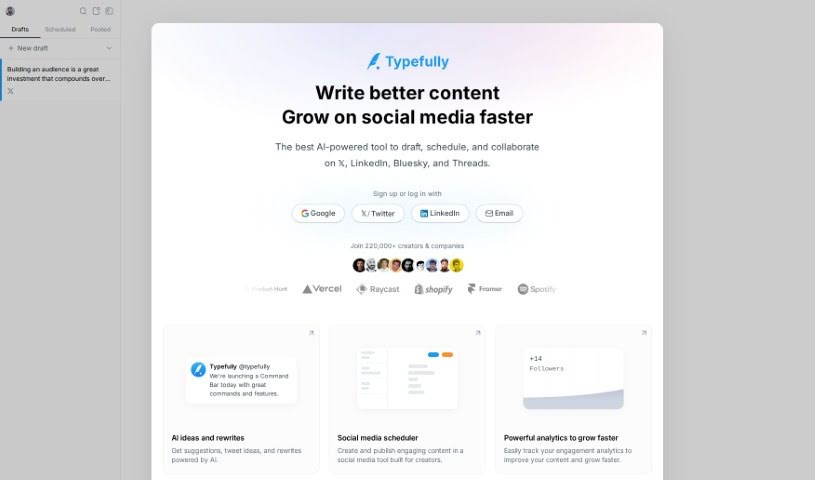
Screenshot of Typefully

Typefully

Discover Typefully, your AI-powered partner for creating, scheduling, and publishing engaging Twitter content. Learn its features, compare it to other social media tools, and get a step-by-step guide on how to use it for maximum impact in 2025.

Screenshot

What is Typefully?

Typefully is an AI-powered tool designed to help creators like you write, schedule, and publish engaging content on Twitter. It is your smart assistant for social media. It offers a bunch of helpful features, including AI-generated suggestions to spark your creativity, fresh tweet ideas, and ways to rewrite your existing content to make it even better. You can also schedule your posts to go out at the perfect times and dive into analytics to see what’s working and how to grow your audience. Plus, Typefully makes it easy to post your content on LinkedIn too, and it can even turn your tweets into shareable social blog pages. The AI is there to help you craft compelling posts, work smoothly with your team, and even automate parts of your workflow, especially with its Zapier integration.

Who created Typefully?

Santiago Pino is the creator behind Typefully. He launched it on June 20, 2024. It’s an AI-powered platform built to help creators with writing, scheduling, and publishing engaging content specifically for Twitter. Typefully comes packed with features like AI-driven suggestions, tweet ideas, and rewrites to boost your content’s quality. It also includes tools for team collaboration, access controls for drafts, and detailed analytics so you can track your performance and make smart, data-backed decisions. Beyond Twitter, Typefully supports cross-posting to LinkedIn and can transform your tweets into social blog pages, which really helps expand your reach and improve your content’s overall quality.

What is Typefully used for?

Typefully is incredibly versatile for social media creators. Here’s a rundown of what you can do with it:

  • Cross-posting capability: Easily share your content across different platforms.
  • Brainstorming feature for teams: Get creative ideas together with your colleagues.
  • Command bar with features: Quickly access tools and functions.
  • Personalized writing prompts: Get tailored suggestions to kickstart your writing.
  • Integration with Google tools: Connect with your favorite Google services.
  • Performance analytics for scheduling: Track how your scheduled posts are doing.
  • Share drafts & comments: Collaborate easily by sharing your work and getting feedback.
  • Creates giveaways with auto-DMs: Run engaging giveaways that automatically message participants.
  • Encourages native image editing: Make quick edits to your images right within the platform.
  • Automatic workflow creation: Set up automated processes to save time.

How to use Typefully?

Getting the most out of Typefully is pretty straightforward. Just follow these steps:

  1. Sign up for a free plan: Start using Typefully without any upfront cost. It’s a great way to test the waters.
  2. Craft engaging content: Dive into the distraction-free writing environment. You’ll find it much easier to focus and create compelling posts.
  3. Boost your tweets with AI: Use the AI suggestions, tweet ideas, and rewrite options to really polish your tweets and threads.
  4. Schedule for impact: Plan and publish your posts at the best times using the content scheduling feature. This helps you reach more people.
  5. Collaborate effectively: Share drafts with your team, get feedback, and manage who can access what. It makes teamwork much smoother.
  6. Explore diverse features: Try cross-posting to LinkedIn, turning your tweets into social blogs, and using those personalized writing prompts.
  7. Analyze and grow: Use the analytics tools to keep an eye on engagement metrics. This data will help you make smarter decisions and grow your audience.
  8. Automate your workflow: Connect Typefully with Zapier to streamline everything from content creation to review and publishing.
  9. Engage with giveaways: Create giveaways that automatically send Direct Messages based on tweet engagement, really boosting interaction.
  10. Streamline with shortcuts: Share your drafts, leave comments, and use keyboard shortcuts to make your usage even more efficient.

By following these steps, you can really improve how you create Twitter content and boost your engagement strategies with Typefully.

Related AI Tools

Discover more tools in similar categories that might interest you

Stay Updated with AI Tools

Get weekly updates on the latest AI tools, trends, and insights delivered to your inbox

Join 25,000+ AI enthusiasts. No spam, unsubscribe anytime.