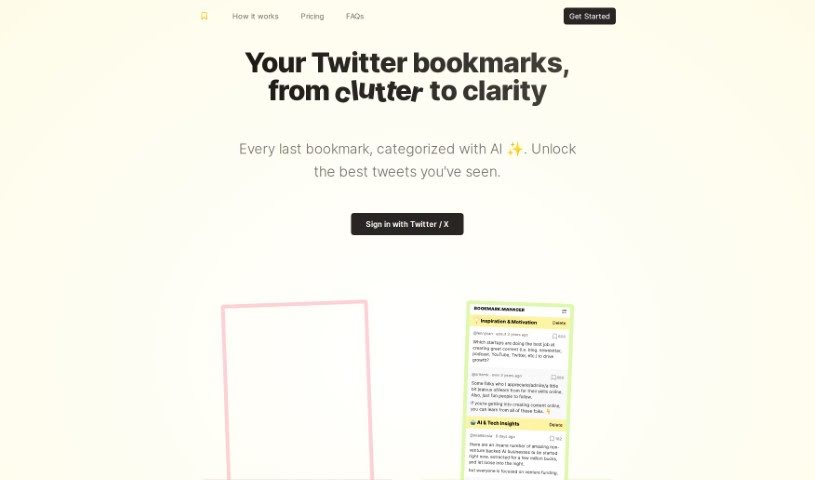
Screenshot of Twitterbookmarks

Twitterbookmarks

Discover what Twitter Bookmarks is and how to use it effectively in 2025. We'll explore its features and see how it stacks up against other social media management tools.

Screenshot

What is Twitter Bookmarks?

TwitterBookmarks Bookmarks Manager is a smart tool that helps you manage your Twitter bookmarks. It is an AI assistant that can import, sort, and search all your saved tweets, turning a messy collection into something organized and easy to find. It’s packed with features like automatically sorting your bookmarks, letting you create your own categories, and exporting them in CSV and JSON formats. It even uses the powerful GPT-4 Turbo model to help with that categorization. Basically, it makes bookmarking on Twitter much simpler, helps you manage your data more efficiently, lets you find useful information hidden in your bookmarks, and keeps your Twitter data safe. You can export as many bookmarks as you want, and it’s a one-time purchase that covers unlimited bookmarks.

Who created Twitter Bookmarks?

TwitterBookmarks was created by a founder whose name isn’t specified, and it first launched on March 12, 2024. This tool, known as the TwitterBookmarks Bookmarks Manager, is designed to automatically import and sort your Twitter bookmarks, using the GPT-4 Turbo model for the categorization. You can also set up your own categories, export your bookmarks as CSV or JSON files, and manage an unlimited number of them for a single $29 payment. It really simplifies how you save and manage tweets, making your data management much smoother, and it’s built with your data security in mind.

What is Twitter Bookmarks used for?

  • It helps you organize your messy Twitter bookmarks into a neat, structured format.
  • It automatically sorts your bookmarks for you.
  • You can create your own categories to organize things just the way you like.
  • It lets you export your bookmarks in bulk, either as CSV or JSON files.
  • It makes managing your data much more efficient.
  • You can uncover valuable insights from the tweets you’ve saved.
  • It lets you see all your bookmarked tweets right away.
  • Your saved bookmarks are always available.
  • You can take action on the insights you find in your bookmarks.
  • It’s designed to keep your Twitter user data secure.

How to use Twitter Bookmarks?

To get the most out of TwitterBookmarks Bookmarks Manager, here’s a simple guide:

  1. Import Your Bookmarks: First, just log in with your Twitter account. The tool will then import all your saved Twitter bookmarks.
  2. Try the Auto-Categorization: Let the GPT-4 Turbo model do the work by automatically sorting your bookmarks. Or, if you prefer, you can set up your own custom categories for a more personalized touch.
  3. Make Your Own Categories: You have the flexibility to shape your Twitter bookmarking experience exactly how you want it by creating your own categories within the tool.
  4. Export Your Bookmarks: It’s easy to export your organized bookmarks. You can choose CSV or JSON formats, which are great for using the data in other applications.
  5. Keep Your Data Safe: The tool is built to secure your Twitter user data, though specific details about how it ensures safety aren’t spelled out.
  6. Organize Like a Pro: Let the GPT-4 Turbo model scan and sort your bookmarks into clear groups. This creates a well-structured and easy-to-access catalog of your saved tweets.
  7. Cost and What You Get: You can get the tool with a one-time purchase of $29. This plan includes unlimited bookmarks and exports, and it’s for one Twitter account.
  8. No Bookmark Limits: Enjoy managing as many Twitter bookmarks as you need, with no specified limit.
  9. Handling API Changes: While it’s not explicitly stated how the tool handles recent Twitter API changes, developers usually update their software to keep up.

By following these steps, you’ll be able to use TwitterBookmarks Bookmarks Manager efficiently to keep your Twitter bookmarks well-organized and easy to manage.

Related AI Tools

Discover more tools in similar categories that might interest you

Stay Updated with AI Tools

Get weekly updates on the latest AI tools, trends, and insights delivered to your inbox

Join 25,000+ AI enthusiasts. No spam, unsubscribe anytime.