TweetEmote (Social Media)
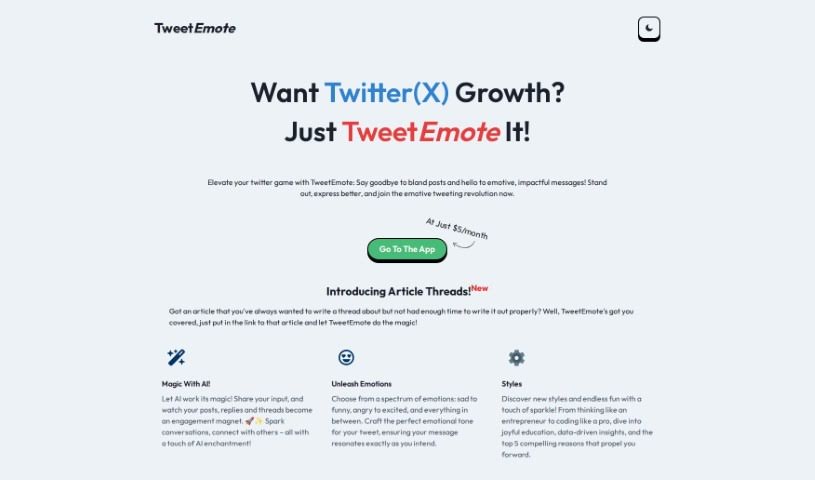
Screenshot of TweetEmote

TweetEmote

Discover TweetEmote, an AI-powered assistant for crafting engaging tweets, replies, and article threads with real-time feedback and analytics.

Screenshot

What is TweetEmote?

TweetEmote is a social media tool that uses artificial intelligence to help you write more expressive and engaging tweets. It can generate entire tweets, replies, and article threads. You get access to a range of emotions and writing styles, plus real-time feedback on how readable and effective your tweets are. TweetEmote can also suggest emojis, GIFs, and hashtags, and it tracks engagement metrics like likes and retweets so you can see what’s working and adjust your approach.

Who created TweetEmote?

TweetEmote was founded by Brandon P., who serves as the Chief Marketing Officer. He developed the platform to offer AI-powered help for creating tweets that are engaging and carry emotional weight. The tool has attracted over 1,000 influencers, and users including entrepreneurs, movie stars, and musicians have praised its ability to generate catchy content with emotional impact.

What is TweetEmote used for?

  • Boosting social media engagement
  • Crafting unique and compelling tweets
  • Analyzing tweet content and suggesting emojis, GIFs, and hashtags
  • Providing real-time feedback on readability and effectiveness
  • Offering analytics and insights to track tweet performance
  • Optimizing tweet structure and language
  • Refining tweeting strategies based on audience engagement

Who is TweetEmote for?

  • Chief Marketing Officers
  • Entrepreneurs
  • Movie stars
  • Musicians
  • Social media influencers
  • Marketers

How to use TweetEmote?

  1. Sign Up: Start with a 7-day free trial to explore all features.
  2. Create Tweets: Generate tweets and make them more expressive with emojis, GIFs, hashtags, and different content styles.
  3. Craft Replies: Create witty one-liners and personalized replies, tailored with different styles and tones.
  4. Optimize Article Threads: Paste an article link into TweetEmote and it will convert the article into a Twitter thread automatically.
  5. Use Emotions and Styles: Choose from different emotions, from sad to funny, and various writing styles to suit your content.
  6. Receive Real-time Feedback: Get feedback on your tweet’s readability, coherence, and overall effectiveness.
  7. Track Performance: Use analytics to track metrics like likes, retweets, and click-through rates, and refine your strategy based on the data.

If you need help, you can reach the TweetEmote team at [email protected] for support.

Related

Related AI Tools

Discover more tools in similar categories

AI Carousels

Social Media Social Media Management
Learn more

New tools, in your inbox.

Weekly picks of the best AI tools we've researched and added — no spam, unsubscribe anytime.

Join 25,000+ AI enthusiasts. No spam, unsubscribe anytime.