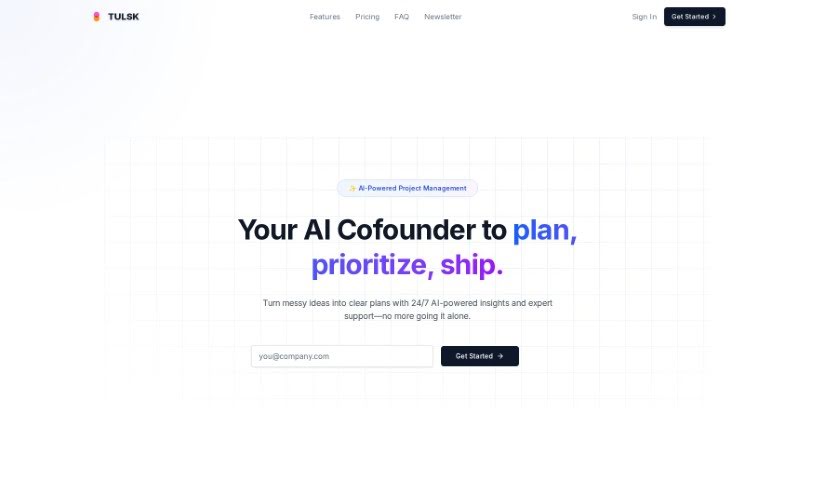
Screenshot of Tulsk

Tulsk

Discover what Tulsk is and how to use it effectively in 2025. We'll explore its features and see how it stacks up against other Project Management Tools.

Screenshot

What is Tulsk?

Tulsk is an AI-powered project management tool developed by Tulsk.io. It’s designed to make your work life smoother by helping you create tasks, anticipate potential problems, fine-tune your processes, and boost productivity, all within a platform that’s really easy to use. This smart tool uses AI technology to simplify all sorts of project management tasks, making things more efficient for anyone, whether you’re working alone or as part of a team. If you’re looking for better ways to coordinate and get projects done, Tulsk aims to help you manage them smoothly and achieve great results, thanks to its built-in predictive features and task optimization tools.

Who created Tulsk?

Tulsk, the AI-powered project management tool, was created by an individual whose identity hasn’t been revealed. The main goal behind this platform is to simplify how we manage our work, boost productivity, and streamline project management processes in a really efficient way.

What is Tulsk used for?

  • Helping you get more done
  • Making your processes work better
  • Managing projects with AI
  • Creating and improving tasks
  • Making your workflow simpler
  • Predicting what might go wrong
  • Getting real-time advice and help
  • Managing tasks automatically
  • Interacting with project management using everyday language
  • Customizing your workflow to be more efficient
  • Creating your own project templates
  • Chatting with an AI project manager
  • Working together smoothly with your team
  • Automating complex processes with advanced AI agents
  • Managing projects and events in a way that’s tailored to you and flexible
  • Getting help with your daily tasks
  • Receiving up-to-the-minute updates and smart insights
  • Controlling and customizing your project management workflow just how you like it
  • Sorting your emails and drafting replies automatically
  • Navigating legal documents without a hassle

Who is Tulsk for?

  • Project Managers
  • Team Leaders
  • Software Developers
  • Marketing Managers
  • Business Analysts
  • Event Coordinators
  • Freelancers
  • Consultants
  • Operations Managers
  • Product Owners
  • Research Coordinators
  • Construction Managers

How to use Tulsk?

Here’s a simple guide to getting started with Tulsk:

  1. Head over to Tulsk: Just visit the Tulsk.io website in your web browser.
  2. Sign Up or Log In: If you’re new, create an account. If you’ve used it before, just log in.
  3. Your Dashboard: Once you’re logged in, you’ll see your dashboard. This gives you a quick look at all your projects and tasks.
  4. Start a New Project: Look for the “Create Project” button and click it. Then, fill in the project’s name, a brief description, and any other details needed.
  5. Add Your Tasks: Inside your project, click “Add Task” to create the specific jobs that need doing. You can also assign these tasks to team members if that’s helpful.
  6. Keep an Eye on Progress: Use your dashboard to track how tasks and projects are moving along. Be sure to update their status as they get finished.
  7. Tap into the AI: Make the most of Tulsk’s AI features! Use them to predict potential roadblocks and optimize your processes for better project management.
  8. Work Together: Invite your team members to join your projects. You can assign tasks, chat about details, and share files right there on the platform.
  9. Set Reminders: Don’t miss a deadline! Use the reminder feature to stay on track with important dates and milestones.
  10. Look Back and Improve: Regularly check how your projects are performing. Look at the data Tulsk provides to learn and make your future projects even better.

By following these steps, you can really make the most of Tulsk as your AI-powered project management tool. It’ll help you streamline your workflow and get more done.

Related AI Tools

Discover more tools in similar categories that might interest you

Stay Updated with AI Tools

Get weekly updates on the latest AI tools, trends, and insights delivered to your inbox

Join 25,000+ AI enthusiasts. No spam, unsubscribe anytime.