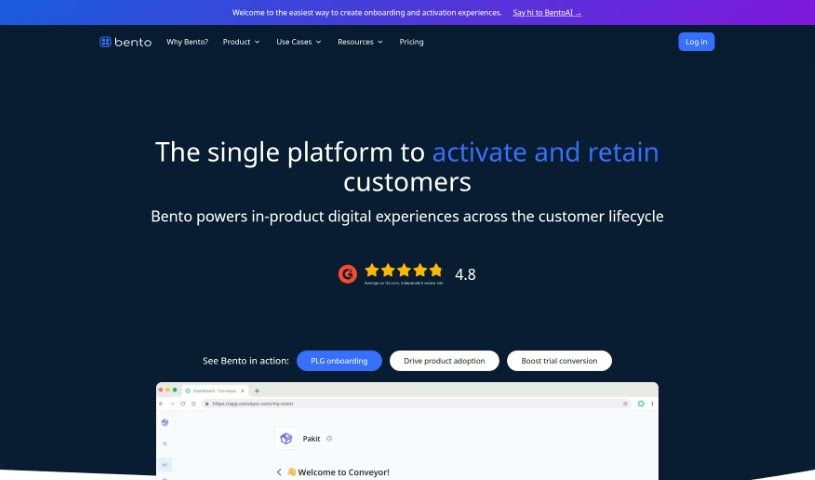
Screenshot of Try Bento

Try Bento

Discover what Try Bento is all about and how you can use it effectively in 2025. We'll explore its features and see how it stacks up against other Data Analytics Tools.

Screenshot

What is Try Bento?

Try Bento is a smart tool that helps you create engaging user experiences, all from the content you already have, like video recordings or help articles. It’s designed to make onboarding and activation feel really smooth and cohesive. You can build things like custom checklists and helpful tooltips. Plus, it gives you insights into how users are interacting with your product, so you can see what’s working and what’s not. It even supports A/B testing, which is a great way to fine-tune your approach. BentoAI also makes it easy to reuse your data for things like targeted messaging and automation, ensuring a consistent experience across the board.

Who created Try Bento?

Alastair Wilkes is the person behind Try Bento, as mentioned in the document. He launched the tool on September 10, 2023. What’s cool about it is that it offers ways to create personalized onboarding experiences, understand user behavior through analytics, and experiment with different strategies. Essentially, BentoAI helps you take your existing content and turn it into really effective guides and flows that make a big difference in how users get started with your product.

What is Try Bento used for?

Try Bento is super helpful for a bunch of things, especially when it comes to growing your product:

  • Getting users hooked on your product right from the start (that’s product-led growth onboarding).
  • Turning more trial users into paying customers.
  • Getting people to actually use and love your product.
  • Letting product teams experiment with user experience without needing to code.
  • Making customer onboarding smooth and scalable for everyone.
  • Helping customer success teams scale their onboarding efforts effectively.
  • Putting your experimentation plans into action.
  • Creating personalized onboarding journeys for each user.
  • Boosting product adoption by offering help right when and where users need it.
  • Testing how well different approaches work at the account level.
  • Adding helpful checklists and resources directly within your product.
  • Easily running A/B tests to see what performs best.
  • Reusing your data across different tools to target users and automate tasks.
  • Building user experiences that feel natural and integrated.
  • Using detailed segmentation to show the right content to the right user.
  • Providing a go-to resource center for help and guidance.
  • Creating ‘everboarding’ experiences that help customers learn and grow even after the initial setup.
  • Adding interactive elements like cards, checklists, inspiration galleries, and guided flows right onto your product pages.
  • Designing custom onboarding experiences in just a few days.
  • Updating guides in real-time, which is perfect for testing and tweaking.
  • Rolling out onboarding guides and tips to keep customers engaged and learning.

Who is Try Bento for?

If you’re involved in shaping the user experience of a product, Try Bento is likely for you. This includes:

  • Product designers
  • Customer Success Teams
  • Designers
  • Product teams
  • Product Managers
  • Customer Success Managers

How to use Try Bento?

Here’s a straightforward way to get the most out of BentoAI:

  1. Creating Activation Experiences:
    • Start by generating activation experiences using content you already have, like video recordings or help articles.
    • Then, customize onboarding and activation components – think checklists and tooltips – to make sure the user experience feels cohesive and natural.
  2. Understanding User Behavior with Analytics:
    • Use the built-in analytics to really get a handle on how users are interacting with your product. You can even dive into user-specific details.
    • You can also run A/B tests that are automatically segmented by account, which is a fantastic way to drive growth and optimize your efforts.
  3. Reusing Data for Seamless Integration:
    • Make sure to reuse your data across your entire ecosystem. This helps with targeting, automation, and creating a really smooth user experience.
    • Consider building a central resource center that includes guides, links, and help center information for comprehensive support.
  4. Tailoring Experiences with Segmentation:
    • Implement fine-grained segmentation to ensure you’re delivering the right experiences to the right users or accounts.
    • This means you can target specific audiences with the content that’s most relevant to them, controlling exactly what each user sees based on their attributes and actions.
  5. Experimenting and Optimizing:
    • You can make real-time updates to your guides, which is great for continuous learning and improvement.
    • Testing different formats is easy, and you can set up split tests effortlessly to figure out the most effective strategies.
  6. Customizing for Brand Consistency:
    • It’s simple to customize the look and feel of components so they perfectly match your brand.
    • You can embed these components directly into your app pages for a truly seamless user experience.
  7. Leveraging Resources:
    • Don’t forget to use the Figma template to get a head start on your activation design work and ensure your components align with your brand.
    • You can also check out inspiration and templates from other Bento customers to get ideas for your own product experiences.

By following these steps, you’ll be well on your way to transforming your existing content into engaging guides and flows that really boost the activation experiences for your users with BentoAI.

Related AI Tools

Discover more tools in similar categories that might interest you

Stay Updated with AI Tools

Get weekly updates on the latest AI tools, trends, and insights delivered to your inbox

Join 25,000+ AI enthusiasts. No spam, unsubscribe anytime.