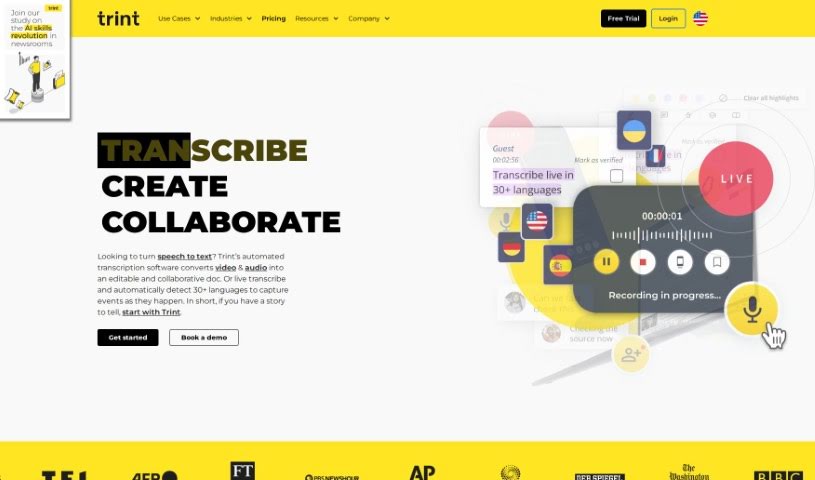
What is Trint?
Trint is a really smart AI-powered software that Jeff Kofman started back in 2014. His goal was to completely change how we handle transcriptions. Basically, it takes your audio and video files and turns them into text super efficiently. This helps speed up media workflows and makes teams much more productive. Trint offers a bunch of cool features, including AI transcription, easy content editing, ways for teams to work together, support for many languages, and even tools to help with research insights. It’s built for all sorts of people – from media pros and researchers to big global companies. You can use it to transcribe, edit, share, and collaborate on your content. Plus, Trint has special solutions for businesses that need secure integrations, and there’s even a mobile app so you can transcribe on the go.
Here are Trint’s top features:
- AI-Powered Transcription: It quickly turns audio and video into text using advanced AI.
- Content Editing: Makes your content workflows smoother with an easy-to-use editor for your transcripts.
- Team Collaboration: Lets you share and work on content seamlessly with your team.
- Multi-Language Support: You can translate your content into many different languages, reaching a wider audience.
- Research Insights: Use your transcriptions for detailed analysis and to gain deeper insights in your research projects.
Who created Trint?
Jeff Kofman is the person behind Trint. He’s an Emmy Award-winning reporter and war correspondent who spent 30 years working for major news networks like ABC, CBS, and CBC News. Jeff felt inspired to create Trint in 2014 because he saw firsthand how inefficient manual transcription was in the media world. The company’s platform uses AI to provide transcription, editing tools, and live collaboration features. It’s a hit with newsrooms, podcasters, businesses, and organizations all over the globe.
What is Trint used for?
- It helps teams get more done.
- You can create captions for videos.
- It’s great for translating content to reach people worldwide.
- Researchers use it for in-depth analysis.
- It makes media workflows much smoother.
- You can easily share and collaborate on content.
- It helps you connect with international audiences.
- Researchers get valuable insights from detailed analysis.
- It offers transcription solutions specifically for businesses.
- There’s a handy mobile app for transcribing on the go.
- You can transcribe audio and video content as it happens.
- It includes tools for editing and collaborating on content.
- It supports many languages for your transcriptions.
- You can use transcriptions to gain insights and analyze data.
- It helps create captions for videos.
- It allows you to translate content into various languages.
Who is Trint for?
- Journalists
- Podcasters
- Local businesses
- Global organizations
- Newsrooms
- Media professionals
- Researchers
- Enterprise professionals
- Media teams
- Research institutes
- Global enterprises
How to use Trint?
Here’s how you can get the most out of Trint:
- Capture and Transcribe:
- You can use Trint’s Live Transcription feature to get real-time transcriptions, or you can upload your existing audio and video files. Trint will then provide accurate, editable, and searchable transcripts.
- Collaborate and Edit:
- Make your content even better by working with your team. You can edit the text, create rough cuts of videos, and even repurpose short clips for different media, like podcasts or social media posts.
- Translate and Caption:
- Need captions for your videos? Trint can generate them instantly, making your content more accessible and inclusive. Plus, you can translate your content into over 50 languages, which really helps you reach a global audience.
- Share with the World:
- You can export your files in various formats, like XML and mp4. For even smoother sharing, you can integrate Trint with tools like Adobe Premiere and Zapier, or use its API.
- Mobile Transcription:
- If you need to transcribe while you’re out and about, Trint has a mobile app. It lets you capture and transcribe audio in over 40 languages, and you can even collaborate and build stories in real time.
- Security Measures:
- Trint takes data protection seriously. They never listen to your recordings and train their AI externally. They’re also ISO 27001 certified, with data servers located in the US and EU.
By following these steps, you can really make Trint work for you, leading to more efficient transcription, editing, collaboration, and content sharing, which ultimately makes your workflow much smoother and more productive.