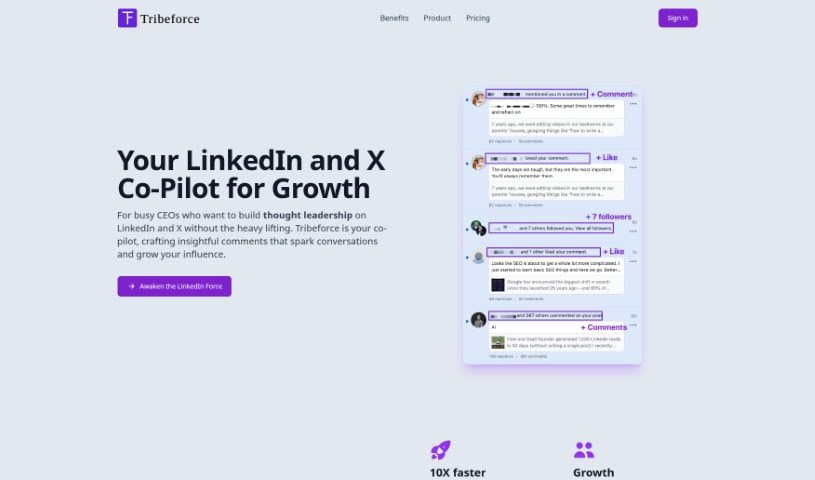
Screenshot of Tribeforce

Tribeforce

Discover what Tribeforce is and how to use it effectively in 2025. We'll explore its features and see how it stacks up against other LinkedIn tools.

Screenshot

What is Tribeforce?

Tribeforce is an AI sales automation tool designed specifically for automating replies on Twitter. It’s built to help you boost your networking efforts, increase engagement, and ultimately drive more revenue by streamlining your interactions on the platform. It is a smart assistant that uses AI to craft responses right within Twitter. This means you can reply to tweets up to 10 times faster than you could on your own. It’s a great way to make your engagement more efficient, allowing you to connect with a wider audience in a shorter amount of time. Plus, Tribeforce offers a range of templates you can easily customize. This way, you can keep your unique brand voice and tone consistent, ensuring every response feels personal and high-quality. They offer different pricing plans, too, depending on how many replies you need each month – from 100 all the way up to 2,000. Whether you’re an individual user or a company, there’s likely a plan that fits. And if you want to give it a spin before committing, you can try it out for free; no credit card is needed to experience what Tribeforce can do.

Who created Tribeforce?

Tribeforce was developed by a founder who prefers to remain anonymous, and it first launched on March 2, 2023. The company’s specialty is AI sales automation specifically for Twitter. Their goal is to help users automate their interactions, ramp up engagement, and generate revenue. They achieve this through AI-powered response generation and a user-friendly interface that works directly within the Twitter platform. Tribeforce provides customizable templates, various pricing plans based on monthly reply needs, and even a free Chrome extension. This extension lets you try out the tool with 15 free replies, no credit card required.

What is Tribeforce used for?

Tribeforce is primarily used for:

  • Automating your Twitter replies.
  • Boosting your networking efforts.
  • Increasing engagement on Twitter.
  • Generating more revenue through automated Twitter interactions.
  • Saving time and effort by automating your Twitter engagement.
  • Responding to tweets much faster than you could manually.
  • Interacting with your followers more efficiently.
  • Using AI to generate responses for your Twitter interactions.
  • Providing high-quality, personalized responses for better engagement.
  • Customizing your replies to perfectly match your brand and tone.
  • Automating replies on Twitter to save you time.
  • Driving more revenue through your Twitter activities.
  • Making your Twitter engagement more efficient.
  • Responding to tweets up to 10x faster than manual methods.
  • Leveraging AI for response generation on Twitter.
  • Using proven templates to ensure high-quality responses.
  • Supporting both individual users and companies.
  • Maximizing your impact on Twitter through streamlined engagement.

Who is Tribeforce for?

Tribeforce is a great tool for:

  • Sales professionals
  • Business owners
  • Individual users and companies
  • Marketing professionals
  • Social media managers
  • Branding experts
  • Anyone looking to improve their Twitter presence.

How to use Tribeforce?

Here’s a simple guide to using Tribeforce for automating your Twitter replies:

  1. Install the Chrome Extension: First things first, head over to the Chrome Web Store and install the free Tribeforce Chrome extension. It’s a quick and easy step.
  2. Access the User-Friendly Interface: Once it’s installed, you’ll find Tribeforce right within the Twitter platform. The interface is designed to be simple and intuitive, so you can start using it right away.
  3. Customize Your Responses: This is where the AI comes in! You can pick from a variety of proven templates and then tailor them to perfectly fit your brand and unique tone. This ensures your replies always feel authentic.
  4. Boost Your Engagement: Tribeforce lets you respond to tweets up to 10 times faster than you could manually. This really helps boost your engagement with your audience on Twitter.
  5. Choose Your Pricing Plan: Decide how many replies you need each month. Plans range from 100 to 2,000 replies, and they’re designed for both individual users and companies.
  6. Engage More Followers: Make your Twitter engagement smoother. Tribeforce helps you interact with more followers in less time, really maximizing your presence on the platform.
  7. Ensure High-Quality Responses: Tribeforce focuses on generating great responses. This means your engagement stays on point, and your followers feel noticed and appreciated.
  8. Try It For Free: You can install the Chrome extension and try Tribeforce for free. You’ll get 15 replies to play with, and you don’t even need to provide credit card details.

By following these steps, you can effectively use Tribeforce to automate your Twitter engagement, save valuable time, and consistently generate high-quality responses that reflect your brand and voice.

Related AI Tools

Discover more tools in similar categories that might interest you

Stay Updated with AI Tools

Get weekly updates on the latest AI tools, trends, and insights delivered to your inbox

Join 25,000+ AI enthusiasts. No spam, unsubscribe anytime.