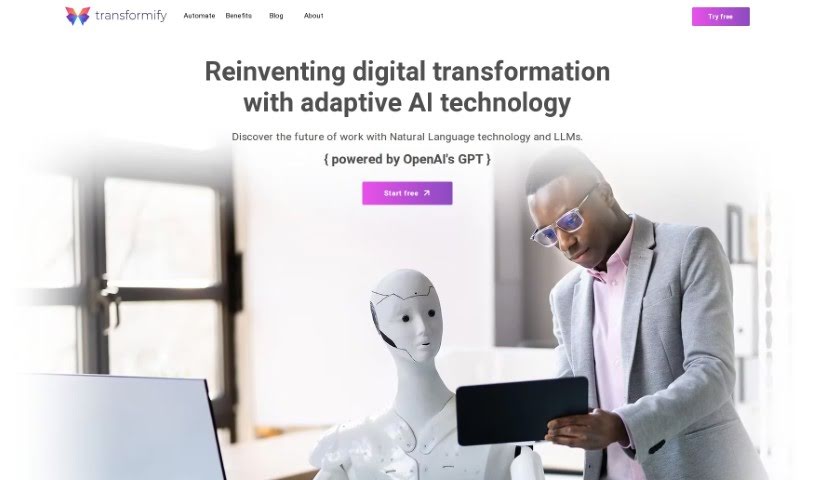
Screenshot of Transformify Automate

Transformify Automate

Discover what Transformify Automate is and how to use it effectively in 2025. We'll explore its features, compare it to other automation tools, and show you how it can simplify your digital transformation.

Screenshot

What is Transformify Automate?

Transformify Automate is an innovative company that’s all about AI automation and digital transformation. They started back in 2019 with a big idea: to completely change how we work by using automation and integration. Their main product, Transformify Automate, acts like an AI Copilot for automation. It’s designed to make tasks simpler and help you build complex automation setups just by using plain language prompts. You’ll find features like AI and LLMs, a conversational interface called ChatUX, tools for handling data, ready-to-use templates, and strong security features for businesses. Transformify Automate is based in the US, with research and development happening in Europe.

Their mission is pretty straightforward: to fully embrace the AI automation revolution and make AI a true partner for both individuals and businesses. They’re really focused on giving users the tools to tap into the power of AI and Large Language Models, boosting productivity and making integration much smoother. Transformify Automate sees itself as a leader in the AI space, always looking to push what’s possible and drive new ideas in digital transformation.

When it comes to their values, they really believe in being open, positive, innovative, and agile. Transformify Automate also supports remote work, operating with a “remote-first” approach that allows for a globally distributed team. On top of that, they’re actively looking for investors to help them achieve their goal of becoming an AI-only platform for digital transformation and a major player in the market.

All in all, Transformify Automate’s dedication to AI-driven automation, its commitment to new ideas, and its focus on empowering users with the latest technology really set it apart as a significant force in the digital transformation world.

Who created Transformify Automate?

Transformify was founded by a team with a groundbreaking vision back in 2019. While the specific founder and detailed information about them aren’t provided in the documents, we do know that Transformify Inc. is described as an innovative startup. They were accepted into the Microsoft for Startups Founders Hub and OpenAI in 2019, and then they launched Transformify Automate in 2021.

What is Transformify Automate used for?

Transformify Automate helps you:

  • Use AI for smarter automation: Tap into AI to create more intelligent automation and integration scenarios.
  • Chat your way to automation: Use a conversational interface to easily build automation flows.
  • Get AI-powered help: Benefit from AI-assisted operations, like classifying and formatting data.
  • Use free templates: Access a variety of pre-made templates and customize them to fit your specific needs.
  • Protect your assets: Utilize enterprise-grade security tools, including Azure Key Vault, to keep your digital assets safe.
  • Simplify tasks: Streamline your work and build sophisticated automation scenarios.
  • Automate without code: Create automation flows even if you don’t know how to code.
  • Build custom flows: Use pre-designed templates or generate your own custom flows with AI.
  • Seamless integration: Connect easily with a wide range of tools thanks to an intuitive ChatUX and a large library of connectors.
  • Start free and scale: Sign up at no cost, with no credit card required, and scale up your usage as your needs grow.
  • AI Copilot for tasks: Automate tasks and workflows using an AI Copilot.
  • Natural language automation: Create sophisticated automation scenarios simply by using natural language prompts.
  • Super-fast automation: Achieve real-time automation that’s up to 1000x faster, powered by AI and LLMs capabilities, making it 10000x smarter.
  • Code-free flow creation: Craft automation flows without needing any coding knowledge.
  • Template-driven automation: Utilize pre-designed templates for your automation needs.
  • Secure workflows: Enhance your workflows with features like a File Manager and a Trust Center for robust security.
  • Conversational interface: Use ChatUX for a conversational way to generate automation flows.
  • Broad connector library: Integrate smoothly with connectors like OneDrive, Google Gmail, and others.
  • Enterprise security: Benefit from enterprise-grade security tools like Azure Key Vault.
  • Flexible scaling: Scale features as needed, starting with a free sign-up and no credit card.
  • AI and LLMs: Harness AI for smarter automation and integration.
  • ChatUX: A conversational interface to easily generate automation flows.
  • Data Handling: AI-assisted operations for classifying and formatting data.
  • Templates: Access and customize a range of free templates.
  • Security Focus: Enterprise-grade tools like Azure Key Vault for asset protection.
  • AI-powered scenarios: Create sophisticated automation scenarios using natural language prompts.
  • Speed and intelligence: Experience real-time automation 1000x faster with AI and LLMs, making it 10000x smarter.
  • Connector integration: Seamlessly integrate with a wide library of connectors, including OneDrive, Gmail, and more.
  • Code-free customization: Craft automation flows without coding, using pre-designed or custom AI-generated flows.
  • File management & trust: Provide a File Manager and Trust Center with enterprise-grade security.
  • GPT-4 automation: Automate digital flows using Transformify Automate and GPT-4.
  • Natural language scenarios: Create automation scenarios using natural language prompts with the AI Copilot.
  • Streamlined workflows: Streamline tasks and workflows with real-time automation.
  • AI/LLM enhancement: Enhance workflows with AI and LLMs capabilities.
  • Azure Key Vault security: Ensure security with enterprise-grade tools like Azure Key Vault.
  • Connector variety: Integrate with a wide library of connectors, such as OneDrive, Google Gmail, and Infobip SMS.
  • Secure file handling: Implement secure file management and use the Trust Center.
  • ChatUX for flows: Offer ChatUX for a conversational interface to generate automation flows.
  • Eliminate repetitive work: Automate tasks and eliminate repetitive work with the AI Copilot.
  • Code-free automation: Create automation flows without any coding knowledge.
  • Template utilization: Utilize pre-designed templates for automation scenarios.
  • Workflow enhancement: Enhance workflows with AI and LLMs capabilities.
  • User-friendly AI: Streamline tasks through a user-friendly AI Copilot.
  • Trust Center security: Utilize a Trust Center for enterprise-grade security tools.
  • Connector integration: Integrate seamlessly with a wide library of connectors.
  • Template customization: Access a range of free templates and customize them.
  • Conversational flow generation: Use ChatUX for a conversational interface to generate automation flows.
  • Easy flow creation: A conversational interface for easily generating automation flows.
  • Template flexibility: Access to a range of free templates and customization options.
  • Secure asset protection: Enterprise-grade security tools with Azure Key Vault protection.
  • Task automation: Automating tasks and eliminating repetitive work.
  • AI chat automation: Automation of chat interactions using AI Copilot.
  • Advanced logic: Advanced reasoning capabilities for setting up logic.
  • Secure operations: Secure operations with enterprise-grade features for all users.
  • AI-only platform: Creating an AI-only platform for digital transformation.
  • GPT-4 automation: Automating digital flows with GPT-4.
  • Streamlined scenarios: Streamlining tasks and creating automation scenarios without coding knowledge.
  • Template-based flows: Utilizing pre-designed templates for automation flows.
  • File management & trust: Utilizing a File Manager and Trust Center for security.
  • Connector integration: Integrating with various connectors like OneDrive and Gmail.
  • Productivity optimization: Optimizing productivity and driving innovation with natural language processing.
  • Efficiency focus: Automating tasks and eliminating repetitive work with AI Copilot.
  • Operational optimization: Driving efficiency and optimizing operations with AI technology.

Who is Transformify Automate for?

  • General Managers
  • Social Media Content Creators
  • Digital Transformation Leads & Innovation Managers

How to use Transformify Automate?

Here’s a simple guide to getting started with Transformify Automate:

  1. Get Access: Head over to the Transformify website and sign up. It’s free, and you won’t need a credit card.
  2. Build Your Automation Flows:
    • You don’t need to know how to code to create automation flows.
    • You can use pre-made templates or just describe what you need in plain language, and the AI will help create custom flows for you.
  3. Use the AI Features:
    • Take advantage of AI and Large Language Models (LLMs) to build smarter automation and integration scenarios.
    • Use ChatUX, which is like a chat interface, to easily generate your automation flows.
  4. Boost Your Security:
    • Benefit from enterprise-grade security tools like Azure Key Vault to keep your digital assets safe.
    • This ensures your digital certificates and secrets are always protected.
  5. Connect to Other Tools:
    • Enjoy smooth integration with connectors for tools like OneDrive, Google Gmail, and Infobip SMS.
  6. Explore the Features:
    • You can access and customize a variety of free templates.
    • AI helps with data operations, like classifying and formatting your information.
  7. Pricing:
    • Sign up for free, and you only need to upgrade for more features when you actually need them.

Transformify Automate is designed to simplify your tasks, help you create sophisticated automation scenarios, and offers a user-friendly AI Copilot interface. It all adds up to a smoother experience for your digital transformation and workflow improvements.

These steps should give you a clear path to effectively using Transformify Automate for all your automation and integration needs.

Related AI Tools

Discover more tools in similar categories that might interest you

Stay Updated with AI Tools

Get weekly updates on the latest AI tools, trends, and insights delivered to your inbox

Join 25,000+ AI enthusiasts. No spam, unsubscribe anytime.