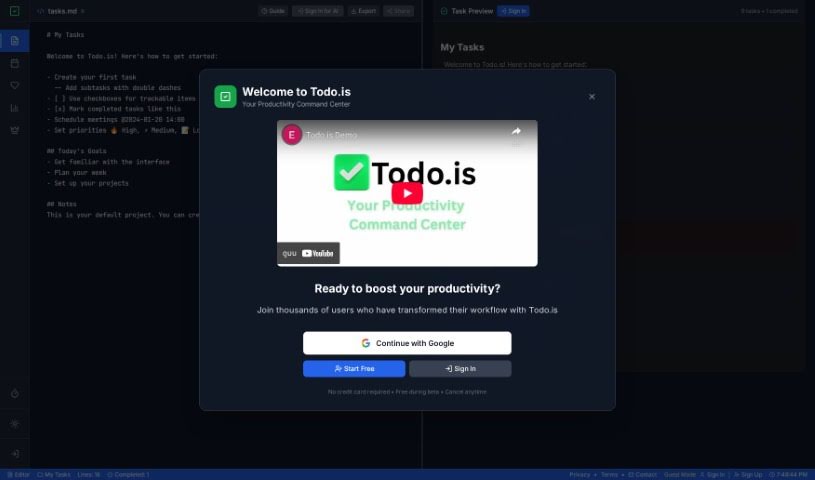
What is Todo.is?
Todo.is is a smart task management and project organization tool that uses AI to help teams and individuals boost their productivity. It’s designed to make managing your work simpler, no matter your industry. You’ll find features like AI that helps create tasks for you, easy ways for teams to work together, and tools to convert text to speech or speech to text. Plus, it even has AI vision for analyzing images. Basically, Todo.is helps you stay organized, feel less stressed, collaborate better, figure out what’s most important, and get a handle on your time. It’s a really useful platform for keeping your tasks, projects, and team workflows running smoothly, all aimed at helping you get more done and hit your project goals.
Who created Todo.is?
An individual with a clear vision for making task and project management easier created Todo.is. They designed the app specifically for people and teams who want a straightforward platform to improve how they work. Todo.is includes AI features that automatically generate tasks, which really helps users stay focused and organized. The focus on smooth collaboration and organized projects shows just how dedicated the founder is to changing how we manage our work and boosting productivity effectively.
What is Todo.is used for?
Todo.is is a versatile tool that can help you with:
- Project Management: Keep all your projects organized and on track.
- Task Management: Easily manage individual tasks and to-do lists.
- Boosting Productivity: Use AI to automatically generate tasks and get smart suggestions.
- Team Collaboration: Work seamlessly with your team by assigning tasks, commenting, and sharing updates.
- Personal Organization: Manage your own to-do lists and stay on top of your personal goals.
- Centralized Organization: Keep all your tasks and projects in one convenient place for maximum efficiency.
- Stress Reduction: Structure your plans with AI assistance to avoid feeling overwhelmed.
- Effortless Collaboration: Assign tasks, leave comments, and share insights easily with team members.
- Effective Prioritization: Focus your energy on the tasks that will have the biggest impact.
- Time Management Mastery: Break down larger projects into smaller, more manageable steps.
- AI-Powered Task Generation: Let natural language processing automate the creation of tasks for your projects.
- Simple, Intuitive Interface: Organize tasks and track your progress with a user-friendly design.
- Seamless Collaboration: Make teamwork smoother by assigning tasks and sharing project updates easily.
- Advanced Task Tracking: Keep an eye on task status and progress with built-in calendar features.
- Free Sign-Up: Start using the platform right away without any initial cost.
- Increased Productivity: Get more done with smart suggestions and clear overviews of your work.
- Stay Organized: Keep everything in one place for ultimate efficiency and organization.
- Reduce Stress: Use structured plans and AI help to lower stress levels.
- Enhance Collaboration: Work smoothly with your team to improve how you collaborate.
- Prioritize Effectively: Focus on tasks in a way that maximizes their impact.
- Simplify Management: Make task and project management easier for both individuals and teams.
- Organize and Track: Easily organize your tasks and keep track of their progress.
- Team Connectivity: Keep team members connected by assigning tasks and sharing project updates.
- Monitor Progress: Track task status and progress, including managing deadlines with calendar integration.
- Personal or Team Use: Use it for your personal tasks or collaborate with a team on shared projects.
- Project Creation: Create projects to group tasks, add specific tasks with reminders, due dates, and even attach files.
- Status Tracking: Enable tracking of task status and overall progress.
- Boost Productivity: Prioritize and tackle tasks effectively to boost your output.
- Ultimate Organization: Stay organized with maximum efficiency.
- AI-Powered Productivity: Boost productivity with AI task generation and smart suggestions.
- Focus and Organization: Encourage focus and organization with clear overviews and project categories.
- Support Collaboration: Seamlessly support collaboration with your team members.
- Automate Task Creation: Use AI technology to automate task creation for your projects.
- Track Progress: Track task progress and status, including deadline management.
- Team Connection: Stay connected with team members through task assignments and project updates.
- User-Friendly Experience: Enjoy a simple, intuitive interface that’s easy to use.
- Personal To-Do Lists: Suitable for effectively managing your personal to-do lists.
- Free Access: Get free sign-up and access to basic features.
- AI Task Generation: Automate task creation with AI.
- Project Management Tools: Use smart suggestions and team collaboration features for project management.
- Task Organization: Organize tasks and track their progress.
- Team Collaboration: Facilitate seamless team collaboration by assigning tasks and sharing project updates.
- Deadline Management: Manage deadlines effectively with calendar integration.
- Free Basic Access: Sign up for free and get immediate access to basic features.
- Personal & Team Management: Manage personal tasks or collaborate with a team on shared projects.
- Effortless Organization: Organize projects effortlessly with AI technology.
- Prioritization Tools: Enhance productivity by using prioritization tools.
- Time Management: Improve time management by breaking projects into manageable tasks.
Who is Todo.is for?
Todo.is is designed for a wide range of users, including:
- Project Managers: To oversee and manage projects efficiently.
- Team Members: To collaborate effectively and track individual contributions.
- Individuals: For managing personal tasks and goals.
- Project Management Professionals: To streamline their workflow and enhance project outcomes.
- Individuals Managing Personal Tasks or Goals: To stay organized and motivated.
- Team Members Collaborating on Shared Projects: To ensure smooth teamwork and communication.
- Engineers: To manage technical tasks and project timelines.
- Marketers: To organize campaigns and track marketing initiatives.
- Marketing Professionals: To enhance campaign productivity and collaboration.
- Engineering Professionals: To manage complex engineering projects and tasks.
How to use Todo.is?
Getting started with Todo.is is straightforward. Just follow these simple steps:
- Visit the Website: You can access Todo.is through your web browser, or on iOS and Android devices.
- Sign Up: Signing up is quick and easy. You can use your Google or Facebook account for instant access.
- Create Projects: Begin by setting up projects to group your tasks and organize your work logically.
- Add Tasks: Within your projects, add specific tasks. You can assign these to team members, set reminders, specify due dates, and even attach relevant files.
- Track Progress: Keep an eye on the status and progress of your tasks to ensure you’re meeting your commitments.
- Collaborate: Invite your team members to join your projects. You can assign tasks, leave comments, and share updates to keep everyone in the loop.
- Utilize AI: Take advantage of the AI-powered task generation. It automatically helps organize your projects, making project management much more efficient.
- Stay Organized: Keep all your tasks and projects in one central place for maximum efficiency and clarity.
- Get Productive: Prioritize your tasks effectively, master your time management, and improve collaboration with all the seamless features Todo.is offers.
By following these steps, you’ll be able to make the most of Todo.is, whether you’re managing personal tasks or coordinating team projects. It’s all about boosting your productivity and making your workflow more efficient.