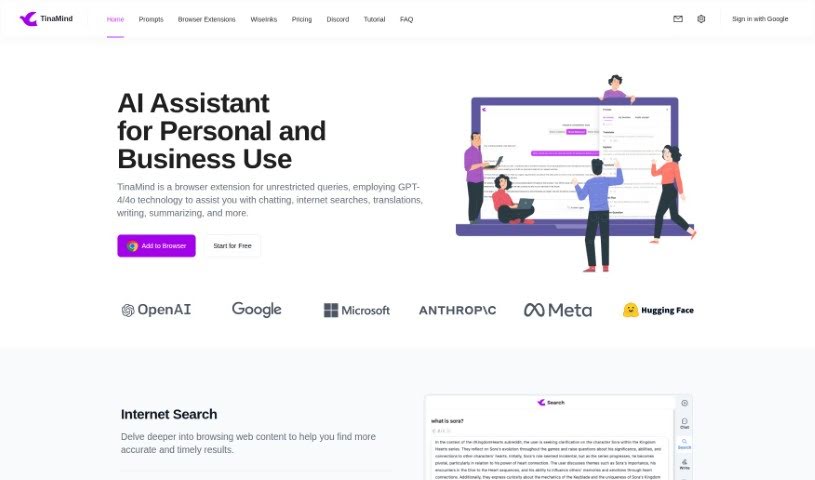
Screenshot of TinaMind

TinaMind

Discover TinaMind, a powerful browser extension leveraging GPT-4/4o. Learn how to use its features for chatting, searching, translating, writing, and summarizing to boost your productivity in 2025. We'll also compare it to other AI assistants.

Screenshot

What Exactly is TinaMind?

TinaMind is your smart sidekick for the web. It’s a browser extension that uses the power of GPT-4 and GPT-4o technology to help you out with all sorts of things. Need to chat with an AI, do a quick internet search, translate something, write a piece of content, or get a summary of a long article? TinaMind can handle it. What’s really neat is that you can select any text on any webpage and get instant assistance with just one click. You can also use it to create new content, get quick summaries of YouTube videos, and access really high-quality translations. Essentially, TinaMind is designed to make your work and study life much more efficient by offering these handy features.

They offer different subscription plans, too, so you can pick what works best for you. Their big goal is to make advanced AI capabilities available to everyone without breaking the bank.

Who’s Behind TinaMind?

Luke Smith is the person who created TinaMind and leads the company as its CEO. His vision is pretty inspiring: to give everyone the tools to boost their creativity and make their work and learning processes more efficient. TinaMind itself is an AI browser extension packed with powerful features. It’s built to help you with a wide range of tasks, from simple chats and internet searches to more complex jobs like translations, writing, and summarizing. It’s pretty impressive how many people trust it – over 100,000 users worldwide rely on TinaMind, processing about 5 million tasks every single day across more than 30 countries. They’re really committed to making work and study easier for everyone.

What Can You Actually Do with TinaMind?

Here’s a breakdown of what TinaMind is great for:

  • Chatting: Have conversations with the AI for help or information.
  • Internet Searches: Get quick, accurate answers without sifting through pages of results.
  • Translations: Translate text accurately and easily.
  • Writing: Get help drafting emails, articles, or other content.
  • Summarizing: Condense long articles, documents, or even YouTube videos into key points.
  • Webpage Text Processing: Select any text on a webpage and get instant AI assistance.
  • Document Analysis: Summarize lengthy documents and get complex concepts explained simply.
  • Content Creation: Generate original content from scratch.
  • YouTube Summaries: Quickly get the gist of videos without watching them all.
  • Translation: Access high-quality, semantically accurate translations with a simple click.

How Do I Start Using TinaMind?

Getting started with TinaMind, your GPT-4/4o powered browser extension, is straightforward. Just follow these simple steps:

  1. Install It: First, add TinaMind to your browser. It’s designed to help with all sorts of tasks like chatting, searching, translating, writing, and much more.
  2. Browse the Web Smarter: You can really dive into web content and get accurate results super fast. Plus, you’ll save time by skipping those endless search result pages.
  3. Process Text Easily: Whenever you see text on a webpage you want help with, just select it and click. TinaMind makes processing text a breeze.
  4. Personalize Your Experience: Head over to the settings page to customize and organize your shortcuts just the way you like them.
  5. Handle Documents Like a Pro: Use the AI to quickly summarize documents, get explanations for tricky concepts, and pull out the most important information.
  6. Create Content Effortlessly: You can generate high-quality content without breaking a sweat, and it’ll come with accurate grammar and spelling.
  7. Translate Instantly: Get quality translations that are semantically accurate, all with the press of a button.
  8. Manage Your Prompts: Create and organize your prompts so you can access them easily whenever you need them, cutting down on repetitive typing.
  9. Pick Your Plan: Choose the subscription plan that best fits how you plan to use TinaMind – whether it’s Basic, Professional, or Premium – based on your needs and the benefits you’re looking for.
  10. Count on Our Support: You’ll benefit from a highly stable extension, fast email support, and the dedicated TinaMind team’s commitment to making your work and study life more efficient.

TinaMind’s core mission is to make AI capabilities accessible to everyone. They aim to boost your creativity and improve how you work and learn. Give TinaMind a try to see how it can effectively streamline all your online tasks.

Related AI Tools

Discover more tools in similar categories that might interest you

Stay Updated with AI Tools

Get weekly updates on the latest AI tools, trends, and insights delivered to your inbox

Join 25,000+ AI enthusiasts. No spam, unsubscribe anytime.