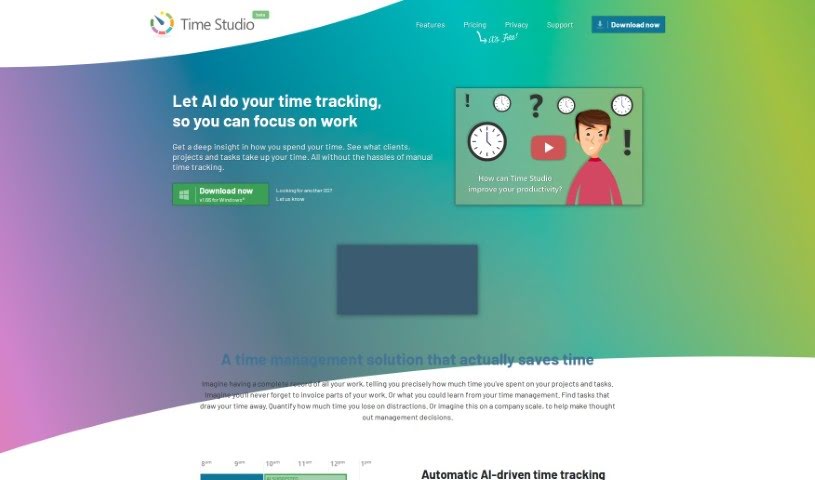
Screenshot of Time Studio

Time Studio

Discover Time Studio in 2025! Learn what this free, AI-assisted time tracking tool is, how to use its features effectively, and how it stacks up against other project management tools.

Screenshot

What is Time Studio?

Time Studio is a completely free tool designed to help professionals across a wide range of fields manage their time more effectively. Whether you’re an architect, accountant, consultant, engineer, entrepreneur, graphic designer, instructor, lawyer, marketer, programmer, researcher, in sales, or running a startup, Time Studio has something for you. It offers AI-assisted time tracking, which means it can help automate and improve how you log your hours. Plus, you get unlimited projects, clients, and tasks – no need to worry about hitting limits. The platform also provides advanced reporting and exporting capabilities, so you can easily analyze your time usage and share it. For teams, there’s aggregated team reporting, and it even includes features focused on employee well-being. To make things even smoother, it integrates with invoicing and HR software and offers API access, meaning it can connect with other tools you might already be using. It’s really built to fit your specific business needs, and best of all, it’s free.

Who created Time Studio?

Time Studio was developed with professionals in mind, covering fields like architecture, accounting, consulting, engineering, graphic design, law, and many others. This platform provides free business AI-assisted time tracking, allowing for unlimited projects and clients, alongside robust reporting features. It also offers aggregated team reporting and integrates seamlessly with invoicing and HR software, plus it has API access. A key focus for Time Studio is employee well-being, and it’s designed to be tailored to specific business requirements. While the founder’s name isn’t provided in the available information, the tool itself is clearly built to address the practical needs of various professional sectors.

What is Time Studio used for?

Time Studio is a versatile tool that helps professionals with a variety of tasks, including:

  • API Access: Connect with other software.
  • Entrepreneurs: Manage time for business growth.
  • Marketers: Track campaign efforts.
  • AI-assisted time tracking: Automate and improve hour logging.
  • Advanced reporting and exporting: Analyze and share time data.
  • Aggregated team reporting: Get an overview of team productivity.
  • Employee well-being: Monitor and support team health.
  • Integration with invoicing and HR software: Streamline administrative tasks.
  • Lawyers: Track billable hours for clients.
  • Consultants: Manage project time and client billing.
  • Graphic designers: Log time spent on creative projects.
  • Architects: Track hours for design and project management.
  • Accountants: Monitor time spent on client work.
  • Engineers: Log time for project development and tasks.
  • Instructors: Track time spent on teaching and preparation.
  • Programmers: Log coding and development time.
  • Unlimited projects, clients, tasks: Manage all your work without limits.

Who is Time Studio for?

Time Studio is designed for a wide array of professionals and businesses, including:

  • Architects
  • Accountants
  • Consultants
  • Engineers
  • Entrepreneurs
  • Graphic designers
  • Instructors
  • Lawyers
  • Marketers
  • Programmers
  • Researchers
  • Sales professionals
  • Startups

How to use Time Studio?

Time Studio is a really flexible tool, perfect for professionals in fields like architecture, accounting, consulting, engineering, entrepreneurship, graphic design, instruction, law, marketing, programming, research, sales, and startups. It offers some great features to help you manage your time, such as free AI-assisted time tracking, which can really simplify how you log your hours. You also get unlimited projects, clients, and tasks, so you never have to worry about hitting a ceiling. The tool provides advanced reporting and exporting capabilities, making it easy to analyze your time usage and share it with others. For teams, there’s aggregated team reporting, and it even includes features to help monitor employee well-being. Plus, it integrates with invoicing and HR software and offers API access, meaning it can connect with other tools you might already be using.

To help you navigate Time Studio even more efficiently, there are several handy keyboard shortcuts. You can bookmark entries using Ctrl + D. To quickly jump to the top or bottom of a list, use Ctrl + ↑/↓. Sorting your entries chronologically or alphabetically is easy with Ctrl + ←/→. For general navigation within lists, the standard arrow keys (↑↓←→) work great. You can also use Enter to open an entry, Shift + Enter to open it in a new tab, Shift + ↑/↓ to expand or collapse lists, / to focus on searches, and A-Z for alphabetical navigation. Pressing + can help you submit entries, and ? will toggle the help menu, giving you quick access to all these functions. These features and functionalities really make Time Studio a powerful and user-friendly tool for managing all your time-related tasks efficiently and effectively.

Related AI Tools

Discover more tools in similar categories that might interest you

Stay Updated with AI Tools

Get weekly updates on the latest AI tools, trends, and insights delivered to your inbox

Join 25,000+ AI enthusiasts. No spam, unsubscribe anytime.